No matter how hard I try, nothing I do can seem to get me around this issue. Basically what's happening is, in the actual game, 1 long strip seems to be capable of giving you 1 long strip of light that shoots up from below the little creases along the walls. However when I try to do that, something causes it to only work in 2 locations over the coarse of the whole strip. In addition to that, the same exact light texture used in the example map, comes up black rather then a nice light blue, like you see when you run the example map.
I've tried:
Resizing textures.
Repositioning textures.
Rotating textures.
Changing textures.
Chopping the brush up and placing them along the length of the wall.
Raising and lowering the light.
Making the crease in the wall thicker and thinner.
Changing the wall textures.
Every single thing I can think of, and not a single thing seems to be working.
PS: I took the overlay off because I was seeing if that was the cause too, it wasn't. I just didn't put it back yet.

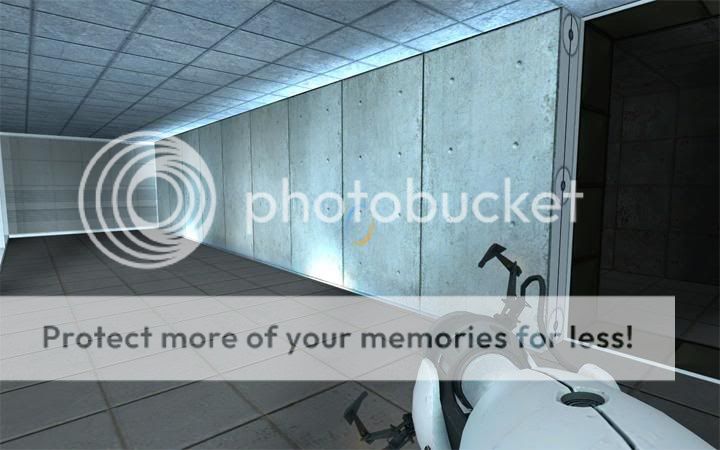
This is the result that I want. This is run directly from the example map, and as you can see, the lights in the wall light the whole length of it.
This is what happens to mine when I try to produce similar results.


