Shadows of a grate
Here is my problem :
I have a room, with a light, and a vertical grate in the center of the room.
The grate is made of a func_brush not solid with a grate texture, and is surrounded by a func_clip_vphysics, and a brush textured with playerclip. I made it like this because i wanted :
- to be able to shoot portals through the grate
- a light bridge to pass through the grate
- the player and the cubes to be stopped by the grate
So far, everything works perfect. But now i would like to get realistic shadows of the grate on the wall.
I tried with a simple light, with a hard light, i tried adding a env_projectedtexture...but none worked.
I wonder if we can get shadows of a "texture", or if it only makes a shadow of the brush. But i've seen videos like this one : is it a grate texture or a specific grate model ?
Does anyone have the solution ?
Thanks


Ofc, use a env_proj_tex, make sure you set to YES the "Enable Shadows", and try a light_spot that it's more a "complete" entity than a normal light.
I don't know what grate texture you're using but if you are making the squares big enough (bigger scale than 0.25 on X and Y axis), you can also complement the frames by blocklight textured brushes that will help you to project shadows...
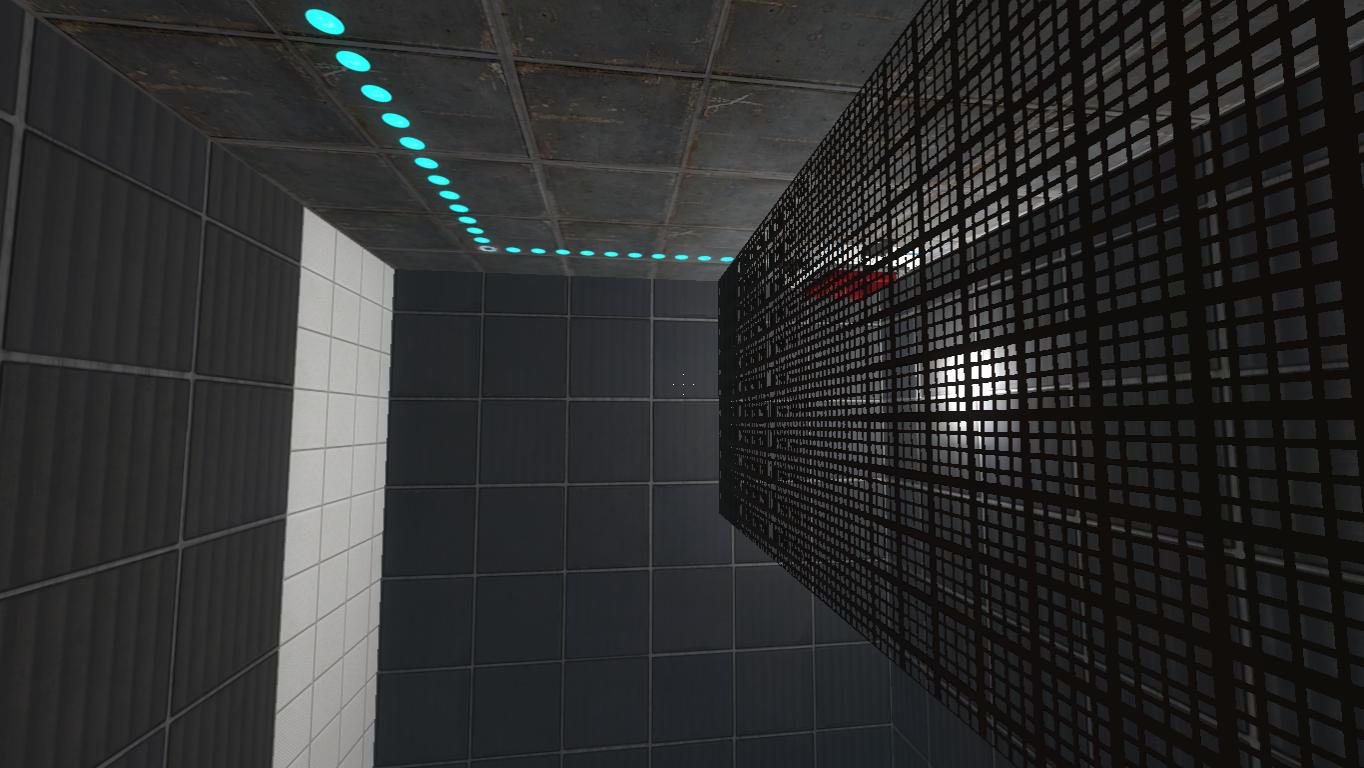
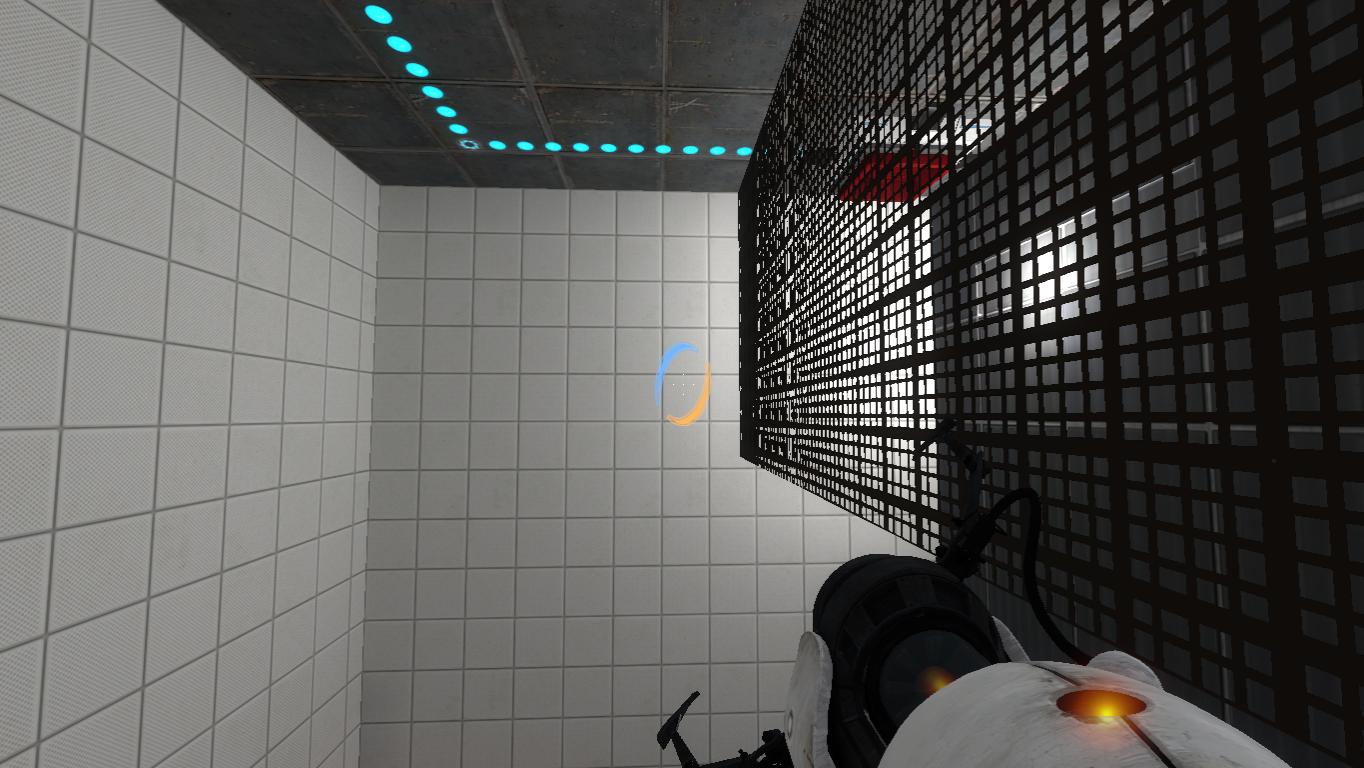
I can't solve it, and here are the details : portal2 2012-06-19 17-37-45-76.jpg
- the grate texture is metal/backstage_grate_002b
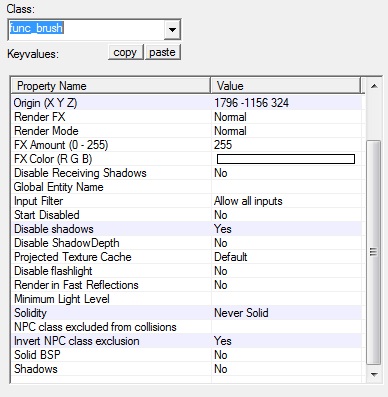
- here are the settings for the func_brush with the grate texture :
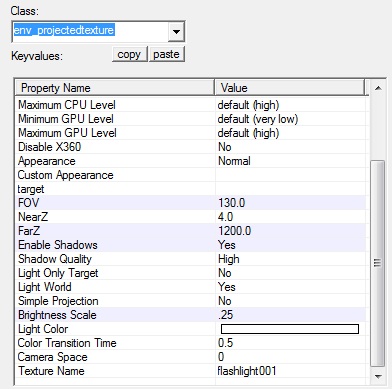
- here are the settings for the env_projectedtexture :
- i tried changing the lightmap scale but it didn't work (which brush face should have a lower lightmap scale ? the grate's, or the wall ? i tried for both...)
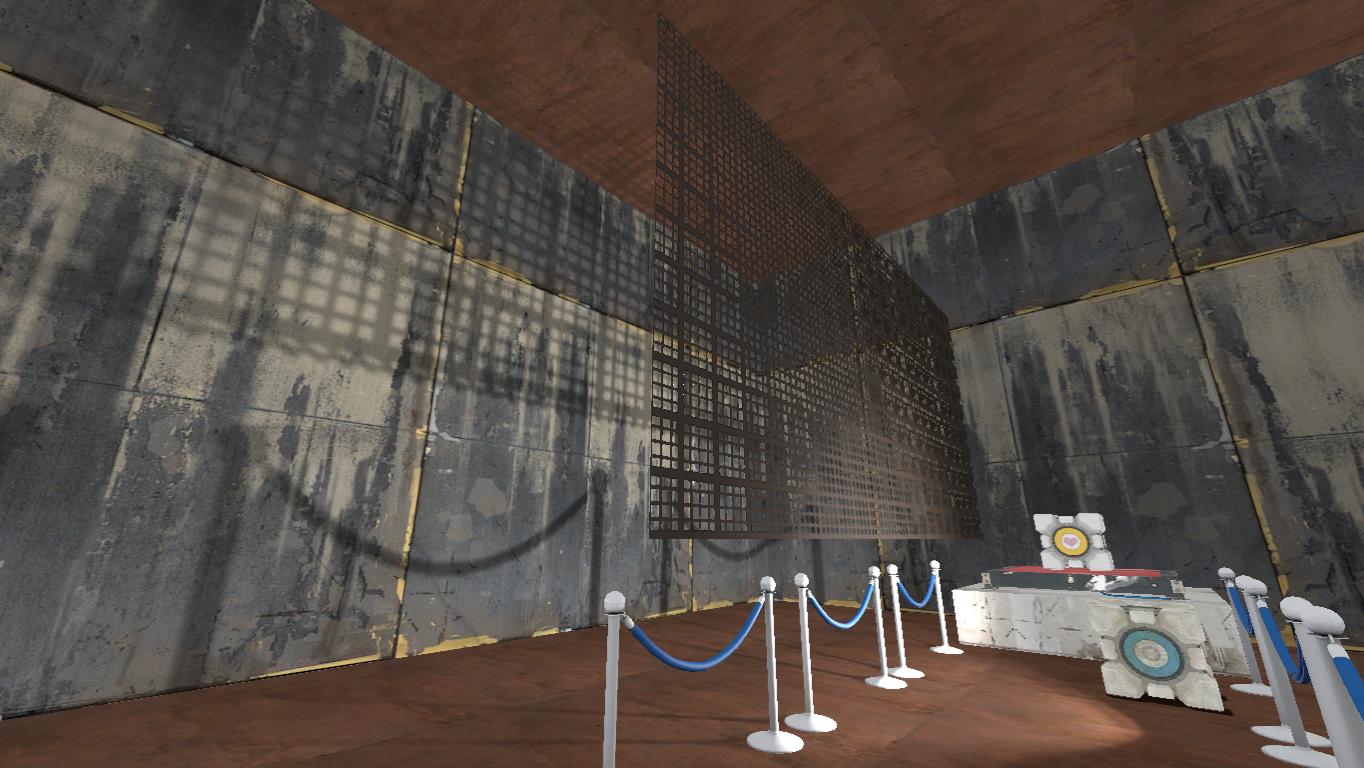
- i tried copying my grate and my env_projectedtexture in another map (a single room made for tests) and it works there !!! :
What's wrong with all that ??
EDIT : the env_projectedtexture is facing the grate in both maps (the problem is not caused by Pitch Yaw Roll...)
EDIT 2 : See Nacimota's post (next page) for his explanations about static and dynamic lighting concepts.
Also, as I told you earlier, lower the lightmap scale of the walls texture with the Face Edit Sheet.
Anyway, if the walls that you're trying to project shadows onto are those black walls, I'm afraid you'll have problems anyway, don't you think? try using lighter wall colour textures. 
josepezdj wrote:
Canari, try to set a higher Brightness scale value, for example 4 or 5, not 0.25.Also, as I told you earlier, lower the lightmap scale of the walls texture with the Face Edit Sheet.
Anyway, if the walls that you're trying to project shadows onto are those black walls, I'm afraid you'll have problems anyway, don't you think? try using lighter wall colour textures.
Yes, i tried with different brightness scales (and 0.25 was the last one i tried).
I've just tried what you say :
- a brightness scale of 5
- a lower lightmap scale (it was 16 and i set it to 4)
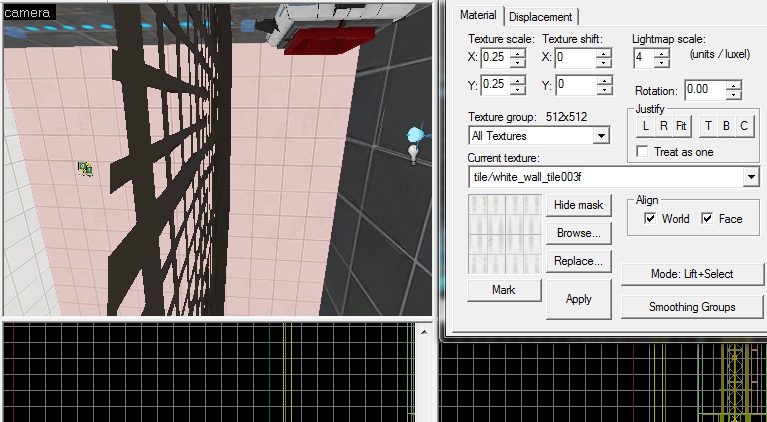
canari wrote:
Try changing the 'Disable shadows' option to No. Just throwing ideas out there.
FelixGriffin wrote:
And "Shadows" at the bottom to "Yes".
Exactly! I missed that!
- disable shadows=Yes + Shadows=Yes
- disable shadows=No + Shadows=No
- disable shadows=Yes + Shadows=No
- disable shadows=No + Shadows=Yes
...
josepezdj wrote:
Hmm... the issue then should be into the compile...

Well done ! That's it ! The expert mode !
I was compiling in the normal mode with HDR checked, but not in expert mode.
I should have tried this before posting ! but the fact that it worked in the second map (as shown on the screenshot of my other post) which was also compiled in the normal mode, was misleading !!!
It works with the func_brush with a grate texture, and disable shadows=No + Shadows=Yes
I will edit this post with a screenshot soon...
Thank you very much josepezdj
EDIT : See Nacimota's post (next page) for his explanations about static and dynamic lighting concepts.
 Looking forward to see a picture when the room is finished!
But good to know that you can actually get sharp shadows from textures that include alpha using an expert compile.
Brainstone wrote:
I suppose your problem was that -textureshadows was not run in normal compile mode.
This is working on models only! https://developer.valvesoftware.com/wiki/VRAD#Effects
josepezdj wrote:
I'm glad to hear that, because I was running out of ideas and about to suggest you to burn you computer and watch the fire shadows on the wall of you bedroom!
ahahahahaha

josepezdj wrote:
I'm glad to hear that, because I was running out of ideas and about to suggest you to burn you computer and watch the fire shadows on the wall of you bedroom!
Here it is :
portal2 2012-06-21 22-25-05-17.jpg Much better like this ! And now if you still haven't tried yet, pleeeease take 1 hour to test [my map named Companion](http://forums.thinking.withportals.com/downloads.php?view=detail&df_id=1926), fifth version. I'll be glad to see a video of your blindrun, and i would love to get other feedbacks (and rates !) The grate and its shadow are in the map :thumbup: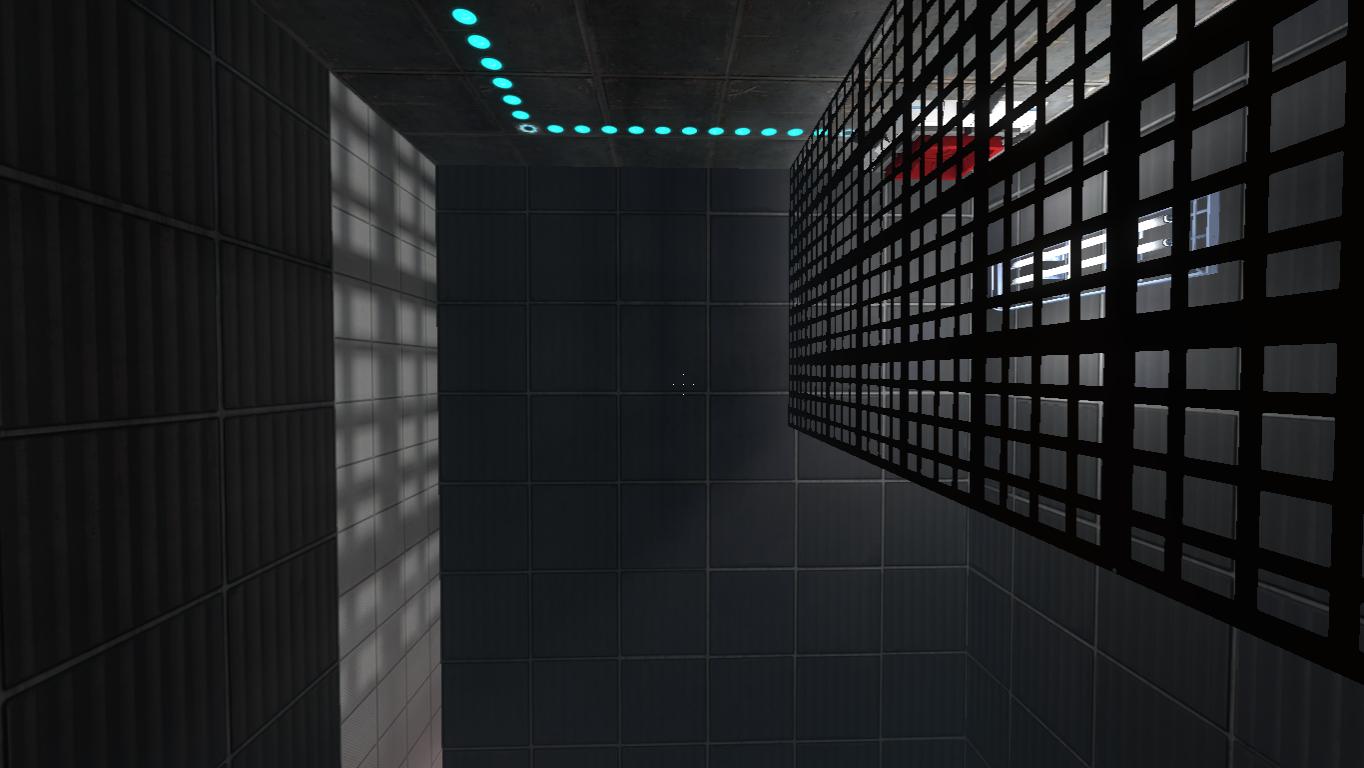
I'll give it a look this evening to your map.