The Thread For Small Problems And Requests
Does hammer stay open longer in different maps, or is it the same with every one, because that happens for me.
ALSO, Just a quick question here. Does anyone know how to make the in game view tilt for an event? It would just need to be like if you took the main picture and rotated it maybe 10 degrees, or similar to the beginning of Amnesia: A machine for pigs.

Lpfreaky90 wrote:
More RAM helped me too.
Arent 4 GB enough?
My Hammer uses 1 - 1.7 GB..
My Computer
4 GB Ram
win7 64 bit
nvidia gtx550 ti
i5 4x3.3 Ghz
Arachnaphob wrote:
I'll assume you have already validated portal 2 authoring tools. If not, then DO THAT.
I did already. several times.
Arachnaphob wrote:
Does hammer stay open longer in different maps, or is it the same with every one, because that happens for me.
It stays open longer open if i just edit brushes etc., doing the normal things. (Also crashes sometimes)
But it crashes very often if i go through the material browser, or when i enter the Flags tab.
Arachnaphob wrote:
ALSO, Just a quick question here. Does anyone know how to make the in game view tilt for an event? It would just need to be like if you took the main picture and rotated it maybe 10 degrees, or similar to the beginning of Amnesia: A machine for pigs.
Hm, you can use a camera to tilt the view,
Tobbell: Hammer has some weird memory leaks. It's annoying, but I don't think there's anything we can do about it.

Slowly, I think it would be worth more to learn the code and to fix it self than to wait for an update ..
I mean, they could fix that, thats they program, and all mappers would be happy.

TheTobbell wrote:
That's just sad. I would spend money if that would help, but noooo... Valve also used hammer, didnt they? Also if they used another version, then why is our hammer version full of bugs
Slowly, I think it would be worth more to learn the code and to fix it self than to wait for an update ..
I mean, they could fix that, thats they program, and all mappers would be happy.
The only thing that's different between the community tools and in-house tools is that the Authoring tools need Steam and a matching SteamAppID match for it to work, when the in-house stuff can work on whatever as long as the version is on the same page with the shaders and such.. The Source 2013 stuff is pretty much the in-house stuff, no Steam needed, and can work regardless of SteamAppID, just make sure you make it read the 2013's platform and HL2 folder because the tools will not understand any other shaders besides the ones it was meant for.
I'm sure they know by now that the tools are shot at this point due to modern features being forced on a program first made in the 90's.
yishbarr wrote:
If you're using Windows Vista, the operating system is only capable of using up to 3 GB of memory even if it has more.
This is wrong.
If you use any kind of 32-Bit operating system you can't use more than about 3,2GB RAM. If you have 64-Bit (and Vista also exists as 64-Bit of course!) then you can use up to multiple TB of RAM.
And what ever you say about RAM: I am very sure Hammer is a 32-Bit program. It won't be able to use more than 3GB of RAM at any time. And the same applies to any other Source game and tool.
If your Hammer crashes (little note here: Hammer today is extremely stable to what I still know from 2005), then you either have to check your system's drivers (for example graphics card driver, since Hammer uses a 3d interface with D3D or OpenGL I guess) or you have to use Cntrl+S a lot, as you always should in any program.
And I am also very sure Valve has exactly the same tools we have. Otherwise some additions to Hammer that appeared with Episode 2, that were useful when creating Episode 2, wouldn't be available for us.
Skotty wrote:
If your Hammer crashes (little note here: Hammer today is extremely stable to what I still know from 2005), then you either have to check your system's drivers (for example graphics card driver, since Hammer uses a 3d interface with D3D or OpenGL I guess) or you have to use Cntrl+S a lot, as you always should in any program.
So which system requirements are the best? Because i mean, only updating drivers doesnt help :S
Skotty wrote:
If your Hammer crashes (little note here: Hammer today is extremely stable to what I still know from 2005), then you either have to check your system's drivers (for example graphics card driver, since Hammer uses a 3d interface with D3D or OpenGL I guess) or you have to use Cntrl+S a lot, as you always should in any program
My hammer crashes a lot of the time when I load a larger map or occasionally when opening the face edit tool.
Arachnaphob wrote:
Try compiling without RAD. If it's still dark, I don't know what to do. If not, you may have 'disable shadows' off. Enable that and see what happens.

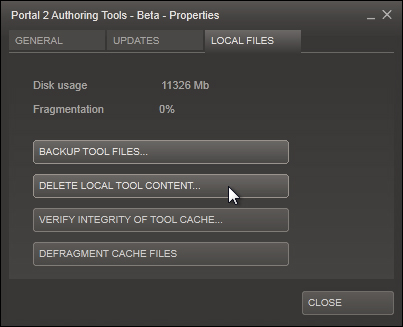
EDIT: Maybe something is wrong with vrad. Are you compiling with full and HDR? If you are, your light bounce calculation thingy may not be working. Try a validation maybe.
So you doesnt have this "strange" look, and your black areas are dimmed.
This has happened many times before to me when I try to do ceiling destruction. I'm starting to think it's a problem with the compile...