nodes, vertices, and damaged brushes
Perfect blocks and square and rectangles, all immune to this. Now you go and create something like a cylinder or a torus, save your file, re-open it later......YOU GET THIS CRAP RIGHT HERE!!! The corners that are supposed to connect in the exact same place?! They just friggen rip apart like pieces of paper flapping in the wind, leaking out the map and letting you peer inside of a non-hollow chunk of your hard work like someone took a knife and stabbed your .bsp
WHY DOES THIS HAPPEN!?! I spend so much time fixing this crap!
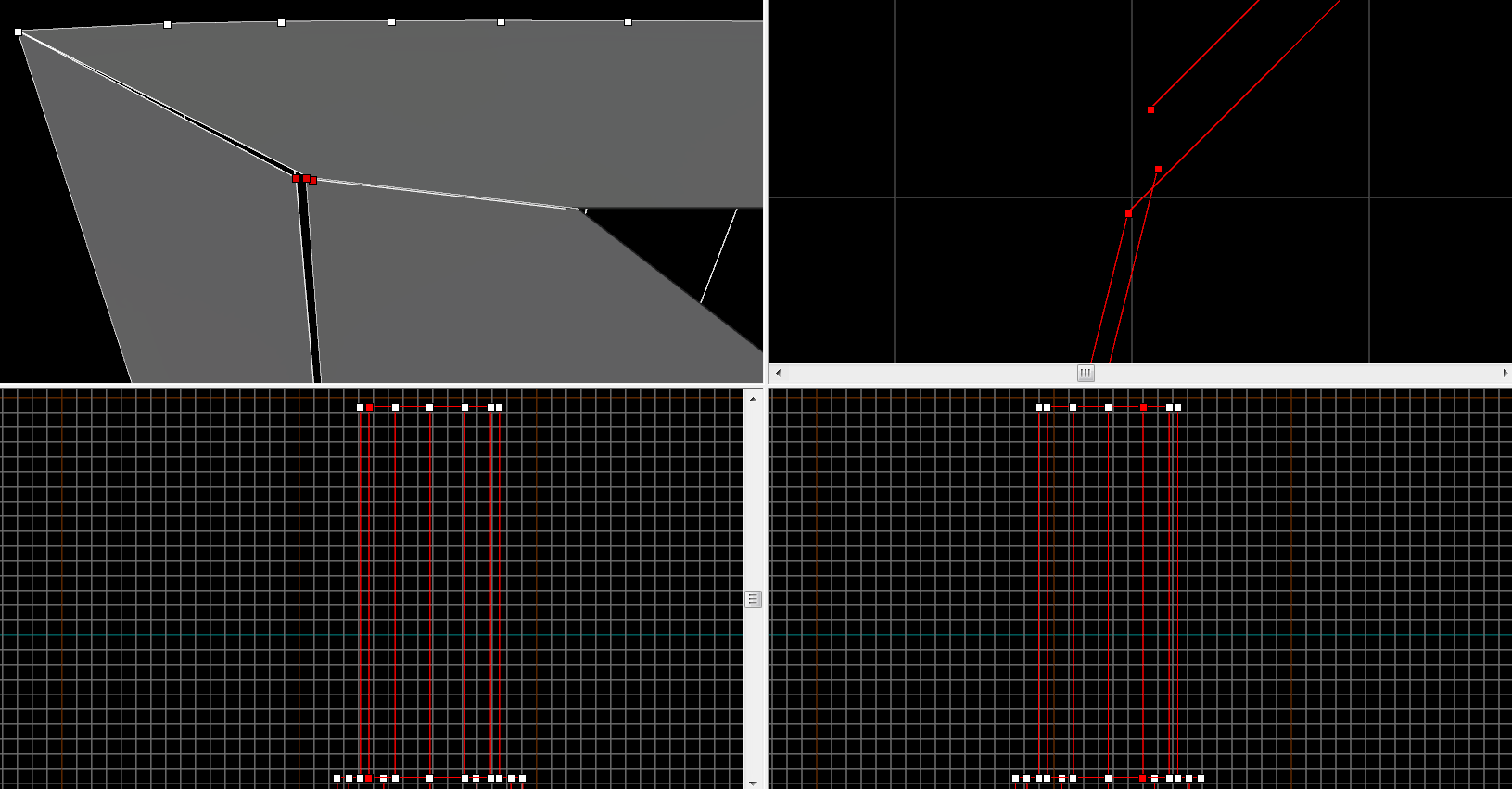

I must say that hammer editor breaking some of the solids for no reason is a common problem.
Did you got an error that you have bad solids on your map while trying to open ?
@Fracture: that is totally normal, don't freak out  Hammer tends to snap all vertices to the grid, and even if you used a legit type of brush like a torus or a cylinder, it must put each of your vertices IN one of the Hammer grid's crossing lines. You'll notice a significative difference if you make something and tie it to a func_detail than if you tie it to a func_brush: you'll see it more deformed if it's a func_brush than if it's a func_detail, it seems that Hammer is more permissive with details since they won't be parented or move.
Think that you can't have floating vertices in the Hammer grid, but only those snapped to the grid.
There are some tricks though:
-
you can make whatever shape, an arch or cylinder, at a really big size, making it to fit to the Hammer grid, and then to scale it (Ctrl+M > Scale) down to a smaller size, in many cases Hammer leaves it without change even though it is very small.
-
I discovered that you are allowed to clip a brush using the clipping tool as long as the clipping line joins 2 legit points in the Hammer grid, even though after cutting you leave some vertices floating in the air and not snapped to the Hammer grid.
-
and remember to tie your brushes to func_details everytime you can instead of other brush entities since they are less deformed by Hammer.
I notice the deformation occurs after reloading saved files.
I dont see why they keep shifting and diverging even after I snapped them back to grid
Have you tried making that torus much bigger and then rescaling it down by any chance?
If you can't eventually work with it, I could turn it into a custom model for you, just let me know the dimensions and send me a pm with the textures in the case they're custom ones 

This animation shows how a cube is read out of the VMF planes.
