Skybox problem
6 Posts
Posted Oct 03, 2015
Hello, i am currently working on a portal 2 map in the hammer, but i am having some problems when i apply a skybox to the level. It seems that all the brushes turn transparent,
Here is some examples with and without the skybox:
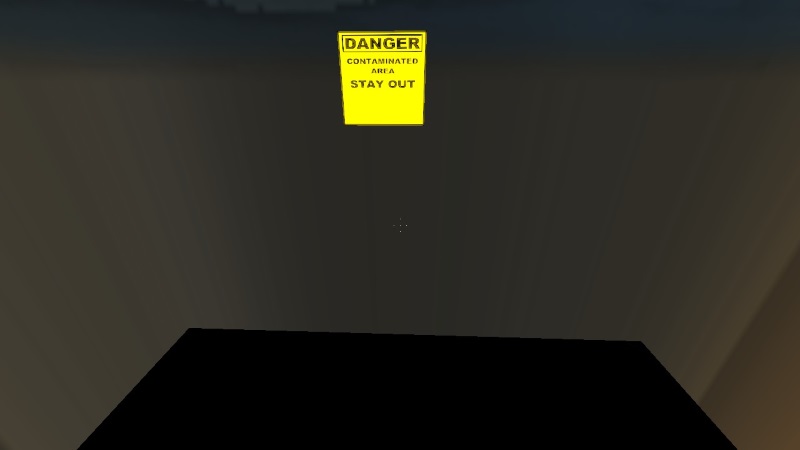

Here is some examples with and without the skybox:

Registered users don’t see ads!
Register now!
6 Posts
Posted Oct 03, 2015
Replied
1 hour
later
I know i have to open the vmt file and remove something, but i am not sure where that file is loccated, i just used one that was in the hammer (difficult to explain)
40 Posts
Posted Oct 03, 2015
Replied
4 hours
later
Is your level leaking?
361 Posts
Posted Oct 03, 2015
Replied
2 hours
later
if you use custom skybox (for example from gamebabnana) and you entered the name of the skybox well into the map properties (the name of the textures but without the last 2 character, only the common first part) then must edit all 6 .vmt, changing/replacing the first row to "UnlitGeneric", and with VTFedit (free program) must edit all 6 .vtf and check the 'Clamp T' and 'Clamp S' checkboxes, and save. After these, there shouldn't be any weird glitch. OF course must pack all 6+6 file to the .bsp when publishing.
6 Posts
Posted Oct 03, 2015
Replied
57 minutes
later
DaMaGepy wrote:
if you use custom skybox (for example from gamebabnana) and you entered the name of the skybox well into the map properties (the name of the textures but without the last 2 character, only the common first part) then must edit all 6 .vmt, changing/replacing the first row to "UnlitGeneric", and with VTFedit (free program) must edit all 6 .vtf and check the 'Clamp T' and 'Clamp S' checkboxes, and save. After these, there shouldn't be any weird glitch. OF course must pack all 6+6 file to the .bsp when publishing.
Well, you see, i use one that i found on the hammer texture browser, and i do not know where those textures are located :/
Registered users don’t see ads!
Register now!
2,386 Posts
Posted Oct 05, 2015
Replied
1 day
later
I don't know if you did, but you can't just apply any skybox texture directly to any brush face. Instead you must use the toolsskybox texture on every brush face where you want the sky to show up; then into Hammer go to Map > Map Properties and put the name of the skybox you'd like to use in the "Skybox Texture Name" property.
