How to create a custom chamber sign?
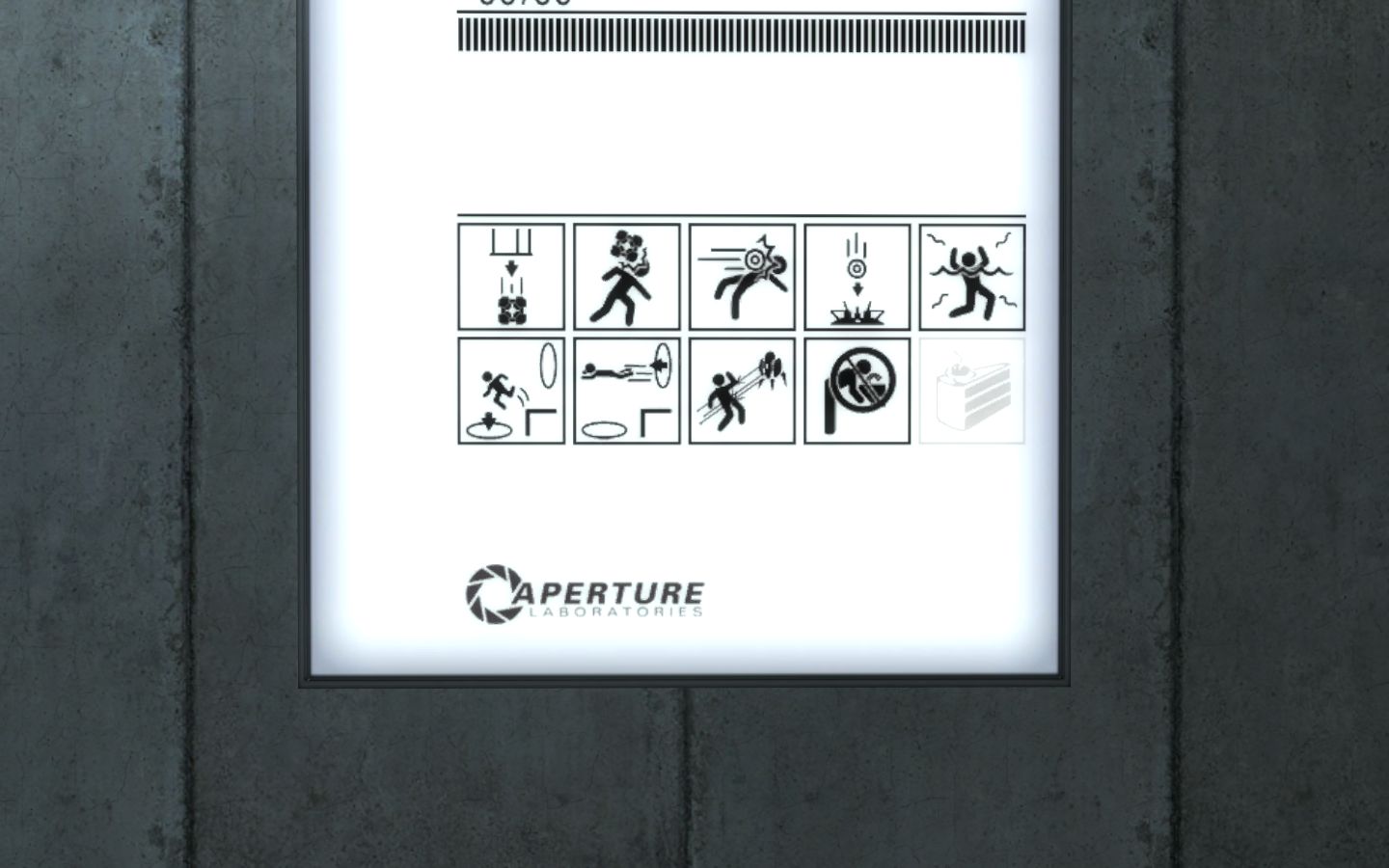
I have used Aldez's prefab for this, and it looks like the sign is one func_brush with a texture (which was not found) applied (called CHAMBERSIGN). The "blinking effect" is assured by three entities, one of them is env_texturetoggle, which changes texture index of the func_brush.
What I need to do know, is how to create my own chamber sign with number "74", but I don't know where to get the font for this number, so I looked into the example map and saw that the whole sign is actually a model
 changing its skin. And this is where my knowledge ends.
I have used a tool called MDLTextureInfo, which gave me the names of textures used in the model. However, none of the textures was the front of the sign, there were basically no usable images used in that model. so I really don't get it how it works?
I have spent hours trying to come up with the solution myself, but failed miserably... I am totally frustrated now. There are no tutorials about this anywhere

Now the last option is to ask you, experienced mappers. How exactly did you do this in your maps? What should I do? Or, even better, wouldn't someone of you mind writing a brief tutorial for this?

Thanx in advance,
Mek
ps: the file in the attachment is from a custom map called "chambersthree", there are three images with chamber signs. So I am curious, how to make my own?...

and what im using is just a func_brush, but no blinking

I made a tutorial on how to create a texture for the prefab. I havn't proofread it, so it can be somewhat difficult to follow. If you get it right, the texture you make will be fully compatible with the prefab. I suggest you use the template in my tutorial together with the other template on this site.

//edit: oookay... I ended up here: > Quote:
- Add the symbols and labels you want for your sign into your layer.
So I looked into the download database and found the Portal Raw Level Signage PSD with tutorial
I followed it, but I got stuck at step > Quote:
- Saving the sign
My photoshop (v7) is unable to save the alpha channel into the TGA file (see the attachment). I have applied the patch suggested at the start of the tutorial. The patch should have fixed it, am I right?  so what do I do next?
frustrated
I have two folders under my Photoshop main folder, called "Plug-Ins" and "Plug-Ins CZ", and I copied the alpha channel tga patch into the Plug-Ins folder only... now that I copied it in the Plug-Ins CZ folder too, it is working

now the sign works as intended, BUT... the image is a little distorted, like if there was a compression
and, when I applied the texture onto my brush, the texture was too large (512*1024), so I had to fit it in Hammer. I wonder if it could be caused by this...
 or is there any way to have the texture perfectly sharp as in the original chambers?
The texture isn't too large. If you have texture lock on when you insert and move the sign prefab, you can just replace the texture without changing the coordinates. If you want a better resolution, double the size of the texture to 1024x2048. The frame will still have the same resolution, but the symbols will look better.
I don't have the plugin for photoshop, so I went through the TGA state.
I see I will have to experiment a little more, hopefully I won't destroy what's already done

//edit: I see that the vtf plugin cannot create multi-frame vtf files, as seen in readme > Quote:
- The plug-in only supports single-face and single-frame .vtf files.
//edit2: well, now that I opened the older multi-frame file I used in my map before, I see that the quality is as good as it should be. So the crippled effect is made by applying the texture resized 
I don't understand the problem you describe under "edit 2". Does it look bad in Hammer and/or in-game?
EDIT:
I tried to make a 1024x2048 texture and scale it in Hammer to fit the sign. It worked perfectly, both in Hammer and in-game. The only problem I see is the file size (10.6 MB).
but you were faster 
so, now I did a little experiment and the texture looked fine in Hammer, even after resizing. But in the game it was crippled. I think I will cope with it by letting it be, it is not so bad.
(the forum won't let me add a second attachment for one post)

i will probably have some time to try it tomorrow.
btw. the brush I am having this texture on, is of size 96x192 Hammer units.
And when fit in Hammer (by pressing the Fit button), it has set some weird numbers for the face texture, see the attachment