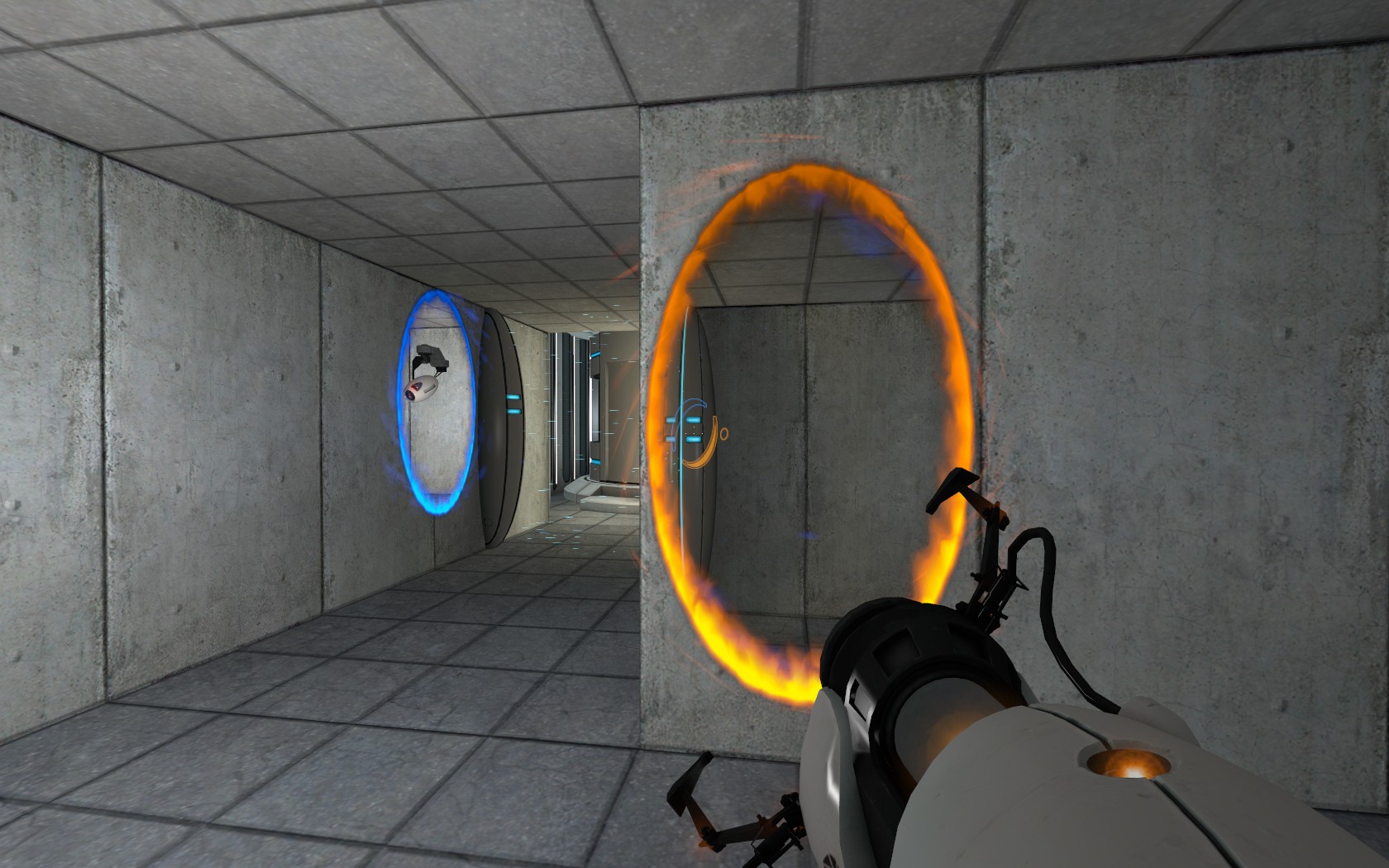
Chamber 4XE3
WIP
It includes a BMZ for easy import, and challenges for least time, steps, and portals (Most of which are impossible, as this map won't have challenges in the final version.)


Things left to do:
Voice acting
Cubemaps (They don't seem to want to build)
I think I missed a few Portal bumpers, although some are there.
Any input would be greatly appreciated, Thanks.
Map Link: Download Here

few things i noticed:
there is a weird texture on your left a few meteres infront after u get out of the elevator
the lifts dont make any noises...
also, least portals gold was easy... i got 3 for it :p
managed to get 40secs for least time, but im thinking 30 would be quite difficult, especially since u have to wait on the lifts for a few seconds before they rise...
It shouldn't be hard, it's the first map 
Also, that 'weird texture' is there for a reason 
The challenges arn't really possible (At least, I don't think), as they are direct copies of chamber 13's challenges. I just anted to see if I can get challenges working.
Stormrain wrote:
Updated with screenshots!It shouldn't be hard, it's the first map
Also, that 'weird texture' is there for a reasonThe challenges arn't really possible (At least, I don't think), as they are direct copies of chamber 13's challenges. I just anted to see if I can get challenges working.
some constructive criticism:
I thought it was a little too bright. Maybe lower the lighting, and add observation spot lights, and also the import left an extra folder. Also, the moving platform could use some noise 
Also, at the end, you can skip the trigger that opens the elevator doors, by shooting a portal. And if you hold forward in the elevator, you'll fall through it!, you can easily fix this by parenting the blocking brush to the elevator.
Wtfs up with that hidden room?
MrTwoVideoCards wrote:
Needs less fake lighting, and maybe some cowbell.
I never add standard lights in my map, unless they have a defined point, like a window or something, but then i just use a spotlight
sbrown wrote:
I never add standard lights in my map, unless they have a defined point, like a window or something, but then i just use a spotlight
Good Job.

sbrown wrote:
I never add standard lights in my map, unless they have a defined point, like a window or something, but then i just use a spotlight
That's how your suppose to do lighting, Cause Light has to have a source.
reepblue wrote:
That's how your suppose to do lighting, Cause Light has to have a source.
But some noobs just throw them in the middle of the room!
sbrown wrote:
But some noobs just throw them in the middle of the room!
lol... that'll prob be me...
whats the best way to do normal lighting?? i spent like 2 hours fiddeling around with lighting, andi basically just have a light in the middle of each room dropping off to 50% after a certain distance... all the other ones i tried looked worse or far too dark...
monkeyman wrote:
lol... that'll prob be me...
whats the best way to do normal lighting?? i spent like 2 hours fiddeling around with lighting, andi basically just have a light in the middle of each room dropping off to 50% after a certain distance... all the other ones i tried looked worse or far too dark...
Recessed lighting and metal wall lighting. Also spotlights coming form observation rooms
I'm trying to put the recessed lighting in, as in here, but for some reason i get leaks, like the lighting texture is staying seethough, no matter what I try. Anyone that can explain to me what (Probably simple) thing I'm missing here?
EDIT: Also, Sbrown, the hidden room is a place where the mappack splits off into different directions (There's going to be three places with optional paths, each having their own maps /story)
Best thing to do is to make the invisible brush and nodraw brush a prefab, and then carve it in to place, then pull the walls up

Stormrain wrote:
Won't that still end up making the leak?
No. If you are sealing your map with invisible brushes, it will still leak. Thats why there is another strip on the bottom of nodraw. look at your pointfile
------N
------I|
-------|
-------|
Where --- is the celing, | is my wall, N is nodraw brush, and the I is my invisible brush (With the overlay being right under the Invis brush.
Thanks for being patient with me XD
Stormrain wrote:
Sorry for seeming thick here, but I still don't fully understand it. What is being used to seal the map off in the tutorial? I have the Invis brush, then the Nodraw one right above, with the Recessed lighting texture on the bottom face.
------N
------I|
-------|
-------|Where --- is the celing, | is my wall, N is nodraw brush, and the I is my invisible brush (With the overlay being right under the Invis brush.
Thanks for being patient with me XD
Im not sure. check the pointfile 
EG:
