Portal - Time slowed down?
Is there any chance of getting time slowed down by a trigger or something? or something similar, you walk slow jump slow that stuff? also physics go slow...
thanks!
- Stimich

PortalFan77 wrote:
You know there is a Portal bullet time mod.
may be, but the question was if I could do that by a trigger 
I not sure if you can gradually change it other than firing loads of outputs one after another. For my map I also used an env_fade to maximise the changes effects coupled with a sound and changes to the HDR tone balence. It just emphasises the slowness but I wonder if you could create your own color balence settings to maybe wash out the colours during the slow down. That would be cool. I'm gonna check that out and get back to you actually 
Oh yeah sorry that this might be obvious but be aware that the delays on the triggers will change after a host_timescale command according to what scale you use. Sorry I'm going on a bit here but also be aware that sv_cheats will remain on even after you quit the map so the player won't be able to complete challenges unless you fire a command with "sv_cheats 0" as parameters or they manually do it.
Nearly forgot to mention as well that all names above should be without quotes.
Hope that helps dude 
EDIT: I just realised, 0.23 seconds after pressing "submit", that it says something like "sv_cheats changed to 1", not the actual command. So the above tip likely doesn't work, because you can't give a command that would just output a blank line. Bummer. 
mazk1985 wrote:
[...] I wonder if you could create your own color balence settings to maybe wash out the colours during the slow down. [...]
Yup! Use a color_correction or color_correction_volume entity.
See this article for an explanation.
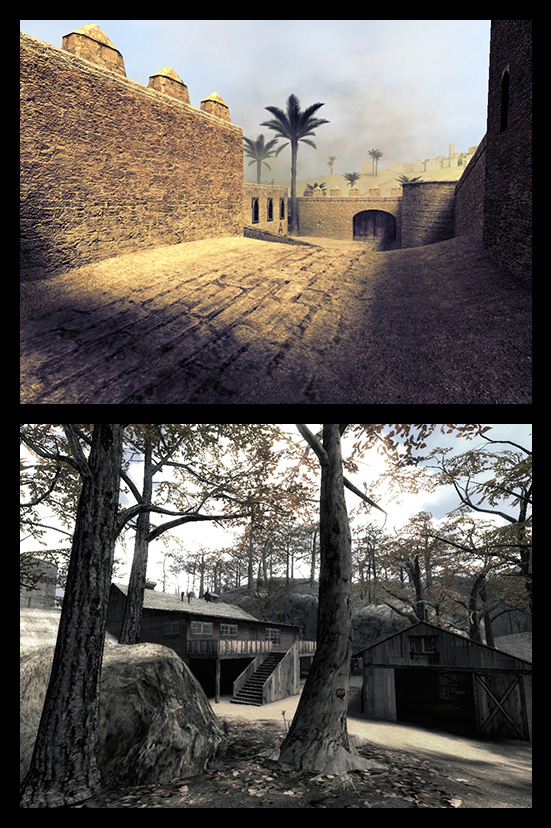
Why dont we see this kind of quality in valve maps.
mazk1985 wrote:
Funny you should mention this as I just finished a small map based entirely around the concept. It's quite easy to do but you have to enable sv_cheats for it to work. I only say this cos the hud will show that sv_cheats is enabled when it happens. Anyway basically you'll need an entity called point_clientcommand. Give it a name like "consolecommand" or whatever and then have the trigger fire an output to the point_clientcommand with "command" as the input and "sv_cheats 1" in the parameters box. After that you'll need to fire another command with the parameters as "host_timescale *" where * is the time scale you want to use. 1 is normal, 2 is double speed, 0.5 is half speed, etc.I not sure if you can gradually change it other than firing loads of outputs one after another. For my map I also used an env_fade to maximise the changes effects coupled with a sound and changes to the HDR tone balence. It just emphasises the slowness but I wonder if you could create your own color balence settings to maybe wash out the colours during the slow down. That would be cool. I'm gonna check that out and get back to you actually
Oh yeah sorry that this might be obvious but be aware that the delays on the triggers will change after a host_timescale command according to what scale you use. Sorry I'm going on a bit here but also be aware that sv_cheats will remain on even after you quit the map so the player won't be able to complete challenges unless you fire a command with "sv_cheats 0" as parameters or they manually do it.
Nearly forgot to mention as well that all names above should be without quotes.
Hope that helps dude
LOL thanks it worked perfectly! thank you
HMW wrote:
Yup! Use a color_correction or color_correction_volume entity.
See this article for an explanation.
Thanks dude. Had a quick look and I didnt know there was a UI for color correction. I thought I had to get down and dirty with color codes or something. UI's ftw
mazk1985 wrote:
Thanks dude. Had a quick look and I didnt know there was a UI for color correction. I thought I had to get down and dirty with color codes or something. UI's ftw
http://www.youtube.com/watch?v=P3UKXZBZldQ here is the results! I found a way to not make a new trigger to make it real time!
Nice work tho, Very nice.
reepblue wrote:
If you find a way to hide the "server sv_cheats set to 1" message, It would be perfect.Nice work tho, Very nice.
cl_drawhud 0... I think?
I've got this going in my map pack too, to emphasize an important (and rather fast) part of it. I think that drawhud hides the little sv_cheats message...
I'm going to experiment with this a bit and see if I can get rid of that sv_cheats message. I'll post here if I find anything.
@PortalFan77:
I've searched for a Portal bullet time mod, but the ones I could find are all controlled by the player, with a special key. Stimich wants to control bullet-time as part of the map, not having the player turn it on and off at will. Is there anything like that already in existence? (Preferrably one that doesn't spam the HUD with server messages.)
In one of the timed chambers there was a button that slowed down the entire game without sv_cheats popping up.
HMW wrote:
This looks very interesting. A great application would be for making tricky flings a bit easier to do. You would indeed need to add some additional clues to the map, like marking off the slow-area in a distinctive way and using display / sound effects.I'm going to experiment with this a bit and see if I can get rid of that sv_cheats message. I'll post here if I find anything.
@PortalFan77:
I've searched for a Portal bullet time mod, but the ones I could find are all controlled by the player, with a special key. Stimich wants to control bullet-time as part of the map, not having the player turn it on and off at will. Is there anything like that already in existence? (Preferrably one that doesn't spam the HUD with server messages.)
hmm... yeah, but Idk how to change the sound or anything except Audacity... but tha'ts cheap imo... it would be nice if you enter the trigger, then Glados talks, of course in fastforward since you're in slow-motion, then when you go out of the trigger Glados talks normally! but idk how..
Solomon wrote:
Can a trigger control the pitch of a sound? Because, while mapping, I added some music and by changing the pitch (In hammer) it changed the speed too.
Speed? like slow-mo, or fastforward?... that kinda speed? O.o
- At the start of your map, place a trigger_once. (Or re-use one you already have.)- Add an OnTrigger output with your point_clientcommand as the target.- Set the input to "Command" and the parameter to "hud_saytext_time 0". (No quotes.)The hud_saytext_time variable determines for how long the orange server messages stay on the screen, in seconds. (The default is 12.) So setting it to 0 causes the sv_cheats message to be visible for 0 seconds.
@Solomon:
The "Pitch" setting of sound-emitting entities actually changes the playback speed. Because of the way sound works, playing a sound file faster also raises its pitch. (Exactly like fast-forwarding a cassette tape.) This doesn't matter with normal sound effects in the game; often it's even desirable. (E.g. in case of an engine revving up.)
To change the pitch of music while keeping the speed constant, you need to re-sample it using an audio editing application like Audacity, save it as a new .wav or .mp3 file and use that in your map.
If you want to change one of Valve's stock soundtracks, you need to extract it from the game cache files using GcfScape and distribute the modified version with your map. (And risk getting sued for copyright infringement... )
)