Portal 2 SDK look output?
274 Posts
Posted May 12, 2011
So, in Portal 2, there were various times that Wheatley told you to look away as he "hacked" various doors. Is this a new trigger entity? If so, does anyone know what it is called? Because this could make some interesting puzzles.

Registered users don’t see ads!
Register now!

4,144 Posts
Posted May 12, 2011
Replied
17 minutes
later
The entity is a brush entity called trigger_look. Basically you would create a somewhat small, probably flat box on the wall opposite from where Wheatley is, and when the player looks at this volume then you have the entity trigger whatever needs triggering.
This is actually used in the original Portal during one of the first "fling" chambers, with the wall panels that extend and/or rotate to be angled. Go back and play these chambers again - they don't rotate or extend until you look at them.
274 Posts
Posted May 12, 2011
Replied
3 minutes
later
Oh, thanks! With a name like trigger_look, it seems like I'd know about it.
Also, did you know you don't actually have to look at the art in the beginning of the game? It's weird that they would make you look at it, even though you don't have to.
4,144 Posts
Posted May 12, 2011
Replied
3 minutes
later
trigger_look is really useful when you need players to watch something that is critical to your puzzle, again using the Portal 1 example. You are looking around the room for a portalable surface and suddenly something angles, and you know right away that it's important without having to actually be told it is.
1,366 Posts
Posted May 12, 2011
Replied
51 minutes
later
Another thing, if I recall correctly, the trigger_look also can be set to fire when you look away from it, making it easier to trigger (e.g. rather than looking at a specific spot away from wheatley, you can just look anywhere away from him)
4,144 Posts
Posted May 12, 2011
Replied
5 minutes
later
Yeah you can set the radius on it pretty large to do something like that I believe. You might want to decompile the map that has this in it and see exactly how Valve did it.
274 Posts
Posted May 12, 2011
Replied
1 hour
later
Well I want to use it differently anyway, to make it so you DO have to look directly at an entity. (My map is going to be called "Out of Sight, Out of Mind".) But I want to make it so it only fires an output when I AM looking at it. Right now, for example, I have a door that will open if I look at a certain panel extruding from the wall, but when I look away, it remains open, I can't find an output for looking away, would I have to make a separate entity for looking away?
4,144 Posts
Posted May 12, 2011
Replied
7 minutes
later
I haven't used trigger_look in this way so I can't be 100% positive. Try using the "OnStartTouch" Output for when the player starts looking at the volume (and thus opens the door), and then using the "OnEndTouchAll" Output to close the door. In theory that should work.
274 Posts
Posted May 12, 2011
Replied
29 minutes
later
But wouldn't that be an output just for when in the trigger brush, not specifically looking at the target?
4,144 Posts
Posted May 12, 2011
Replied
1 minutes
later
trigger_look doesn't operate like other triggers. You are "in" the trigger when you are looking at it, that's it's entire purpose. Instead of being physically in the volume, your view is passing through it.
274 Posts
Posted May 12, 2011
Replied
26 minutes
later
Oh, that's awesome, I'm going to tie a trigger_look to some gel and see how it works.
274 Posts
Posted May 12, 2011
Replied
2 hours
later
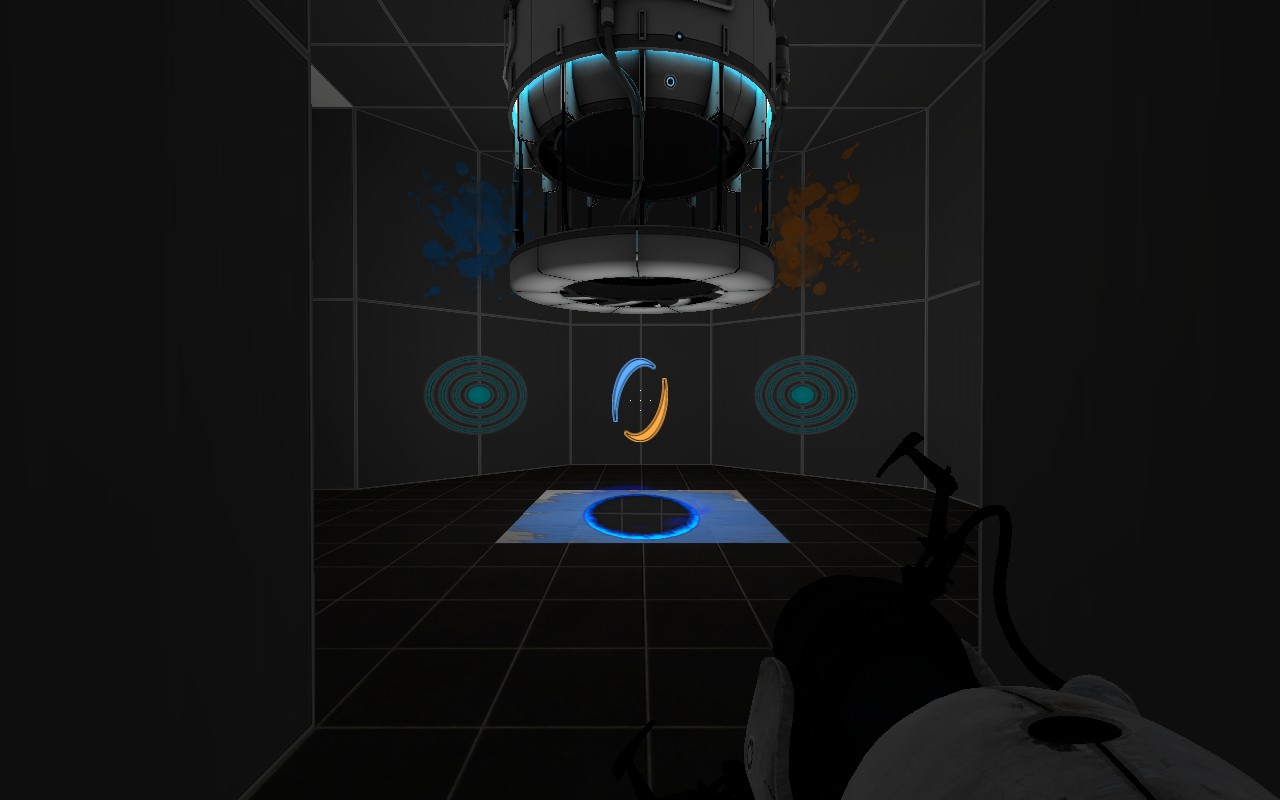
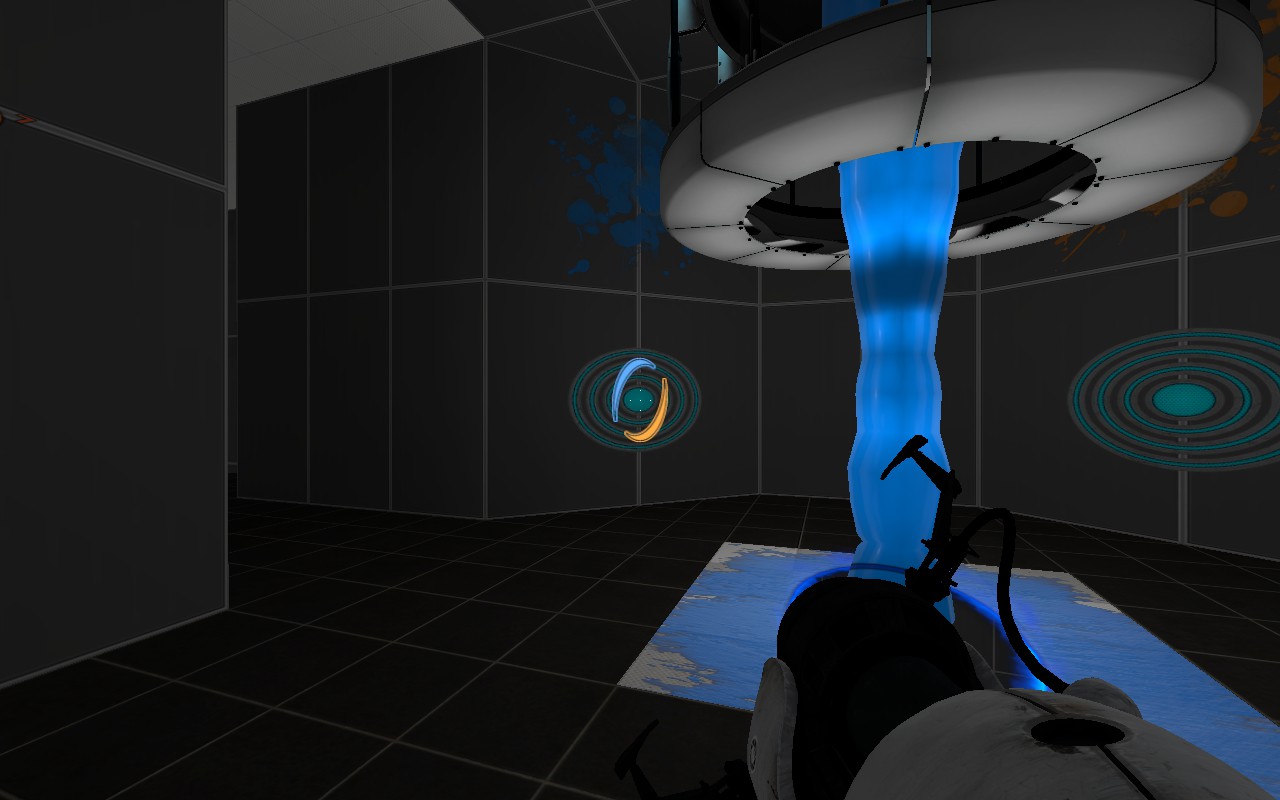
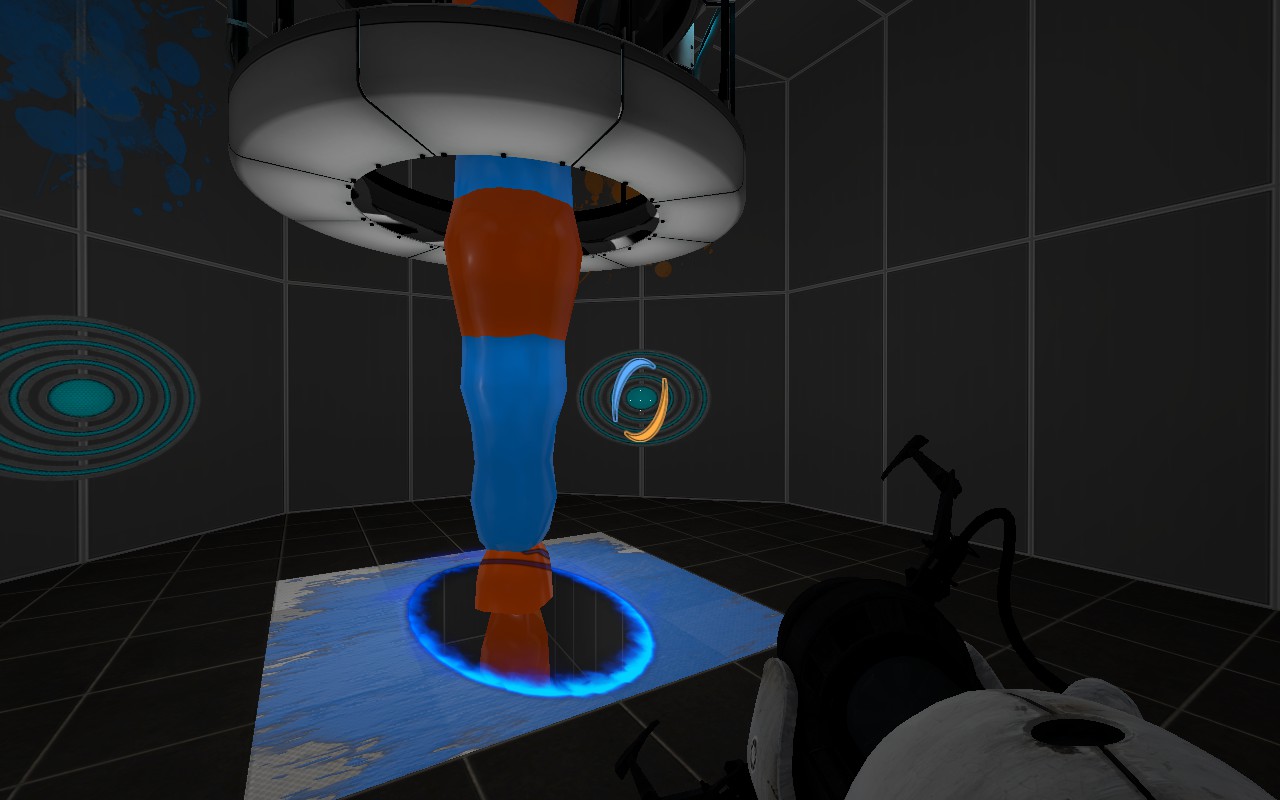
Okay, so I tied it to 2 different sprayers, and this is what happened.
2011-05-12_00001.jpg
First of all, when I look at the blue, it turns on, all good.
2011-05-12_00002.jpgBut when I look over to the orange, they both stay on.
2011-05-12_00003.jpgYou have to exit the brush and come in facing the one you want to activate whenever you want to change which one is activated. Help?
Images
3
50 Posts
Posted May 13, 2011
Replied
8 hours
later
Did you add any outputs on stoping the gel flow when you stop looking at it?
274 Posts
Posted May 13, 2011
Replied
12 hours
later
That's the problem, I can't. The only output I can fire after activating the trigger_look is leaving the trigger area entirely.
435 Posts
Posted May 13, 2011
Replied
4 minutes
later
In each trigger_look, send a "disable" output to the other colour gel.
i.e, if you look at the blue, blue turns on. When you then look at the orange, it first sends an outpu to the sprayer to stop the blue gel, then starts the orange.
i.e, if you look at the blue, blue turns on. When you then look at the orange, it first sends an outpu to the sprayer to stop the blue gel, then starts the orange.
Registered users don’t see ads!
Register now!
4,144 Posts
Posted May 13, 2011
Replied
6 minutes
later
You should send the "Disable" Output with the trigger_look's "OnEndTouchAll". That would be the best solution here.