Is it possible to cut out part of a wall?
So, I'm still trying to teach myself hammer and I have a wall but now I decided I want an alcove in the wall. I just don't know how to cut out part of the wall instead of replacing the entire thing. Is it even possible? I'm trying to use the clip tool but I'm not having much luck. I googled it but I don't get how that is supposed to only cut a small square away from my wall.
Thanks in advance.
Here's a shot of the part I want to cut out.
http://img.photobucket.com/albums/v497/ ... antcut.jpg
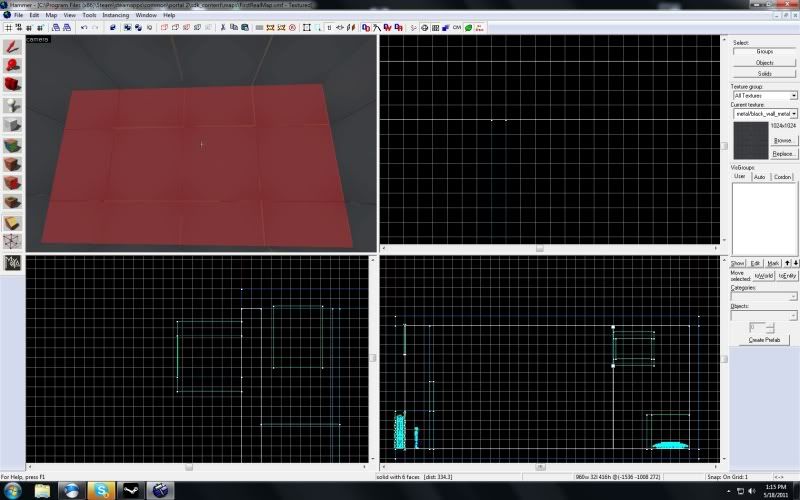
Yet the whole wall is selected. Can I not just pick an area to crop and cut that out?
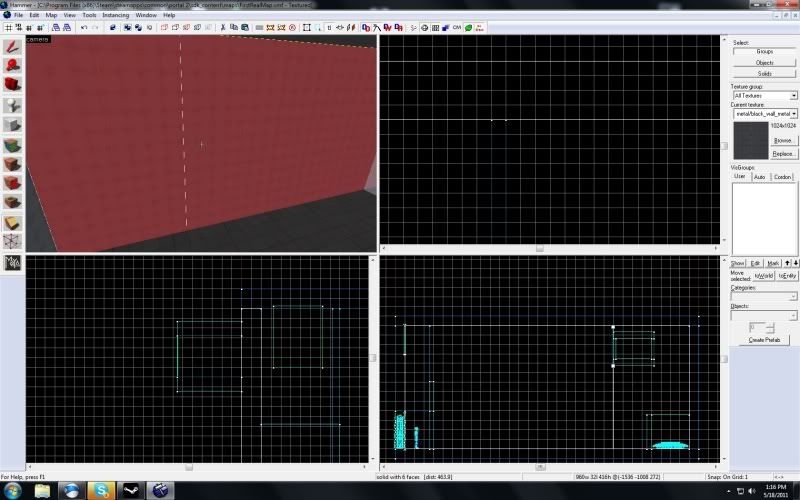

Thanks again mate.
CrossDot wrote:
Ah, thanks Screedle. I didn't even know there was a carve tool, but I can see why using it could make things very messy. I was more curious as to if it was possible to just cut a hole in something, but I guess all the time I spent figuring it out (with your help) could have been used to just redo the wall with new brushes. Haha.Thanks again mate.
Be careful using the carve tool. I used it the other night and it ruint my map and made this error happen which kept crashing the SDK (luckily valve sent out a patch just as I got this error and it fixed my map)
but if it happens you have to delete the things you used the carve tool on because otherwise it bomb portal 2.
Its safer to just re-construct it out of several brushes rather than carve tool as other people have said
Carve can sometimes lead to nasty brushes so I don't recommend to use it.


I knew as soon as I saw this thread that I'd have to make this clarification.
The carve tool works perfectly fine for rectangular cuts. It shouldn't be used for anything more complicated than that but for rectangles it's fine.
Here's an article I wrote a few years back:


Nacimota wrote:
The carve tool works perfectly fine for rectangular cuts. It shouldn't be used for anything more complicated than that but for rectangles it's fine.
I agree that it causes no problems, but even in simple cases it can be annoying, because of the counter-intuitive way it makes the cuts. Usually, when I need to cut out a rectangle, it's to add a door or window to a wall. Since the carve tool makes the horizontal cuts first, you end up with the walls on either side of the hole split horizontally into two or more pieces, which makes future resizing and tweaking more of a pain. I find that I need to adjust the length of walls more often than the height, so I prefer wall and door pieces to have the initial cuts vertically, so I can easily resize the pieces on either side if needed.
Quote:
6:14 PM - Nacimota:You can use the clip tool responsibly, I love to argue with msleeper.
6:15 PM - >f7> msleeper: Yes I know.
6:15 PM - >f7> msleeper: But it's easier to tell people not to use it, then train them in the very specific way to use it.
msleeper wrote:
Quote:6:14 PM - Nacimota:
6:15 PM - >f7> msleeper: Yes I know.
6:15 PM - >f7> msleeper: But it's easier to tell people not to use it, then train them in the very specific way to use it.
I do not love to argue with you! You made that up! 
(it's funny because I'm arguing)
CrossDot wrote:
If you can actually for instance cut a doorway using the clip tool - I'd love to know.
The clip tool is easy to use once you realise that it has multiple modes. Try the following:
1) Select your wall
2) Click the clip tool
3) Draw a vertical line where you want your slice to be (don't press enter yet)
4) Click the clip tool button twice more, to cycle through the discard modes.
5) Press enter (Ensure both sides of the cut are white, not red, which means everything will be kept)
6) Deselect the brush, which should now be 2 seperate pieces
For a doorway, just make a second vertical cut as above, so your wall is in 3 pieces, then adjust the size of the middle piece to form a opening. For a window opening, make a horizontal cut through the middle piece, then adjust as required.
It sounds like a lot of steps, but is actually incredibly simple in practise. When making architecture, I usually start by laying a single brush, then just extend and clip a bit off to make my next brush, and so on, rather that repeatedly making individual brushes with the brush tool.
*(i'm only trolling, because anything i could have said has already been covered, from the "use the carve tool" to the "use it only sparingly", to the "ungroup, remove one wall, and rebuild it the right way.")