Custom SP Info Sign
1,080 Posts
Posted May 20, 2011
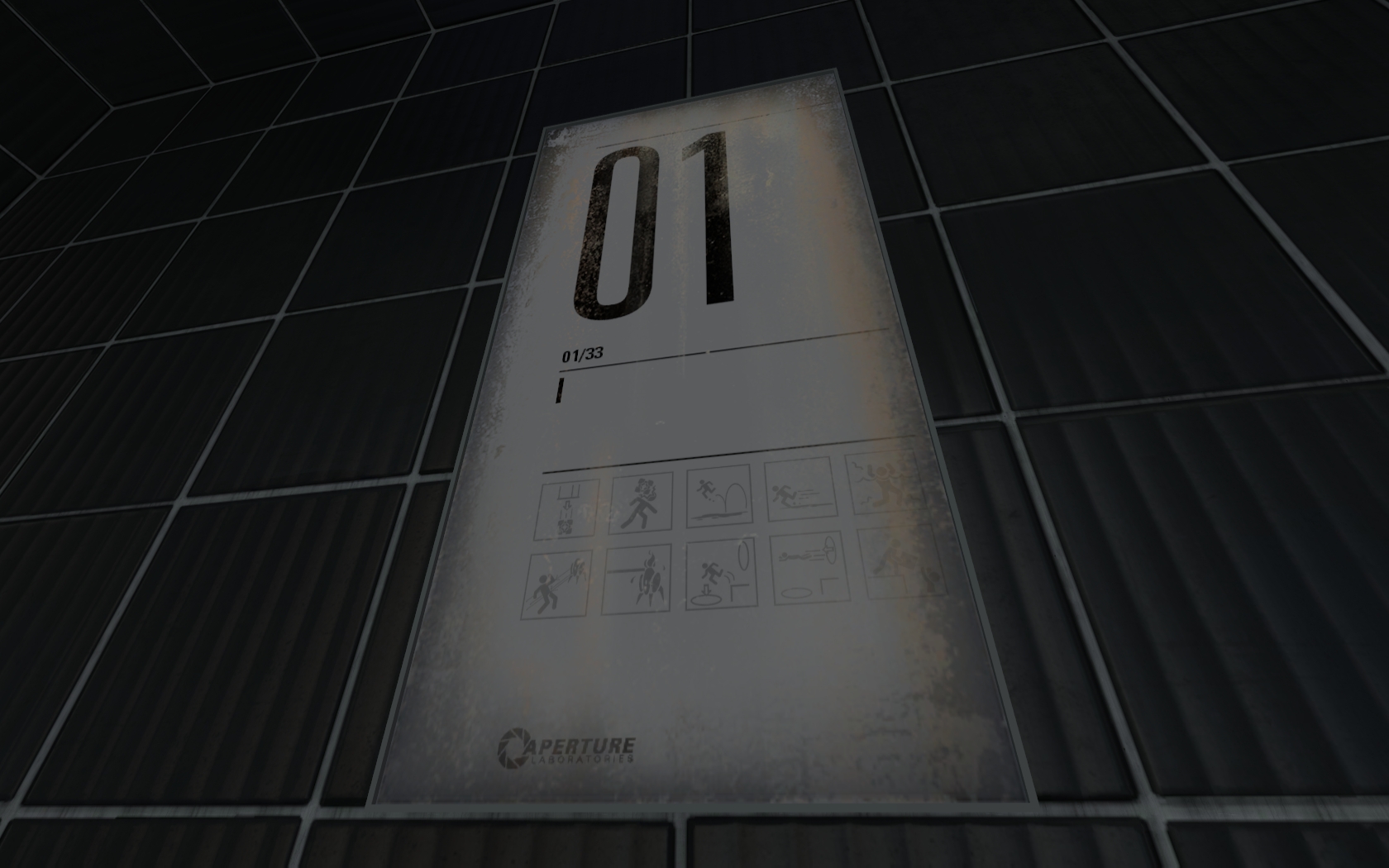
Has anyone figured out how to use the test chamber signs. I am using info_sign_sp_clean. It works and you can use a simple trigger to turn it on/off. But I can't seem to change the contents of it. Am I missing something blooming obvious here or is not out in beta yet?

Registered users don’t see ads!
Register now!

4,144 Posts
Posted May 20, 2011
Replied
12 minutes
later
I haven't messed with these much but it's on my list of things to work on. I don't know if there is an easy way to mess with them or not. It would be really nice if we could use a vscript to modify them, but I doubt that's going to be possible.
1,080 Posts
Posted May 20, 2011
Replied
43 minutes
later
Yep, vscript! sp_lightboard_icons. Then you set the level number and the total level number. If its dilapidated or not. After which you can add your icons you want. You can have up to ten. The icon name files are the same as the game textures (duh). You can set the icons to 1 for On and 0 for off (again, duh.) Much easier then Portal 1 where you had to make each one individually! 
Example:
http://i51.tinypic.com/281zbpe.png - In my recreation of Chamber 17.

4,144 Posts
Posted May 20, 2011
Replied
4 minutes
later
Fucking awesome. Release an example custom vscript and you will be the hero of the internet.
1,080 Posts
Posted May 20, 2011
Replied
4 minutes
later
I don't know how to release it. And therefore, when I send my maps to friends its comes up blank...  So... I dont know. I add this into a sp_lightboard_icons
"test1"
      {
         //Map data
         "level_number" "17"
         "total_levels" "19"
         "startup" "normal_flicker"

         "icons"
         {
            "cube_drop" "1"
            "cube_bonk" "1"
            "laser_cube" "1"
            "laser_power" "1"
            "button_stand" "1"
            "goop" "0"
            "drink_water" "0"
            "bridges" "0"
            "turret" "0"
            "turret_burn" "0"
         }
      }
4,144 Posts
Posted May 20, 2011
Replied
2 hours
later
Images
1
1,080 Posts
Posted May 20, 2011
Replied
18 minutes
later
You sir, are a god send!
26 Posts
Posted May 20, 2011
Replied
9 hours
later
It works perfectly. Even tho I am new to Hammer and SDK in general, I made my own sign today. It works like a charm. I even managed to change logic_auto to logic_relay (so it doesn't turn on on Map_start, but rather on OnStartTouch on some trigger.
Little tutorial for others might not hurt, I am not sure if there isn't one already... if there isn't I might take a loot at it. These signs can really turn random maps into real test chambers.
4,144 Posts
Posted May 20, 2011
Replied
2 minutes
later
Yeah I am going to create a full tutorial later, I just really wanted to get the proof of concept out. Just please for the love of god, if you are going to use this method, do not distribute a raw sp_lightboard_icons file.
26 Posts
Posted May 20, 2011
Replied
2 minutes
later
I wouldn't even know how to do that. I just added custom sign into that list and that's all I will ever do to it.
4,144 Posts
Posted May 20, 2011
Replied
5 minutes
later
Err, no. That's what I'm saying not to do. Go to the link I posted above, look at the second post. That is how you should package and distribute this file to clients.
26 Posts
Posted May 20, 2011
Replied
1 hour
later
I misunderstood you, my appologies. I will try to pack it into this .VPK thing then. 
Registered users don’t see ads!
Register now!
16 Posts
Posted May 21, 2011
Replied
1 day
later
I've got bad news.
I was messing about with this the other day.
While you can distribute the icons file within a VPK, it still has the same effect of overwriting the file. So if you have multiple maps installed that all use their own icons file only the last vpk loaded by source will show it's lightboard.
I was messing about with this the other day.
While you can distribute the icons file within a VPK, it still has the same effect of overwriting the file. So if you have multiple maps installed that all use their own icons file only the last vpk loaded by source will show it's lightboard.