Pneumatic Diversity Vent
Heya there,
I have followed the tutorial on the Valve Developer Community Wiki. However, when I went to test my vent, the turrets get sucked up but hover just below the entrance to the vent, meaning they are not sucked up through the vent.
I have attached a screenshot of the turret floating.
2011-07-02_00002.jpg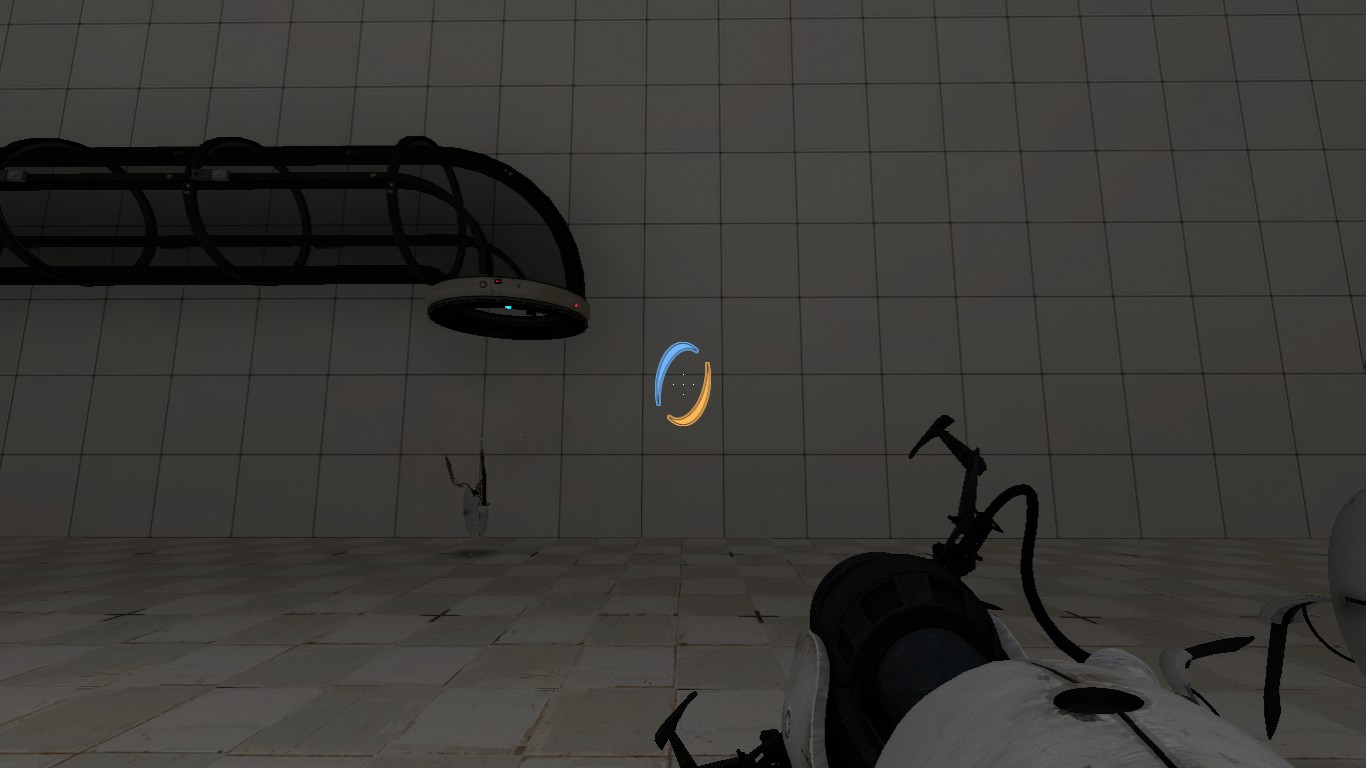

chickenmobile wrote:
Put the trigger_push's force right up, that was the turret will fly faster and be able to gain height.
Thank you for the help. I set the value to 3000.
However, the other trigger_push I have that carries the turret along the tube, no matter what direction I set it to (the force is 3000 same as the other one), it will not move along the tube, they just get stuck near the top of the curved tube.
Lostprophetpunk wrote:
chickenmobile wrote:Put the trigger_push's force right up, that was the turret will fly faster and be able to gain height.
Thank you for the help. I set the value to 3000.
However, the other trigger_push I have that carries the turret along the tube, no matter what direction I set it to (the force is 3000 same as the other one), it will not move along the tube, they just get stuck near the top of the curved tube.
Change the push direction. Using the 'point at' helper doesn't work, so you need to put in the values manually. Usually the little circle is a good guide and can help if you don't need it to go diagonal.
Make sure that you create 2 different push entities otherwise it will push in the same direction.
It may be easier to overlap the pushes at the corners instead of creating a diagonal push, this will reduce the amount of ent data in the map and less work 
Hope this helps.
chickenmobile wrote:
.Change the push direction. Using the 'point at' helper doesn't work, so you need to put in the values manually. Usually the little circle is a good guide and can help if you don't need it to go diagonal.
Make sure that you create 2 different push entities otherwise it will push in the same direction.It may be easier to overlap the pushes at the corners instead of creating a diagonal push, this will reduce the amount of ent data in the map and less work
Hope this helps.
I did already create two different push entities which overlap each other. Also, I have tried many combinations of '90' and '-90' for the settings, but the turrets just get stuck in the top of the curved turret.
Maybe this screenshot will help.
screen.png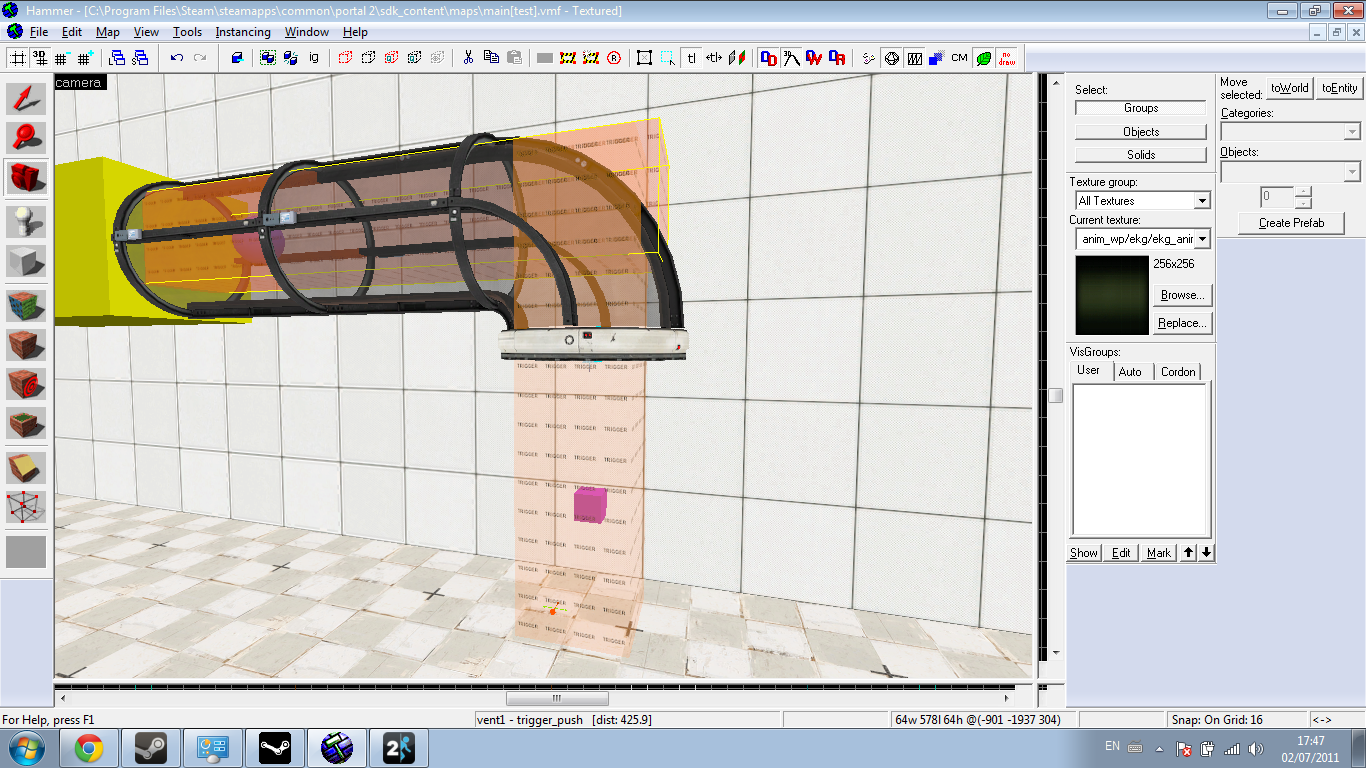

Rubrica wrote:
Also, I don't know if you're already doing this, but as well as the standard models for the diversity vents, there are ones just with glass, and just with frames. I don't know whether it would work (I haven't tried it yet) but if you made it so that only the glass was solid, it might stop props getting caught on the frame.
The bots still get stuck in the glass, and those cloggy bots are the main reason this mechanic was removed from Portal 2.
I discovered it was my fault, as all I had to do was to change the angle of my trigger_push entities (which were horizontal) to 270. It works fine now.
Really appreciate all the help guys.
AntiVector wrote:
Rubrica wrote:Also, I don't know if you're already doing this, but as well as the standard models for the diversity vents, there are ones just with glass, and just with frames. I don't know whether it would work (I haven't tried it yet) but if you made it so that only the glass was solid, it might stop props getting caught on the frame.
The bots still get stuck in the glass, and those cloggy bots are the main reason this mechanic was removed from Portal 2.
Really? Why would they get stuck on smooth glass? Is it just too small a vent - in which case, some brushwork could act as a pseudo-vent that works, couldn't it, if it were made wider?
Lostprophetpunk wrote:
I did already create two different push entities which overlap each other. Also, I have tried many combinations of '90' and '-90' for the settings, but the turrets just get stuck in the top of the curved turret.
The 3 angle values go 'pitch, yaw, roll' so practically the second number is the 'horizontal' angle. I should have mention this to you.
Eg. -90 0 0 is up, -45 90 0 is an up angle of 45* upwards and pointing towards the minus direction on the Y grid.