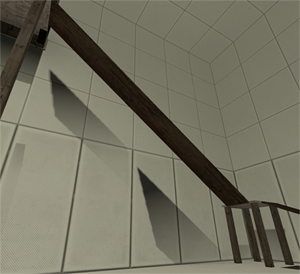
Incorrect func_physbox shadows
This problem is present regardless of the type of compile (normal or expert) used, although I only ran light.exe in expert mode, not bsp.exe or vis.exe (I used the "final both" setting for light.exe). Any suggestions of further things to try would be appreciated.

Anyway, I'm not sure what you mean by "I only ran light.exe in expert mode, not bsp.exe or vis.exe (I used the "final both" setting for light.exe)". My advice if you're running the different processes in different configurations somehow: Don't. If worst comes to worst and it isn't too obvious I believe there's an option in the func_physboxes to disable shadows.
Also, it might help (if you're willing) to post the VMF or just the room containing the weird lighting.
WinstonSmith wrote:
Huh. Well, first of all (and this might just be a typo) but I was under the impression that vrad.exe is used, not light.exe. I'm guessing you mean this, though, because upon checking VBSP and VVIS are referred to by name in the compile window whereas VRAD is referred to as light.
Yup, I was using the names from the expert mode compile window; sorry for any confusion.
WinstonSmith wrote:
Anyway, I'm not sure what you mean by "I only ran light.exe in expert mode, not bsp.exe or vis.exe (I used the "final both" setting for light.exe)". My advice if you're running the different processes in different configurations somehow: Don't. If worst comes to worst and it isn't too obvious I believe there's an option in the func_physboxes to disable shadows.
I'll try running all the compile processes using the "Full compile -both -final" option to see if that fixes it; I just assumed that to test final lighting/shadow aspects of the map I'd only need to run light.exe on this setting, but that assumption may well be incorrect. (What I previously did was run a normal mode compile for everything, then run only light.exe/vrad.exe in expert mode using the "Full compile -both -final" configuration.)
Skotty wrote:
You could disable the shadow of the physbox and use a env_projectedtexture for its shadows. This will work for sure.
I'll give this a shot if running all the compilation processes using the same expert mode configuration doesn't work.
Thank you both for the suggestions; I'll report back once I've tried them.
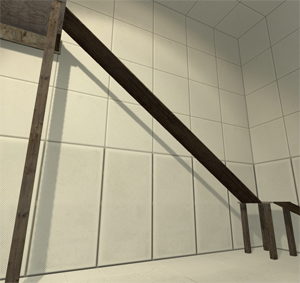
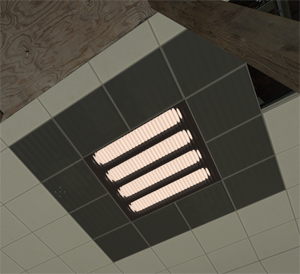
I've tried aiming the env_projectedtexture down and adjusting its FOV to more accurately reflect the intended nature of the light source and, although this improves things, there's still a noticeable border where the projected texture ends. Any suggestions for better textures to use for the projection would be appreciated; something with a smooth gradient would work well. Alternatively, if there's a way to configure env_projectedtexture such that it adds shadows without adding light, that would be quite useful.
On a related note, I've noticed that the default material for env_projectedtexture (flashlight001) isn't listed in the Hammer materials browser. Could this mean there are potentially other textures suitable for projection that aren't listed?
For a complete list see this post: post47177.html#p47177