The ThinkingWithPortals Map Showcasing Thread
Made quick 20sec hallway


Moth wrote:
Less than 24 hours to go until the contest ends!!
Wasn't it before 23:59EDT of 5th? It's 4th now.
Pitkakorvaa wrote:
MasterLagger, like this: http://www.verkkojohto.net/rkof/upload/like_this.jpg
Made quick 20sec hallway
Oh, I see now. That does look nice. I may add something like that later on in the level when trying to connect to an "older" test chamber.
Before I start adding on to my map, I've been busting my brains trying to get lighting in my current rooms to be decent.
|| sp_ml_watched0000.jpg
sp_ml_watched0001.jpg|| I may release a WIP to get more specific feedback.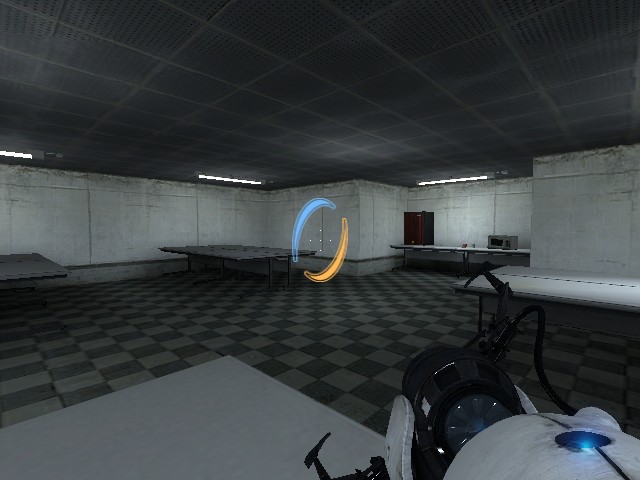
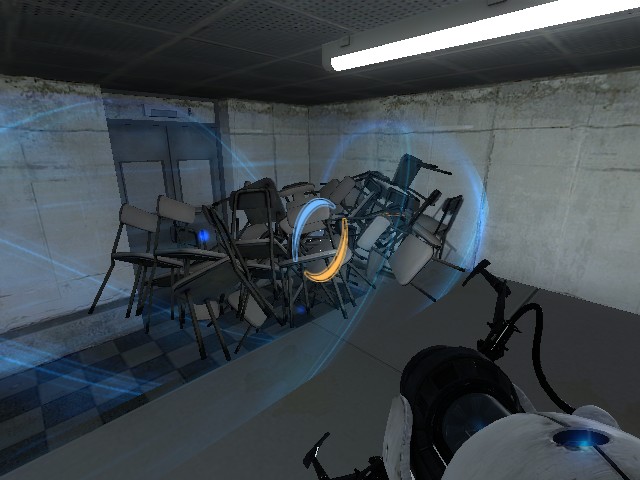

Screenshots are posted below: Screenshots

Atlas' and P-body's spawn area, separated by glass.

Atlas' part of the puzzle.

P-body's part of the puzzle.

An overview of a room in the test chamber.

Outside the test chamber. The entrance to Aperture Hospital can be seen.

Aperture Hospital's interior. Note the receptionists (Bendys) and the hospital's logo.

Lift lobbies and toilets of Aperture Hospital.

A broken door reveals a staircase leading upstairs.
More to come as I progress on! I'll keep you all posted!
Theres picture if you misunderstood what I'm trying to say, lol.
http://www.verkkojohto.net/rkof/upload/tideline.jpg
MasterLagger wrote:
That looks nice, and kinda spooky.
Haha, thanks. Spooky? In what way? The Bendys? xP
Pitkakorvaa wrote:
@RectorRocks, add "tideline" overlay over the pit where goo is, and compile it in HDR to get more darker color to goo, if you didn't know that yet. Also placing goo more deeper may make it look more nicer.
Theres picture if you misunderstood what I'm trying to say, lol.
http://www.verkkojohto.net/rkof/upload/tideline.jpg
How do I compile it in HDR? I don't even know whats HDR! The env_tonemap_controller?


Pitkakorvaa wrote:
Uhh. This.
More information about HDR. https://developer.valvesoftware.com/wiki/HDR
Can I do it on Expert mode? I usually use Expert mode to compile instead of Normal mode. xP
RectorRocks wrote:
Can I do it on Expert mode? I usually use Expert mode to compile instead of Normal mode. xP

This.
Habzs wrote:
RectorRocks wrote:Can I do it on Expert mode? I usually use Expert mode to compile instead of Normal mode. xP
This.
Ohh, thanks!
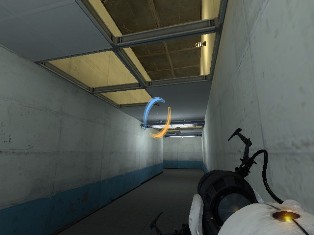
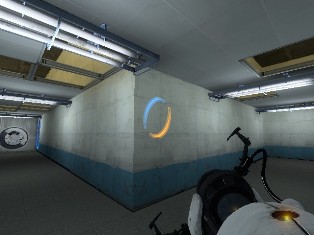
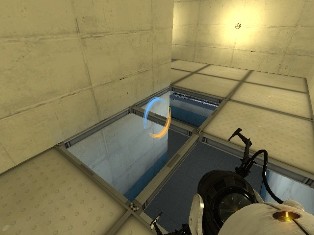
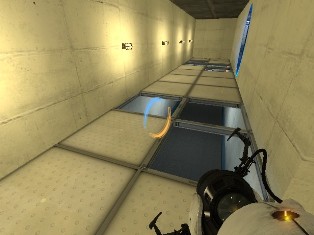
Edit: Pitkakorvaa, I took part of your advice and made my own hallway with a hollow ceiling. I still got work to do on it but here are some sample pictures:
Older Area
sp_ml_watched0000.jpg
sp_ml_watched0001.jpg
sp_ml_watched0002.jpg
sp_ml_watched0003.jpg
You can walk on the ceiling tiles using portals to get up there. It'll will be useful later on in the map when the turrets make their move. I'm also working on an outdoor train yard. But I haven't really gotten much done on that.

http://i47.tinypic.com/fly2vk.png

Pitkakorvaa wrote:
@ML Now your map is getting shape! Keep going
Eh, your just saying that because I took your advice. However, that advice was pretty good to begin with.
Shadow wrote:
Untitled
http://i47.tinypic.com/fly2vk.png
I sense a cold, dark map coming from Shadow. Nicely done. 
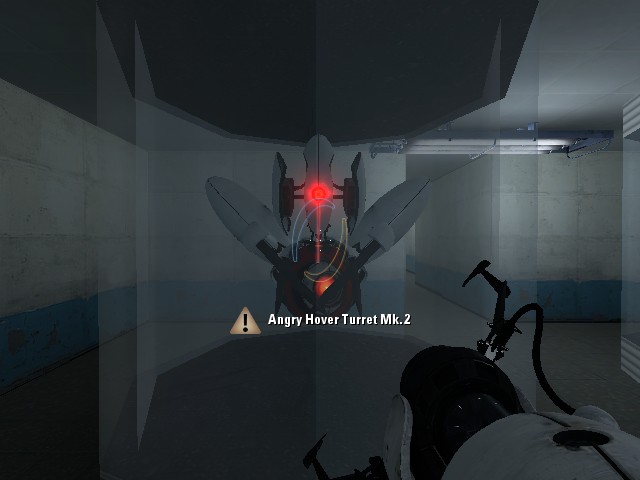
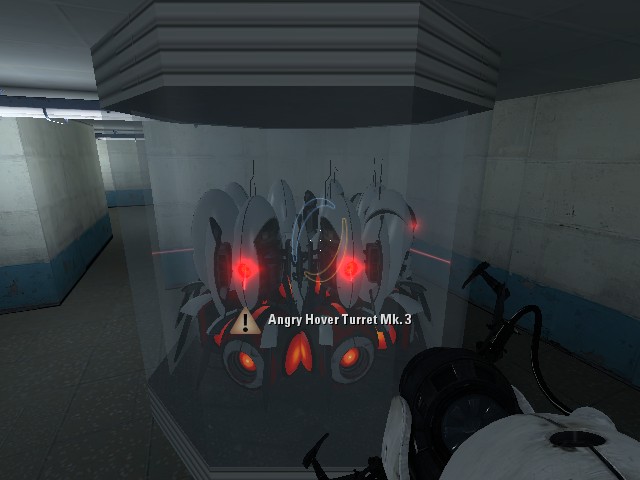
Edit: More pictures, this time modified Angry Hover Turrets. Don't worry, these will actually appear in the level and will have a purpose. Actually, scratch that, do worry.
Modified Angry Hover Turrets
sp_ml_watched0000.jpg
sp_ml_watched0004.jpg
MasterLagger wrote:
Oh, when I said spooky, I should have gone into more detail. I personally don't like being in hospitals, specifically hospitals with dark areas in it. So, to me, it looks spooky. But other than that everything looks great!
Thanks, you think I can put a pop-up of Chell in a flickering hallway? xP
Actually the main setting of the mappack is another facility (or another "Aperture Science") near Aperture Hospital, not the hospital. Aperture Hospital is just a place where you sneak out of it and enter the facility.
Oh, and your Angry Hover Turret looks better! At least no more Excursion Funnel emitters! xP
Pitkakorvaa wrote:
@RectorRocks, add "tideline" overlay over the pit where goo is, and compile it in HDR to get more darker color to goo, if you didn't know that yet. Also placing goo more deeper may make it look more nicer.
Theres picture if you misunderstood what I'm trying to say, lol.
http://www.verkkojohto.net/rkof/upload/tideline.jpgPitkakorvaa wrote:
Uhh. This.
More information about HDR. https://developer.valvesoftware.com/wiki/HDR
Okay, I made the Goo more deeper, added the tideline overlays, and compiled in HDR but its still the same color! D:
RectorRocks wrote:
MasterLagger wrote:Oh, when I said spooky, I should have gone into more detail. I personally don't like being in hospitals, specifically hospitals with dark areas in it. So, to me, it looks spooky. But other than that everything looks great!
Thanks, you think I can put a pop-up of Chell in a flickering hallway? xP
Actually the main setting of the mappack is another facility (or another "Aperture Science") near Aperture Hospital, not the hospital. Aperture Hospital is just a place where you sneak out of it and enter the facility.Oh, and your Angry Hover Turret looks better! At least no more Excursion Funnel emitters! xP
Pitkakorvaa wrote:
@RectorRocks, add "tideline" overlay over the pit where goo is, and compile it in HDR to get more darker color to goo, if you didn't know that yet. Also placing goo more deeper may make it look more nicer.
Theres picture if you misunderstood what I'm trying to say, lol.
http://www.verkkojohto.net/rkof/upload/tideline.jpgPitkakorvaa wrote:
Uhh. This.
More information about HDR. https://developer.valvesoftware.com/wiki/HDROkay, I made the Goo more deeper, added the tideline overlays, and compiled in HDR but its still the same color! D:
A pop up of chell would be easy, just have a prop_static if you don't want the player to collide with it, dynamic if you do. Then have a trigger_once connected to a timer set for however long you want chell to be shown, make the timer enabledraw on the prop.
Alexander Bell wrote:
A pop up of chell would be easy, just have a prop_static if you don't want the player to collide with it, dynamic if you do. Then have a trigger_once connected to a timer set for however long you want chell to be shown, make the timer enabledraw on the prop.
prop_static has collision. Stop spreading your lack of knowledge.