( Help ) Portal 2 Lighting and Shaders are not working... :(
the lighting and shaders will not work...
Whenever I load up Singleplayer, Co-op or the community maps,
the lighting and shaders don't appear and my game looks terrible.
I have a fresh install of Portal 2,I had a black screen at first, but I used a blackscreen fix..
Got it from here: http://www.gamefront.com/files/21202084
This causes alot of lag making the game unplayable.
Any help? 
Pictures:
http://i1252.photobucket.com/albums/hh564/XRedlite/Portal2Error3.png
http://i1252.photobucket.com/albums/hh564/XRedlite/Portal2Error2.png
http://i1252.photobucket.com/albums/hh564/XRedlite/Portal2Error1.png
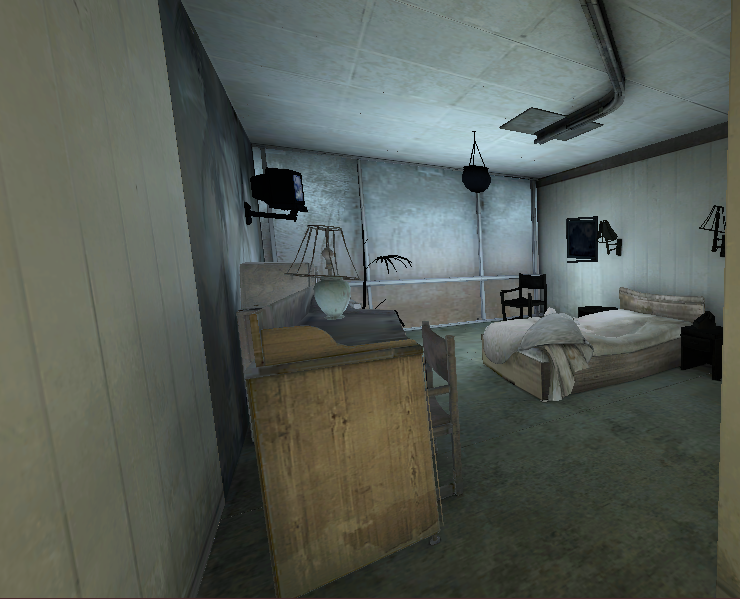
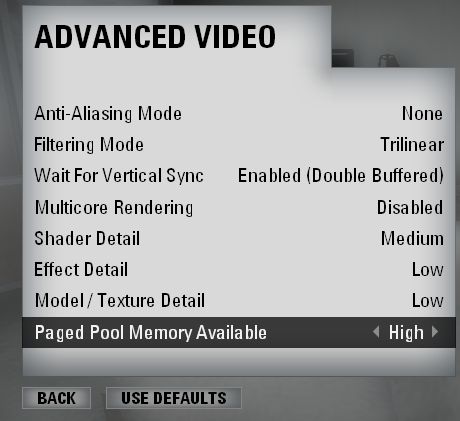
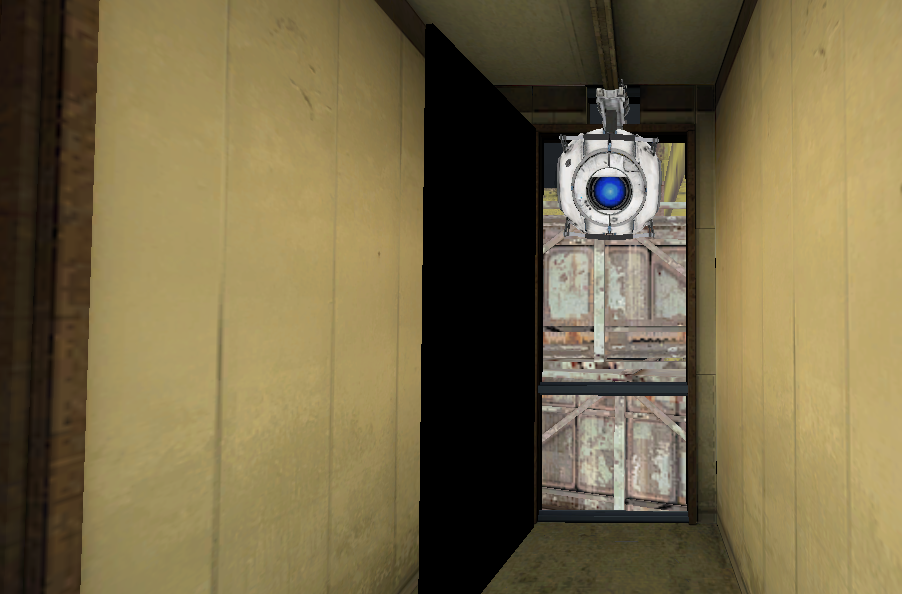
Black Screen Pic
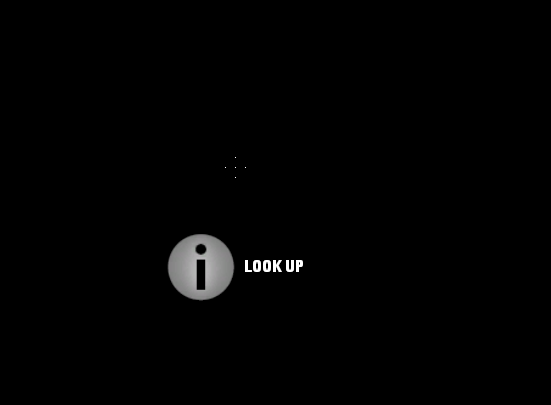
http://i1252.photobucket.com/albums/hh564/XRedlite/Portal2ErrorBlack.png

ChickenMobile wrote:
Oh dear... try updating your graphics drivers and put Portal 2 on a higher graphic setting in options.
Okay, I'll try that. Any idea where I could find drivers for my Graphics Card?
I have an Intel(R) G33/G31 Express Chipset Family.
I don't think it's very good...
ChickenMobile wrote:
I go to the Nvidia site for mine and then search for the exact type of graphics card I have to get the latest software. I bet Intel has something similar as well.
Thanks. I found it. Now checking if it works! 

Alkaimir wrote:
ChickenMobile wrote:I go to the Nvidia site for mine and then search for the exact type of graphics card I have to get the latest software. I bet Intel has something similar as well.
Thanks. I found it. Now checking if it works!
No difference..
Does anyone have ANY ideas? I want to play Portal 2.. D:
Alkaimir wrote:
I had a black screen at first, but I used a blackscreen fix..
Have you uninstalled that after upgrading your drivers? I have a bad feeling about it... it might cause more problems than it solves!
Also, try verifying your game files:
- Open the Steam games window, right-click on Portal 2 and select "Properties".
- Then, click on the "Local files" tab and select "Verify integrity of game chache..."
It will check all of the Portal 2 files to make sure they're OK, and it will re-download any that are broken. This often works for solving issues like the one you're having.
HMW wrote:
Alkaimir wrote:I had a black screen at first, but I used a blackscreen fix..
Have you uninstalled that after upgrading your drivers? I have a bad feeling about it... it might cause more problems than it solves!
Also, try verifying your game files:
- Open the Steam games window, right-click on Portal 2 and select "Properties".
- Then, click on the "Local files" tab and select "Verify integrity of game chache..."It will check all of the Portal 2 files to make sure they're OK, and it will re-download any that are broken. This often works for solving issues like the one you're having.
Thanks for the reply, but now I have the Black-Screen again.
I can get into the game, I see my crosshair and the pop-up messages like " Look Up ".
Everything else is black..
http://i1252.photobucket.com/albums/hh564/XRedlite/Portal2ErrorBlack.png
There's a picture of it if you don't get what I'm saying.
The gels are also one colour, no detail or anything..