What makes a great BTS map?


Avatar
greykarel
225 Posts
Posted Dec 22, 2012
Replied 57 minutes later
Hey, don't get me wrong. I don't mean it's bad. I just wanted to be sure you can't get from an overgrown chamber through one-level corridor to open bts area with tons of fog and other stuff over your head. :wink:
Advertisement
Registered users don’t see ads! Register now!
Avatar
RectorRocks
522 Posts
Posted Dec 22, 2012
Replied 13 minutes later

greykarel wrote:
Hey, don't get me wrong. I don't mean it's bad. I just wanted to be sure you can't get from an overgrown chamber through one-level corridor to open bts area with tons of fog and other stuff over your head. :wink:

Heh, I didn't say that you said it's bad. I'm just clearing your doubts :razz:

Avatar
RectorRocks
522 Posts
Posted Dec 23, 2012
Replied 1 day later

greykarel wrote:
As for the skybox type. You can toggle it in game. It's realy awesome and easy. Go to map properties and set sky type you want to start with (let's say sky_white). Also there set a name for your map. Then somewhere in transition area create a trigger_multiple with output OnStartTouch >> name in map properties >> AddOutput >> Skyname sky_black. Also you can enable the fog here.

Didn't work. I can't give the worldspawn (map properties) a name. Its always red in color. :neutral:

Avatar
greykarel
225 Posts
Posted Dec 23, 2012
Replied 1 hour later
Just ignore that it's red. It should work anyway. At least it works for me in my test map. I've just checked it.
Avatar
RectorRocks
522 Posts
Posted Dec 23, 2012
Replied 49 minutes later

greykarel wrote:
Just ignore that it's red. It should work anyway. At least it works for me in my test map. I've just checked it.

Really? Must I trigger the BTS fog of the global_ents too? Because when I trigger the trigger, the BTS fog gets triggered, but the skybox appears to be blue, light blue.

Avatar
greykarel
225 Posts
Posted Dec 23, 2012
Replied 1 hour later
Actualy you shouldn't see skybox, only the fog. Try playing with fog end, density and colour in env_fog_controler's properties.
Avatar
FelixGriffin
2,680 Posts
Posted Dec 23, 2012
Replied 3 minutes later
Also, you don't need to give the worldspawn a name, you can just refer to it as "worldspawn."
Avatar
RectorRocks
522 Posts
Posted Dec 23, 2012
Replied 2 hours later
Oh okay.
So do I use the global_ents instance for the fog or do I create the fog manually? (env_fog_controller, etc..)
Avatar
greykarel
225 Posts
Posted Dec 23, 2012
Replied 1 hour later
It doesn't matter. Global_ent instance controls many stuff designed for original valve's maps, not only the fog. Ofc you can edit any entity in it. But if you don't need anything else but the fog, use env_fog_controler.
Advertisement
Registered users don’t see ads! Register now!
Avatar
RectorRocks
522 Posts
Posted Dec 24, 2012
Replied 1 day later
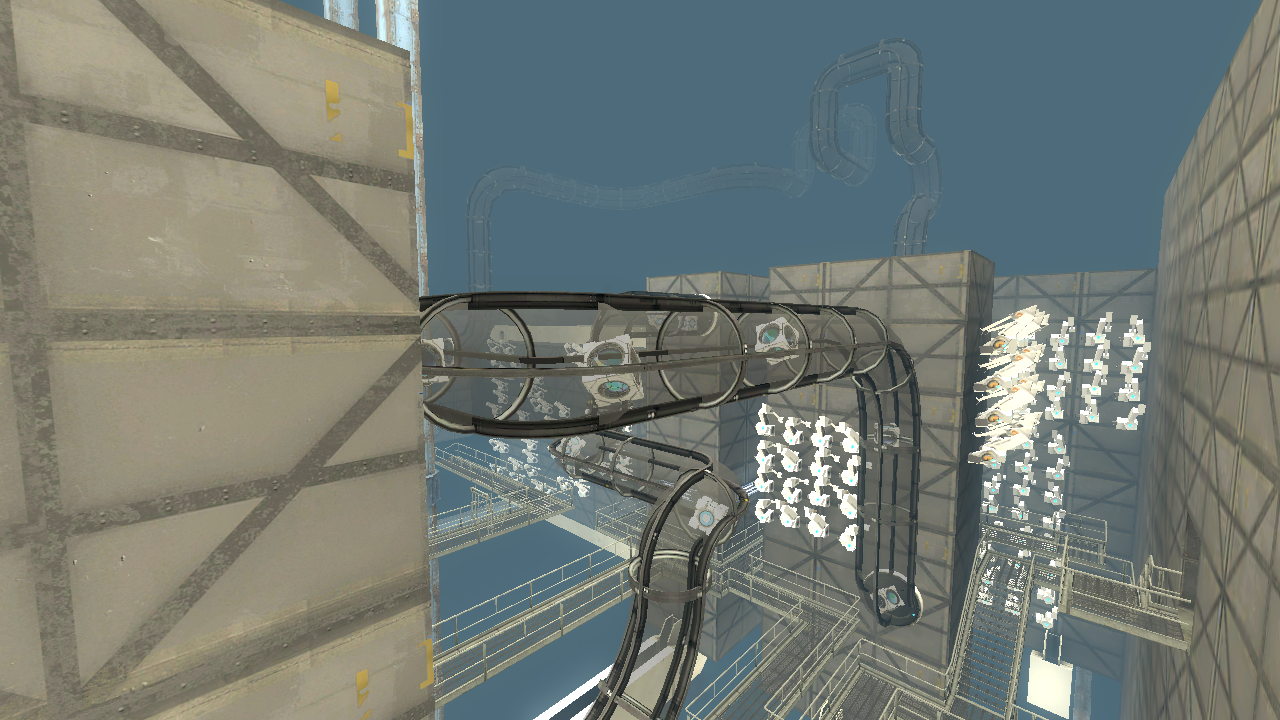
I managed to change the skybox texture to sky_black, and I used a env_fog_controller. It looks fantastic and all but I don't like how the skybox emits light. It makes my BTS area look fullbright. Any ideas on how to fix it? My env_fog_controller settings are the same as the one in the global_ents.

fullbright_bts.png

My trigger outputs are :
OnTrigger -> bts_area_fog -> TurnOn
OnTrigger -> worldspawn -> AddOutput -> skyname sky_black

Note that this output
OnTrigger -> !player -> SetFogController -> bts_area_fog

...is in the global_ents and it will turn my skybox color to light blue and emits light too. Thats why I don't use global_ents in the BTS area, I use a single env_fog_controller.

Any ideas? :neutral:

EDIT: Fixed it by removing the light_env.
Images 1
Post image 1