Texture Problem
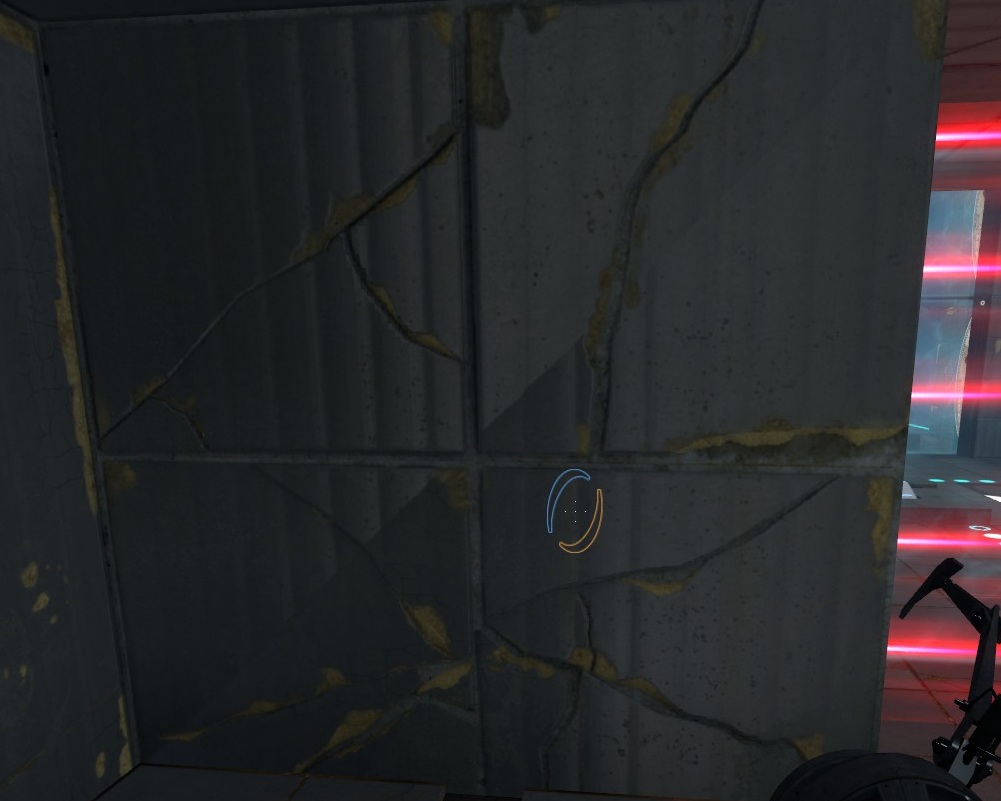

EDIT Just put a func_viscluster in the room and that didnt work either, although I didnt see any unusually shaped visleafs anyway.
 Overall in Da-Mask, and it was even worse because the textures I used were plain and those triangles were more noticeable.
Due to the places I found that bad lighting in, I suspected they were caused by shadows casted during VRAD compile. For example:

I corrected it (in a TON of places in this map) by turning the brush into a func_brush setting "Disable Receiving Shadows" to YES.
I hope that helps! (do not get too mad at that kind of manic stuff because you could end up crazy! like me )
Thanks Josepezdj, suppose it doesnt matter too much, it is set in the destroyed theme so it kinda makes it look the tile is cracked but yea best not going too crazy trying to fix every little detail

I will try changing the lighting and func_brushing though.
EDIT: Func_brush + Disable receiving shadows worked, thanks Josepezdj 
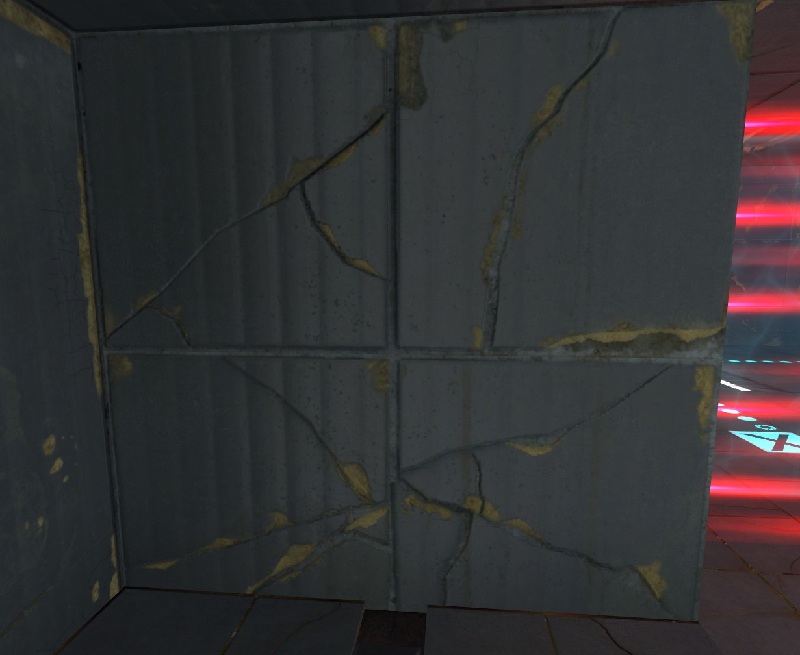
I'm curious now. Does it still happen if you assign a face to a cubemap?
ChickenMobile wrote:
I always wondered what caused that. I thought it might have been a cubemap issue.I'm curious now. Does it still happen if you assign a face to a cubemap?
Nah I tried that, and if you don't build cubemaps at all its still there, assume its just a weird shadow problem then cause func_brushing, disable receiving shadows fixed it perfectly
A lot of Portal 2 materials have their own standard cubemap, which is always the same in each map. (Kind of annoying, since it doesn't adapt to the environment, but that's a whole 'nother issue.)
I have exactly that same crack in one of my maps and it just refuses to go away. Incidentally, it's a wall above a button base, just like you have there. I wonder if the brushes in the button base have something to do with it?
ChickenMobile wrote:
Are the button bases func_detail?
Yea but it happened on some other brushes that didnt have one of them next to it as well
When you see this error, type in mat_wireframe 1. I cant duplicate this error whatsoever :S.
Actually you may be correct about func_detail, the other 2 brushes are next to the door frame which is func_detail. It was a little tricky to see with mat_wireframe 1 so this is mat_wireframe 2
It doesnt do it around all func_detail objects though and there are other door frames and button bases where it is fine. In a map im working on, one brush in the entire level is affected and its next to a func_detail that isnt even an unusual shape.
Also the reason I didnt fix those last 2 was because in Mevious' playthrough I noticed the indicator lights were gone even though they were fine in hammer, didnt realise func_brushes cant have overlays. Im not too worried, doesnt stand out too much in the destroyed style and as josepezdj says you could go crazy trying to fix every last detail in hammer
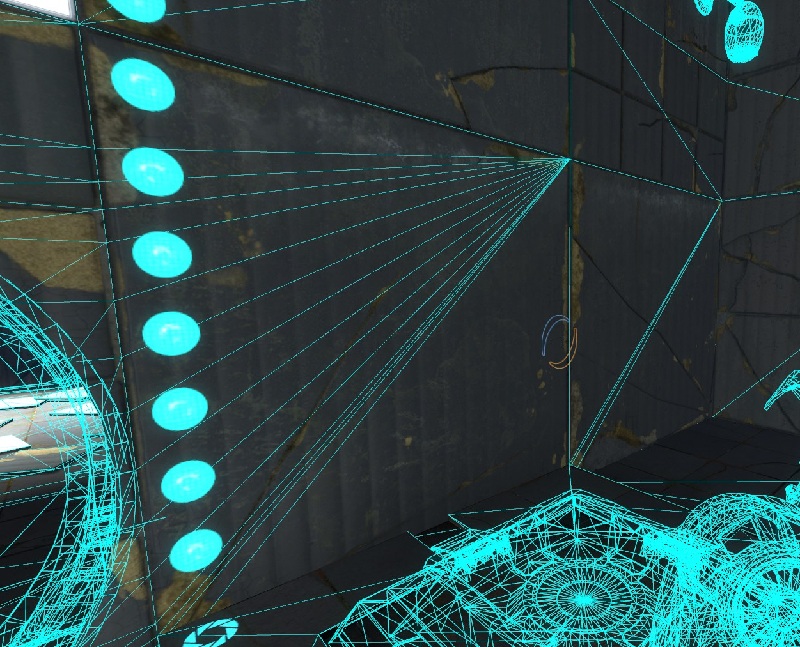
That is a part of the compiling process that splits faces to remove T-junctions, which cause seams to appear between faces. Maybe one of those door vertices is just very slightly off-grid and skews the triangle next to it.
My 'weird wall' is next to a door frame too. Coincidentally, it's the only door frame in the whole map that I rotated after collapsing its instance. Lets try if the problem goes away if I reinsert the instance at the correct angle and re-collapse it...
Edit: Aaaaand we have our prime suspect. In my case, it turned out to be this ball button instance. (Notice the non-integer dimensions.)
unhealthy func_detail.pngLet's have a closer look at the corner:
eww.pngIf this touches a flat surface, it will warp it due to the aforementioned T-junction fixing.
So wherever you get this problem, follow the wireframe lines to any standard instance nearby (or anything collapsed or otherwise derived from one) and you will likely find the culprit.
And ofc LoneWolf to go deeper into this 
Everything well noted!
LoneWolf2056 wrote:
I can blame valves shoddy brushwork rather than my own
Damn them. Making our walls slit diagonally n stuff.
Then again, this error now makes complete sense when you tie the wall to an entity instead of leaving it in world geometry. Func_details are just world brushes that vvis ignores.
So I hope this serves as a lesson. Always align to the grid - or prepare for unforseen consequences.
I use to make my own button supports or door frames (and all the rest of brush work) and I am specially careful with all vertices, merging and snapping to the grid everything... so I can't understand why sometimes this simply appears...
ChickenMobile wrote:
LoneWolf2056 wrote:I can blame valves shoddy brushwork rather than my own
Damn them. Making our walls slit diagonally n stuff.
Then again, this error now makes complete sense when you tie the wall to an entity instead of leaving it in world geometry. Func_details are just world brushes that vvis ignores.
So I hope this serves as a lesson. Always align to the grid - or prepare for unforseen consequences.
The worst bit is how small they are off grid, its about 1/100th of one single unit off that point, its not even noticeable until you zoom in so far that size 1 grid units are huge. Still enough for hammer to get freaked, and yes, "Always align to the grid" a valuable lesson... that valve needs to learn