Lighting

Avatar
KFredje
55 Posts
Posted Feb 17, 2013

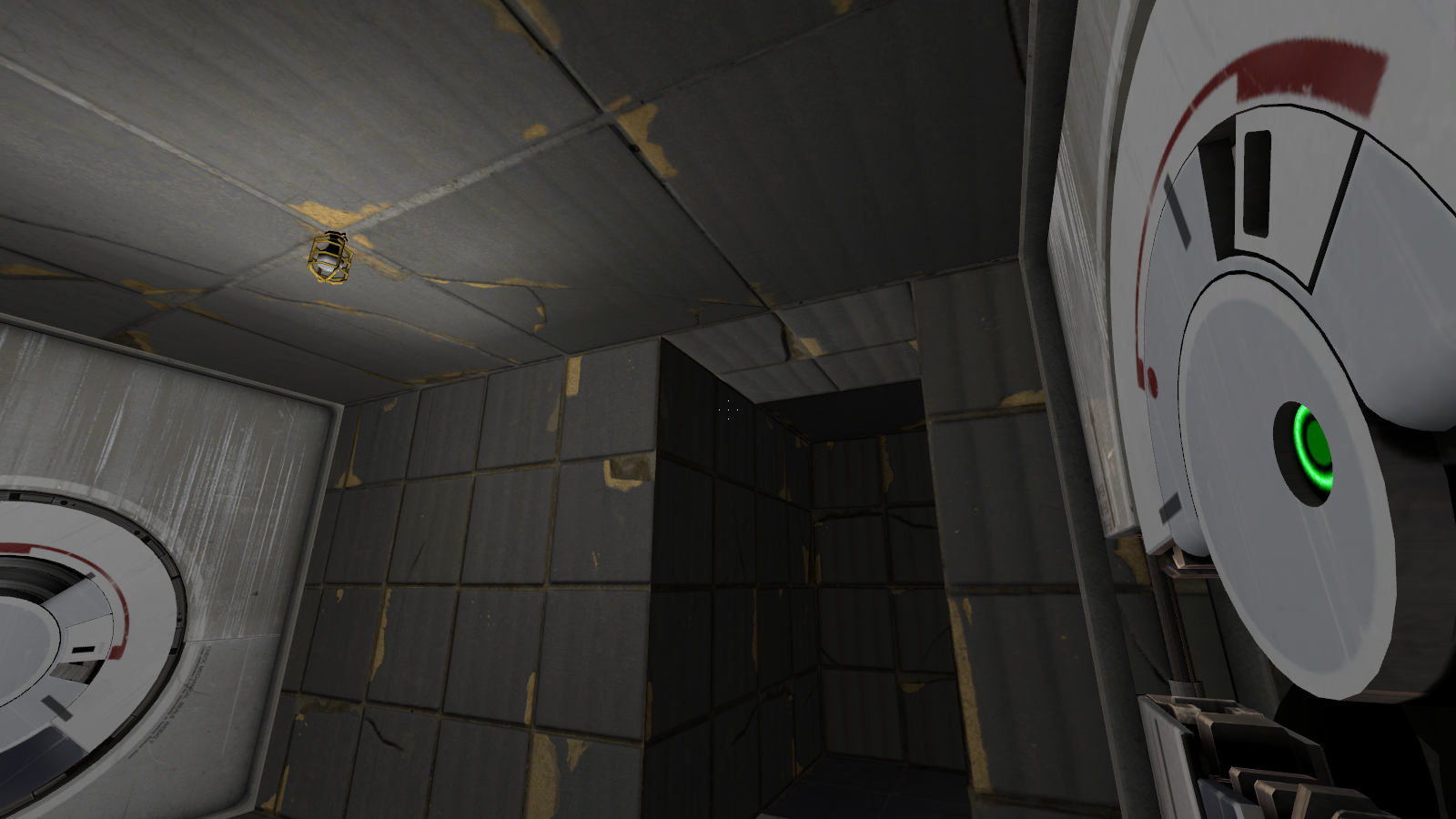
So, my problem is: I have a room with lightning in it. In the room is a panel door as you can see that opens. When it's closed you don't notice there is one. When it's open the lighting is kind of fucked up. How can I get this fixed?

Also, if you look at the big door on the right the wall behind it is also bright, how can you make the light changes dynamically when you play?

Naamloos.png

Images 1
Post image 1
Advertisement
Registered users don’t see ads! Register now!
Avatar
zivi7
649 Posts
Posted Feb 17, 2013
Replied 1 hour later
The light you have is a static light. That means that it is calculated once when compiling to then never be calculated again. When the panel is closed in it's original state and you only have that one static light in front of it, the compiler "thinks" that the light will never be shining behind the panel.

You could either have the panel start open - so the light shines behind it - and add a logic_auto that closes it OnMapSpawn.

Or you could add another light behind the panel.

For more about lights and dynamic light sources, read this.

Avatar
iWork925
1,080 Posts
Posted Feb 17, 2013
Replied 3 hours later
Static lights are baked in when you compile, the way I get around this is put the static lights furthur away from the panels (so the lighting difference is negligible) and use an env_projectedtexture to brighten it up.
Avatar
KFredje
55 Posts
Posted Feb 18, 2013
Replied 20 hours later
Thank you, just what I needed :smile:
Avatar
Alkharid
2 Posts
Posted Feb 18, 2013
Replied 3 hours later
It's almost there bro, need some little development.....
Better add another light behind the panel.


The way to get things done is not to mind who gets the credit for doing them.
Benjamin Jowett's survival knives

Avatar
KFredje
55 Posts
Posted Feb 19, 2013
Replied 21 hours later
The first case is solved.

Now another one. I have a light_dynamic in my map and I want to change the Appearance when I run in a trigger_once field. I do OnTrigger mylight style 9. When I go ingame and I run in the trigger I get this error:> Quote:

!! light_dynamic(lightdraaien,style) doesn't match type from trigger_once()

I don't get what I'm doing wrong since I followed this page: https://developer.valvesoftware.com/wiki/Light_dynamic

Avatar
FelixGriffin
2,680 Posts
Posted Feb 19, 2013
Replied 1 hour later
You're sure the param is entered in the "param" field, not the "delay" field? I've made that mistake so many times now.
Avatar
Skotty
671 Posts
Posted Feb 19, 2013
Replied 47 minutes later
Be careful when using light_dynamic. It may be not as laggy as it was once since computers are faster today, but it still can look very ugly.
If the light you want to change doesn't change it's position, use a normal light entity, give it a name and change it's pattern/style there.

Careful: More than 3 named lights shining on one surface causes bugs.

Avatar
KFredje
55 Posts
Posted Feb 20, 2013
Replied 10 hours later
@FelixGriffin: I'm sure it's in the param field.

@Skotty: I might try to change the lights to normal ones again and see how my lighting turns out.

Avatar
KFredje
55 Posts
Posted Feb 21, 2013
Replied 1 day later
The normal ones work out, but I still can't have a custom flickering on them or chaning the color now with a trigger.
Advertisement
Registered users don’t see ads! Register now!
Avatar
Skotty
671 Posts
Posted Feb 21, 2013
Replied 56 minutes later
Of course you can!
OnTrigger lightname SetPattern patternhere

Changing the light is more "difficult". You would need to place 3 lights in all colours (means 255 0 0, 0 255 0 and 0 0 255) and you will need to control their brightness via pattern to create all colours you want out of the three basic ones.