Ben and August’s Extended Editor (BEEMOD) & BEE2
FelixGriffin wrote:
Really? That works? I wonder what other commands we can replace using alias...
It does indeed work; I tested it. Haven't figured out how to use puzzlemaker_load_dev though, so I just tested it with "echo test" or something.
I even tested it with the "quit" command, and it prevented the game from quitting from the main menu. I had to close it in Task Manager!
Also, does anyone know how to remove an alias without restarting the game? I've never been able to figure that one out.

FelixGriffin wrote:
At least in HL2 there was no way, short of starting a new game session or aliasing a command to something else. Maybe you can alias it to itself?
Pretty sure that would cause an infinite loop and crash the game. Also, I can't seem to figure out how puzzlemaker_save/load_dev work. It just gives me an error no matter what I put for the parameter.
But how easy would it be to modify vbsp to ignore a room containing a certain instance?
Once we know how that works, all that's left would be to bring the idea to Ben's attention to be potentially added to BEE2. Then no more restarting Portal 2 when we need an item that isn't in the palette! 
flarn2006 wrote:
One concern I have: I haven't been able to get puzzlemaker_load_dev to work. I posted a thread about it, but I haven't found a solution yet. Have you had any luck?Once we know how that works, all that's left would be to bring the idea to Ben's attention to be potentially added to BEE2. Then no more restarting Portal 2 when we need an item that isn't in the palette!
Hi!
brought to my attention
This was one of the ideas I had for adding multiple items, although I didn't think about it being ignored my the compiler
this is all possible, however maybe quite time consuming, and people would have to not delete the items on accident.
If someone else wants to make this work then I'd be happy to add this option to the BEE2
the custom compiler would def aid this btw
I've also found a bug related to the auto-orange portal. When I place a blue portal, it opens up to a "white void" under these conditions:
Auto-orange portal is on an unportalable surface, and is activated using a weighted button several times in quick succession (I did this by accident). I'm not sure if there's anything you can do about it, but it would be nice to make map-makers aware that this can happen.
Edit: I can't find any official place to report bugs about BEEMod, will this forum do?
Venima wrote:
I've tried to put a trigger on those, it doesn't snap to them like a cube or turret would. I actually checked my mouse position when I get a cube to snap, and copied that position for the trigger but it doesn't work.Edit: I can't find any official place to report bugs about BEEMod, will this forum do?
yes... bugs go here, or on the steam thread.. or email them to me... doesn't matter
Edit: When the two buttons and laser receiver have antline connections to the door, the game quits to desktop (in the map editor). Note this only happens when the door is in that specific position.
http://i301.photobucket.com/albums/nn55/Merivo/2013-06-17_00002.jpg
http://i301.photobucket.com/albums/nn55/Merivo/2013-06-17_00003.jpg
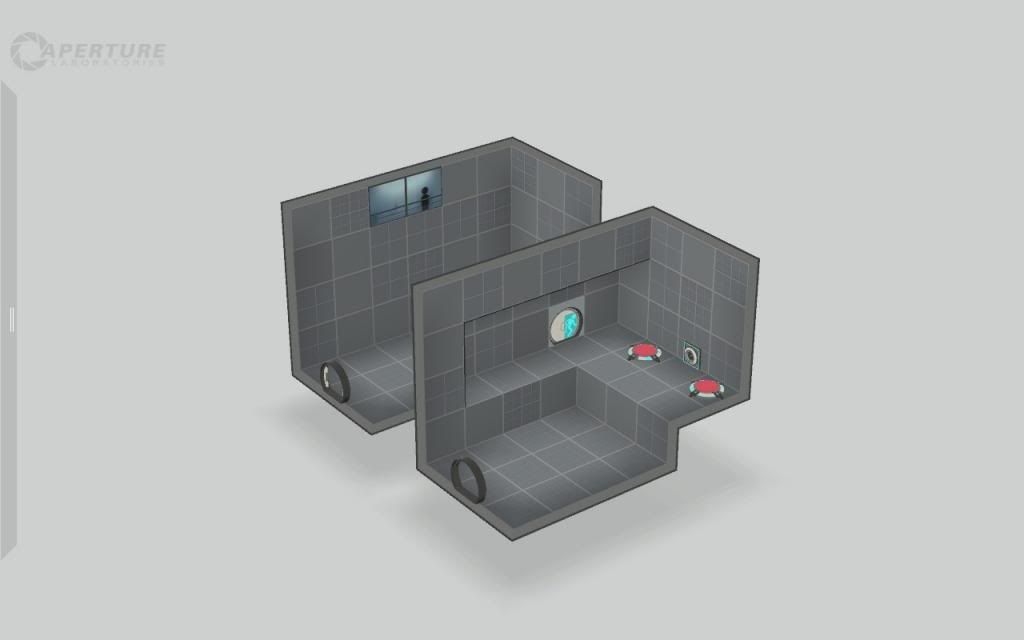
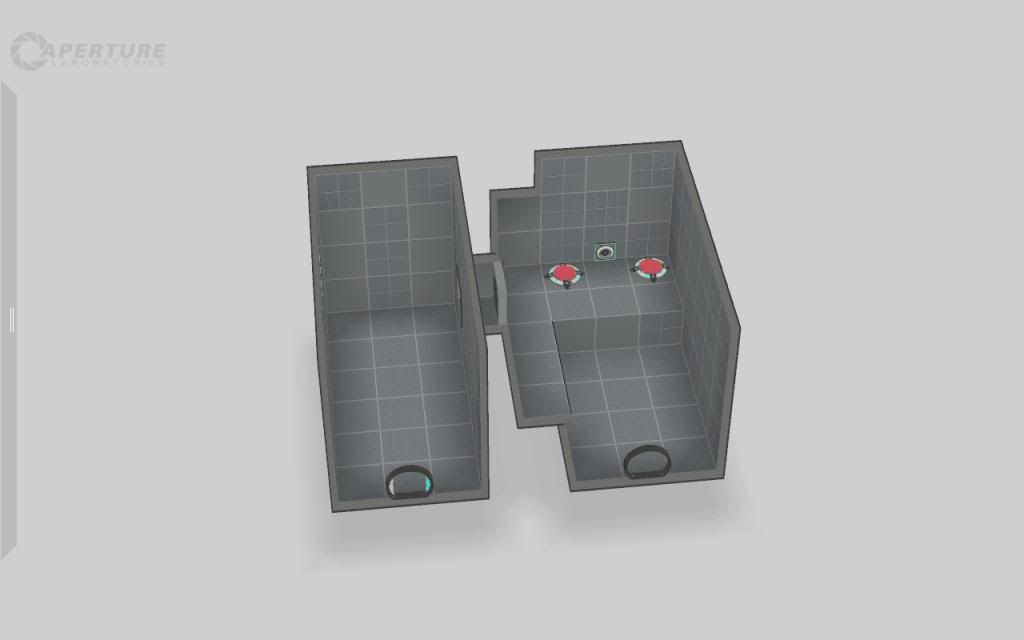
Note, I am otherwise very impressed with this mod
Venima wrote:
Well, my portal 2 crashes when I have a door in a certain way with antlines connected to it. I could try reconstructing it, since it's not very easy to explain. I'll edit this post with an image link if I'm able to repeat the bug.Edit: When the two buttons and laser receiver have antline connections to the door, the game quits to desktop (in the map editor). Note this only happens when the door is in that specific position.
http://i301.photobucket.com/albums/nn55/Merivo/2013-06-17_00002.jpg
http://i301.photobucket.com/albums/nn55/Merivo/2013-06-17_00003.jpgNote, I am otherwise very impressed with this mod
That is incredibly strange... This mod has been out for nearly a year now, and I've never seen that before.... you can try connecting the antlines to an AND gate, and connect that gate to the door, and place the gate appropriately so the lines lead up correctly
But yes, using an AND gate is an alternative 
Is there any way to change this situation, so that you could have signages on the sides of the door, much like with the exit doors: four on top, four on bottom (the top and bottom ones get bumped to the floor if there is no wall surface), four on left up-to-down, four on right up-to-down? Or would any such solution involve having to anchor the entrance of the door against a wall?
yishbarr wrote:
No, because the door is like an object in the middle of the floor. Not on the wall.
You just basically repeated what I explained to be the cause of the problem.
Bisqwit wrote:
Is there any way to change this situation
Is there any workaround? Way to change the door element so that this cumbersome problem would not apply?

- 1.) Create an invisible Item in Hammer Editor (or logic only)
- 2.) add the instance stuff
- 3.) spawn it with PTI Editor and conect it with the door
- 4.) conection to the door is invisible, and you conect everything to the item itself
This should work, right? As I said: untested.