Adding New Cubes
For example, the cube I'm wanting to add is in all ways the exact same as the fizzless cube from the mod "Blue Portals" (I'm sure most of you have played it) I want this cube to stand out form other cubes by changing it's skin to something that resembles the very same cube from the mod.
I know I need photoshop (or some other texturing program) to edit the original cube skin, I already have that so I'd like to know what program would I need to export the cube's model from Portal 2's files and add it back in with a different model name and get the new skin to register to that model.
P.S. I'm sorry if this has already been asked before but I couldn't find a thread to it anywhere. :/
Thanks in advance for your help. 
Sincerly,
Justin S.

Decompile them with studiocompiler.
go into metal_box.smd and change the line metal_box.tga to some other name fizzler_box.tga.
add the texture in the qc.
then compile them.
then use it in game.
probably use the portal button method.
After I read your thread, I rememberd another thread written by Skotty about some problems encountered with some decompiling programs and such, and I sticked to it because I also want to change the cubes for my mod... I think it's interesting and you should give it a look (apart from considering that good comment by spongylover):
http://forums.thinking.withportals.com/mapping-help/how-to-decompile-portal-2-models-t6068.html
(Also it's very recent... it's dated in April)
I stopped trying (after searching for a loooong time) when I found out the only way to do this is by making the cube and button setup with models and triggers.  Not ideal... Maybe it might work when making a mod, but this goes beyond my knowledge or finding skills. At first I had good hope, but it turned out I was looking at a Portal 1 thread back then.
I do sincerely hope you'll find some way to get this working though, I'd be back here in an instant.
The process would be something like this:
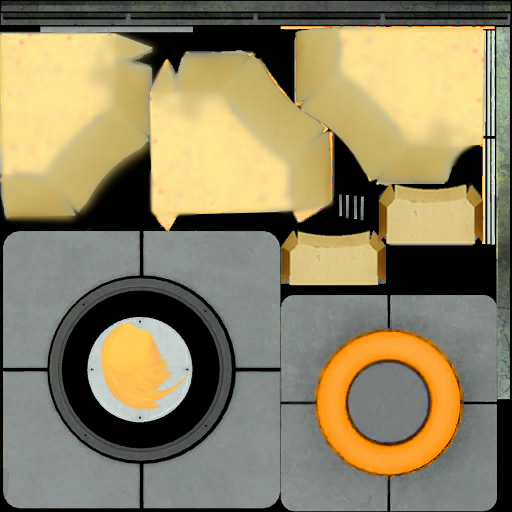
- Extract one of the cube textures from the vpk files, open it in vtfedit, export the image and edit it. Make a new vtf file from the result.- Find a cube texture in the vpk that you want to replace. Name your texture file (.vtf) the same, and put it in the same relative folder.- Configure your cube so it uses the texture you replaced. (Ignore the fact that it does not show up yet.)- Embed (PackBSP) the vtf file in your map, so it overrides the built-in one.This is the most simple setup I can think of. The only drawback is that you don't see the texture while testing, unless you find some way to automate the packing process after each compile.
HMW wrote:
... 3. Configure your cube so it uses the texture you replaced. (Ignore the fact that it does not show up yet.)
... 4. Embed (PackBSP) the vtf file in your map, so it overrides the built-in one.This is the most simple setup I can think of. The only drawback is that you don't see the texture while testing, unless you find some way to automate the packing process after each compile.
Wait, so you're telling me that by using pakrat (or any other packing tool) the cube will in fact be replaced, even though it doesn't show when you play the map with the files in your folders?
No foolin'? Oh my, I'll have to get back to work on that. Thank you, HMW!
HMW wrote:
Perhaps it's a better idea to override one of the existing skins. That way you don't need to change the model in any way.
The process would be something like this:
- Extract one of the cube textures from the vpk files, open it in vtfedit, export the image and edit it. Make a new vtf file from the result.- Find a cube texture in the vpk that you want to replace. Name your texture file (.vtf) the same, and put it in the same relative folder.- Configure your cube so it uses the texture you replaced. (Ignore the fact that it does not show up yet.)- Embed (PackBSP) the vtf file in your map, so it overrides the built-in one.This is the most simple setup I can think of. The only drawback is that you don't see the texture while testing, unless you find some way to automate the packing process after each compile.
So, would doing this overwrite the skin permanently or just in the map I'm wanting to create? I don't want it to show up in every map I play.

I'll try and get a screenshot uploaded as soon as I can, if this works.
HMW wrote:
[*]Embed (PackBSP) the vtf file in your map, so it overrides the built-in one.[/list]
Thing is, I don't think this applies in Portal 2. I've been trying to do this, and it has not worked to date for anything that is in the .vpks. AFAIK the only way to override the stuff in the .vpk is with another .vpk, either as dlc or in a sourcemod.
But there is a way. Put the bsp in portal2_dlc3/maps, and it will be read before anything else (including the VPK's) in dlc2, dlc1, or portal2.
FelixGriffin wrote:
Oh, I forgot about that! Man, that's annoying.But there is a way. Put the bsp in portal2_dlc3/maps, and it will be read before anything else (including the VPK's) in dlc2, dlc1, or portal2.
This will work until dlc3 comes out, if it does 
FelixGriffin wrote:
But there is a way. Put the bsp in portal2_dlc3/maps, and it will be read before anything else (including the VPK's) in dlc2, dlc1, or portal2.
But this means... no uploading it to the workshop, doesn't it?
And with that, skipping thousands of players. I mean, I love the community here on TWP, but it's way smaller than with addition of the workshop folks. So I kinda' want to let them see cubes, too.
PS: Couldn't you theoretically place it in dlc99 or as high as it goes? Or is that somehow different in which case I now look stupid?
Groxkiller585 wrote:
Thing is, I don't think this applies in Portal 2. I've been trying to do this, and it has not worked to date for anything that is in the .vpks. AFAIK the only way to override the stuff in the .vpk is with another .vpk, either as dlc or in a sourcemod.
Well, I've been doing some tries and Groxkiller, you are totally right. For this to work you should have the custom texture into the pak01_dir.vpk file. I've embed the custom one into the bsp to no avail.
But, again you're right, it does work with the mod structure! As long as I place the custom textures in their relative folders into my pak01_dir.vpk, it works!
Have a look: http://forums.thinking.withportals.com/post42321.html#p42321