File Size: 0.02 MB
Downloads: 193
Rating: 5.0 (2 votes)
Description
This is an instance of the coop airlock. Since I cannot find where Valve has put this instance (or if they have included this instance with the Portal Authoring Tools at all), I decided to copy it, and make it into one for ease of use. Please note: That this is a Prefab of an instance and you have to keep all the files in the correct folders in the zip. To use this: click the entity tool, in the drop down menu to the Right, choose Prefabs and in the drop down menu below it, choose airlock The reason I made it into a Prefab is so then the instances automatically get named if you place another airlock prefab in. The only entity outside the main instance (straight in the prefab) is a logic_auto, that opens the front airlock door. - This will automatically change the airlock spawns to be the 'Active spawn'. - It comes with the parameter $airlock_success_relay which triggers when both players are in the airlock - It comes with the parameter $door1_hasOpened_relay which triggers when the first door in the airlock has opened. - It does not automatically call the script to make Glados speak when you taunt to the camera (This should be done in the coop_spawn instance). Feel free to download and put in your map!

Comments
Sign in to comment.
Hober wrote:
Nice work, dude. Although, if it's a prefab, why is the thread title "instance"?
It practically is an instance, if you have a look 
Hey man, sorry to go all "noob" on you. I'm still fairly new at hammer, but over the past 2 weeks I have accumulated editor skills via Youtube. Anyways...I have placed the whole "my_instances" folder in "portal 2/sdk_content/maps/my_instances", and the prefab in "portal 2/bin/prefabs". When I compile my map I get this error "Could not open instance file my_instances/door_4panels_coop_airlock.vmf".
I should probably inform you that I added the prefab via "func_instance" and placed it accordingly. When I try to place it in the world the "drop down box" way as stated in your download description, nothing appears.
You need to add it as a prefab. It wont work as an instance. THIS IS MENTIONED IN THE MAIN POST if you bothered to read it. Being a noob is not an excuse not to read.
To Add a prefab:
1) On the right of hammer look in the 'New Objects' windows.
2) Change the 'Catergories' selection to 'Prefabs'
3) Change the 'Objects' selection to the Airlock.
iWork925 wrote:
You need to add it as a prefab. It wont work as an instance. THIS IS MENTIONED IN THE MAIN POSTHober wrote:
Although, if it's a prefab, why is the thread title "instance"?
Would you like me to edit it so then it is only an instance?
EDIT: also shiggy it sounds like you may be putting the files into the wrong folder. I made it so then all you need to do is drag it into your common folder (which is located in your steam/steamapps folder if you didn't know). When it says if you want to merge the folder say yes.
iWork925 wrote:
You need to add it as a prefab. It wont work as an instance. THIS IS MENTIONED IN THE MAIN POST if you bothered to read it. Being a noob is not an excuse not to read.To Add a prefab:
1) On the right of hammer look in the 'New Objects' windows.
2) Change the 'Catergories' selection to 'Prefabs'
3) Change the 'Objects' selection to the Airlock.
As mentioned in my earlier post, I DID try this and it didn't work properly. I tried BOTH ways. You must have skipped over that part when you were reading it.
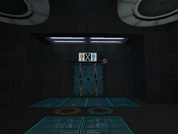
This is an instance of the coop airlock.
Since I cannot find where Valve has put this instance (or if they have included this instance with the Portal Authoring Tools at all), I decided to copy it, and make it into one for ease of use.
Please note: That this is a Prefab of an instance and you have to keep all the files in the correct folders in the zip.
To use this: click the entity tool, in the drop down menu to the Right, choose Prefabs and in the drop down menu below it, choose airlock
The reason I made it into a Prefab is so then the instances automatically get named if you place another airlock prefab in. The only entity outside the main instance (straight in the prefab) is a logic_auto, that opens the front airlock door.
- This will automatically change the airlock spawns to be the 'Active spawn'.
- It comes with the parameter $airlock_success_relay which triggers when both players are in the airlock
- It comes with the parameter $door1_hasOpened_relay which triggers when the first door in the airlock has opened.
- It does not automatically call the script to make Glados speak when you taunt to the camera (This should be done in the coop_spawn instance).
Feel free to download and put in your map!
File Name: portal 2.zip
File Size: 19.38 KiB
Click here to download Co-op airlock instance.