Trouble with a custom skin

Avatar
protoborg
288 Posts
Posted Jan 11, 2015
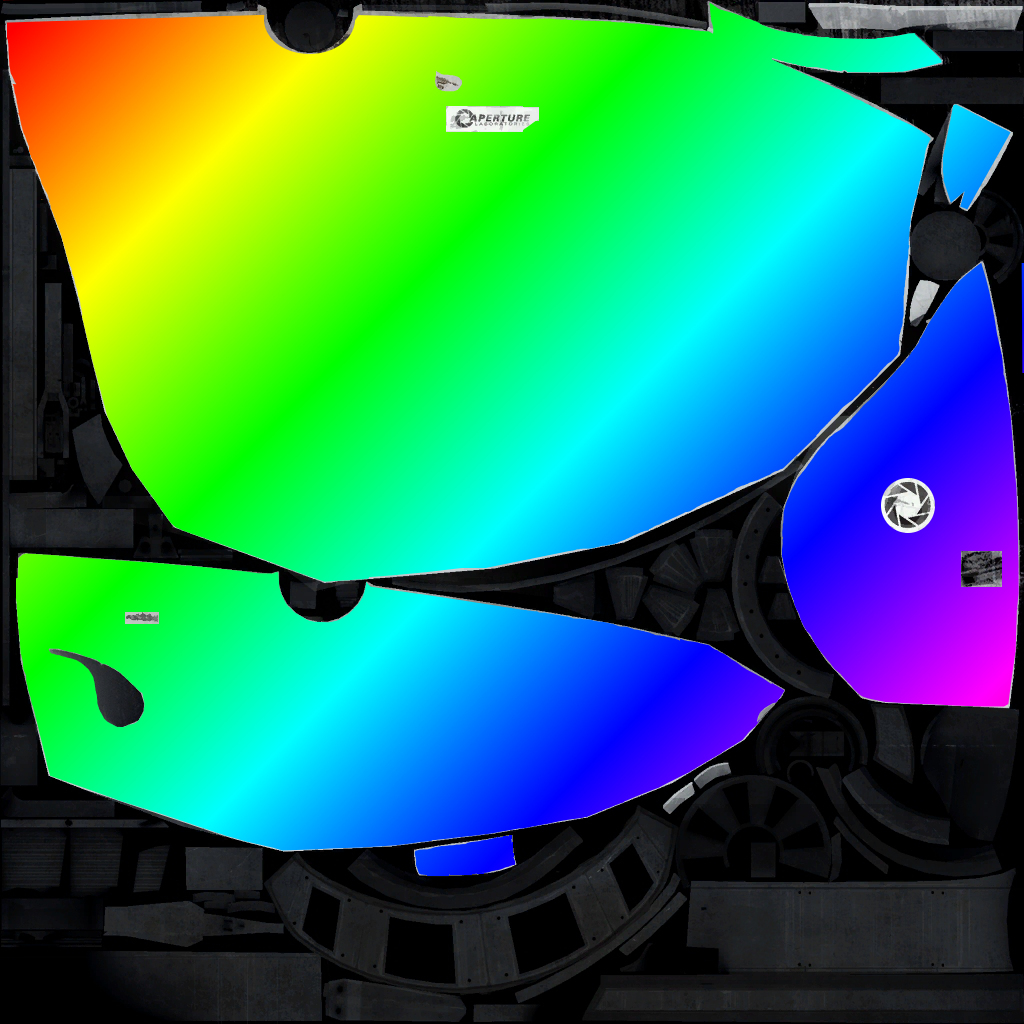
I followed the tutorial here: mapping-help/tutorial-modifying-your-portal-gun-texture-t7597.html.

It should have looked like this: v_portalgun.jpg
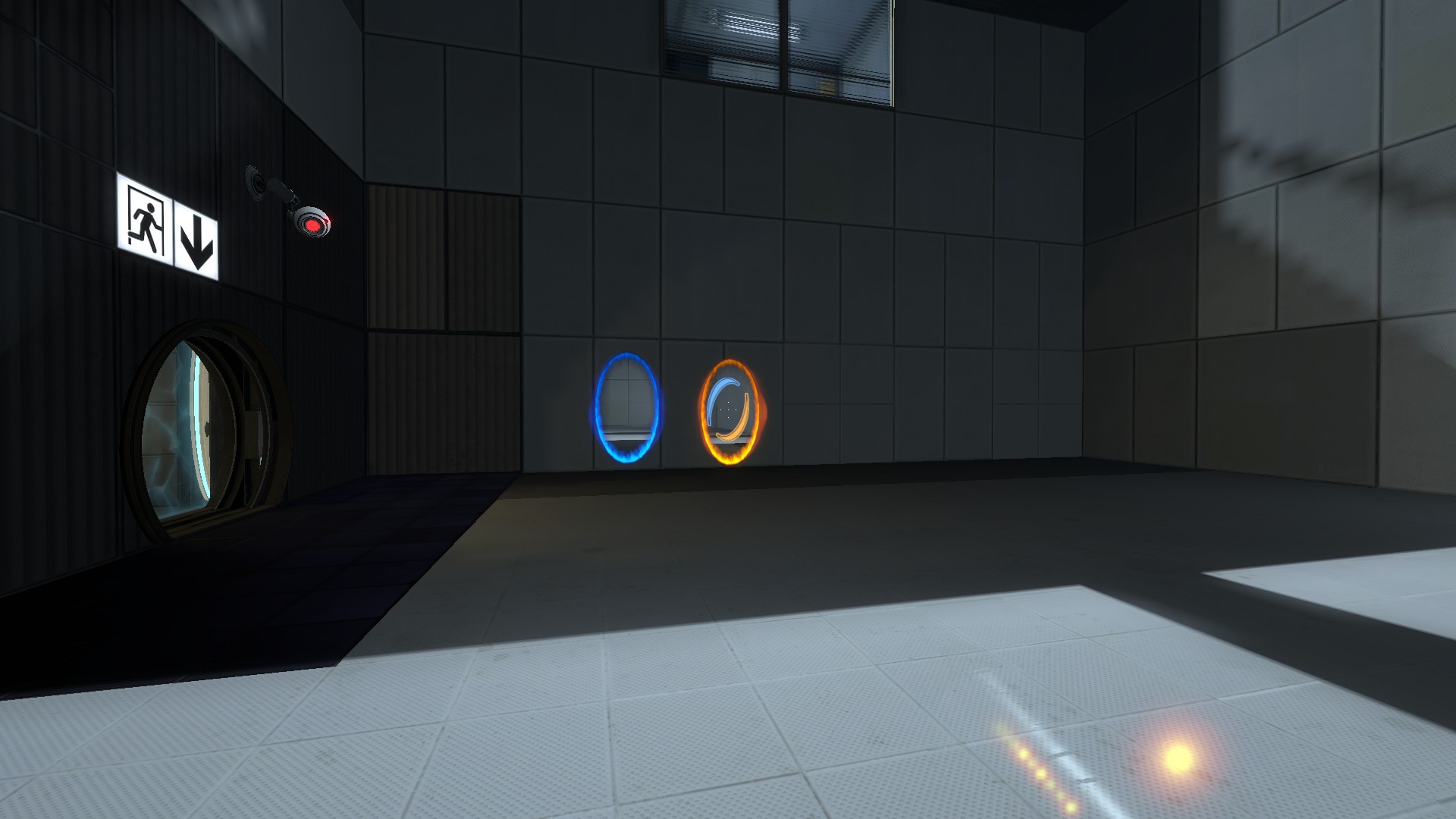
Instead it looks like this: 2015-01-11_00001.jpg

Can anyone tell me why it does this. if you can't really see the portalgun, that's because the bloody thing has decided to be damn near invisible! Grrrr!!!

Advertisement
Registered users don't see ads! Register now!
Avatar
quaternary
171 Posts
Posted Jan 12, 2015
Replied 2 hours later
First of all, that's a beautiful 10/10 texture.

Anyway, you probably changed the alpha channel when you edited the texture. Try not to touch it, and if you do touch it, make sure to set it back to what it was before you save.

Avatar
protoborg
288 Posts
Posted Jan 12, 2015
Replied 1 hour later
There is no Alpha set in the final texture. I didn't touch that. I had to delete my first attempt at this texture as I had forgotten to ensure the alpha was not set. I suppose it is possible that Portal 2 still thinks there is an alpha channel set, but I can't imagine why.

PS Thank you for the 10/10.

Avatar
josepezdj
2,386 Posts
Posted Jan 12, 2015
Replied 2 hours later
Your model can't find its materials or its textures. In the screenshot only the portalgun particles are showing up.

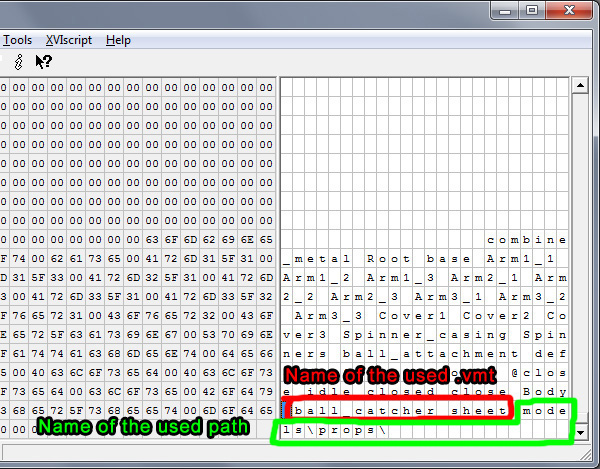
Revise the paths inside your custom .VMTs files and make sure that your model is actually searching into those paths (you can open de .MDL file with whatever hex editor and scroll all down to the bottom of all the code to check out where your model is searching for its textures).
Avatar
Skotty
671 Posts
Posted Jan 12, 2015
Replied 5 hours later
Just a little illustration to find the material path and name:
Avatar
protoborg
288 Posts
Posted Jan 14, 2015
Replied 2 days later
I made sure the file (texture) is in the same directory as the cabinet file that contains the Valve texture. The .vmt and the .vtf are both setup correctly. Sadly, it has made not a lick of difference. The model is clearly able to find custom skin textures without having to go hex editing as the skins I have downloaded work fine. The issue is with MY texture. It is so infuriating. I will gladly give someone the texture if they will make the bloody skin for me. If someone could look at my files and tell me what ui need to do, I will do it. I just want this damn thing to work so that I can have my own custom designed portalgun.
Advertisement
Registered users don't see ads! Register now!
Avatar
josepezdj
2,386 Posts
Posted Jan 15, 2015
Replied 6 hours later
Post all the files that you are using, including the model files and materials. And please say where is each of the files placed in your local folders so we can figure out why this is happening to you and make it to work.

And by the way, I just noticed that the location of the portalgun view model files changed within some of Valve's updates... so Sickle's tuto is a bit outdated... maybe you are placing the files in the right folders according to the tuto but you must move them to a different location...

Can you confirm if you can see the portalgun when you get close to those 2 portals opened on the wall in your screenshot? that is a different model, the world model.