A bunch of entities unavailable in Hammer.

About your question about extracting de model files, well, the way I know is more manual than automatic:
- Get GCFScape, install it and open it
- Go to File > Open and browse your file: Steam/SteamApps/Common/portal 2/portal2/pak01_dir.VPK
There you'll find all files from Portal2 that aren't in the local folders. Remember to extract both, the model files and also their textures. You'll only need to place the extracted files right to the same relative folders for them to work out.
Example:
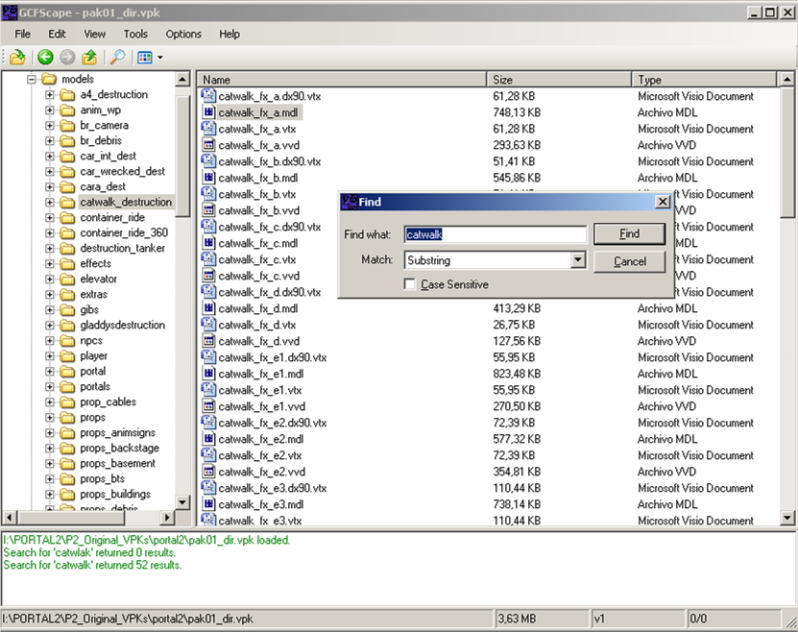
You want to search for "catwalk". Either you locate the exact model in the Hammer Editor model browser, or you find it through GCFScape inside the pak01_dir.VPK file, like so:
Imagen1.png(Remember to use "Substring" option in the "Match" field so it's a less exclusive search)
As you can see there are a lot of catwalk model files. You have them inside the pak01_dir.VPK file and their folder is "models\catwalk_destruction\".
I hope this helps.