Through the Looking Glass [WIP]

Avatar
VictoryIncandescence
48 Posts
Posted Nov 30, 2008

dload.php?action=filefile_id=303

This is my first map, so I probably need a lot of help. I thought I should upload the current version to get some feedback.

So what do you think? I have tried to fix all of the texture alignment issues, but I still need feed back about the actual gameplay and puzzles.

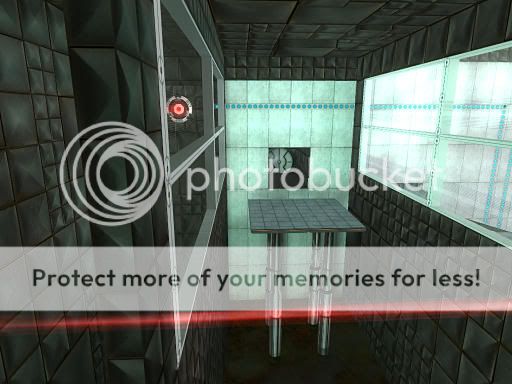
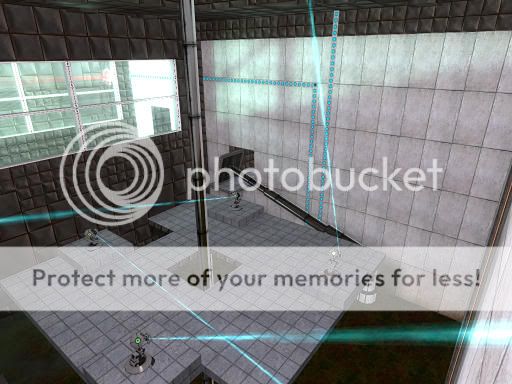
Here are some screenshots
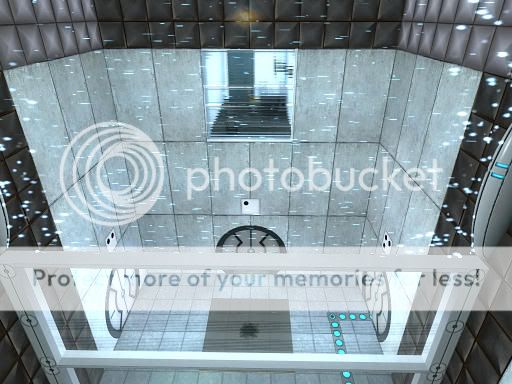
img
img
img

&&

Advertisement
Registered users don’t see ads! Register now!
Avatar
msleeper
4,136 Posts
Admin
Posted Dec 01, 2008
Replied 4 hours later
Work on the visuals, the map looks very bland.
Avatar
Hober
1,180 Posts
Posted Dec 01, 2008
Replied 24 minutes later

msleeper wrote:
Work on the visuals, the map looks very bland.

Especially that third screen.

Avatar
Mek
459 Posts
Posted Dec 01, 2008
Replied 1 hour later
yeah, the rooms are too large and not detailed - bland. Also play with the metal textures a little - make some bigger squares of metal etc. so it doesn't look too repetitive.
Avatar
Ricotez
738 Posts
Posted Dec 01, 2008
Replied 5 hours later
I See Misaligned Textures.
Avatar
Hober
1,180 Posts
Posted Dec 01, 2008
Replied 5 hours later
Anyone else remember in Doom when mis-aligned textures meant "Secret"?

Good times.

Avatar
CabooseJr
67 Posts
Posted Dec 01, 2008
Replied 2 hours later
Try to work on your texture placement a lot.
Avatar
VictoryIncandescence
48 Posts
Posted Dec 01, 2008
Replied 4 hours later
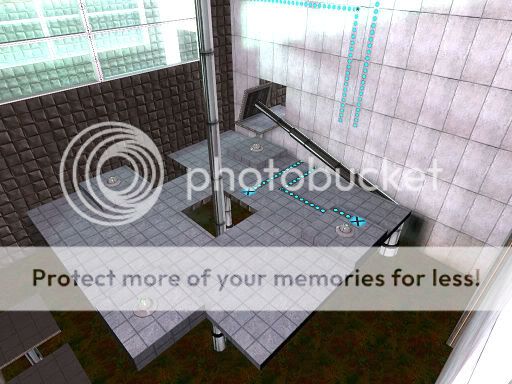
Is this what you meant by making it less bland?

Also, what is the best way to make the metal sections? Should I divide up the brushes into little pieces and texture each one with random sized squares?

What about areaportals? It sounds like they are only good when you have large rooms with lots of computationally intensive entities, but I have no idea what the threshold is. Should I put some in, and if so, where?
img

Avatar
CabooseJr
67 Posts
Posted Dec 02, 2008
Replied 6 hours later
You should only divide the metal textures up. Experiment with it.
Avatar
Ricotez
738 Posts
Posted Dec 02, 2008
Replied 4 hours later
I Still See Misaligned Textures.

Other than that, indeed, you've already made it less bland.

Avatar
Mek
459 Posts
Posted Dec 02, 2008
Replied 3 hours later
Well, yeah. The metal walls would be better if divided into more sections covered by the larger metal texture versions, and some blocks sticking out of the walls are generally a nice touch. Also you can put some wall lights into holes of metal walls so the room does not look like illuminated from nowhere. You have to just experiment a lot.
Also the concrete textures have more variations. You can also use an overlay to make the concrete wall dirty from leaking-in water. Just go ahead with your fantasy :smile:
Btw. do the rooms really need to be that large?
About areaportals - put a thin (1 point) brush into your hallway connecting two parts of your map, covering the WHOLE sight. Also there must be no other way between the rooms. Cover the thin brush with tools/areaportal. More about areaportals on Valve Developer Wiki. :wink:
Avatar
msleeper
4,136 Posts
Admin
Posted Dec 02, 2008
Replied 7 hours later
There really is not a lot of use for areaportals in a Portal map, unless you have several very large areas that are nearby eachother. Incorrectly using or over using areaportals, like many other optimization techniques, can be worse for your map rather than better.
Avatar
VictoryIncandescence
48 Posts
Posted Dec 02, 2008
Replied 2 hours later
I tried putting in two area portals just to test it out, but when I used mat_wireframe 1, they clearly were not actually blocking anything, even when they should be

So I guess I should just forget about it and not bother.

Now I just need to figure out how to make nice looking metal

Avatar
CabooseJr
67 Posts
Posted Dec 03, 2008
Replied 17 hours later
Just make the metal walls different sizes and have some of them stick out.
Avatar
VictoryIncandescence
48 Posts
Posted Dec 03, 2008
Replied 5 hours later
When I finish all the metal walls, should I upload the new version? In the WIP process, how many and how often are new versions typically uploaded?
Avatar
msleeper
4,136 Posts
Admin
Posted Dec 03, 2008
Replied 40 minutes later
That really is entirely up to you. I myself never release public WIPs. Some people release 2 or 3, and others who can't live without the approval of others release dozens. Your answer may be different.
Avatar
VictoryIncandescence
48 Posts
Posted Dec 04, 2008
Replied 22 hours later
I've been trying to fix all of the misaligned textures I could find; however, I have a problem. Some of my brushes aren't an even multiple of the texture size, so no matter how I align it, there's always a bit left over at the edge. What should I do?
Avatar
Mek
459 Posts
Posted Dec 05, 2008
Replied 7 hours later

VictoryIncandescence wrote:
I've been trying to fix all of the misaligned textures I could find; however, I have a problem. Some of my brushes aren't an even multiple of the texture size, so no matter how I align it, there's always a bit left over at the edge. What should I do?

Always make your walls a multiple of, say, 128 (or whatever the texture size is). So you will get a nice-looking wall with no misaligned textures.

Avatar
msleeper
4,136 Posts
Admin
Posted Dec 05, 2008
Replied 10 hours later

VictoryIncandescence wrote:
Some of my brushes aren't an even multiple of the texture size, so no matter how I align it, there's always a bit left over at the edge. What should I do?

Make them an even multiple. What grid size are you using?

Advertisement
Registered users don’t see ads! Register now!
Avatar
VictoryIncandescence
48 Posts
Posted Dec 05, 2008
Replied 3 hours later
For the most part, it's in multiples of 16 and 32

The main problem is the concrete wall texture, because anything less then 64 causes problems.