File Size: 8.81 MB
Downloads: 2,750
Rating: 5.0 (13 votes)
Description
Microsoft .NET Framework 2 required It was used to create the signs for Retrospective so you can play that if you want an example of them in-game.

Comments
Sign in to comment.
Since the signs are vscript-based, how do the signs we make in this get into the signs in-game?
I don't have alot of custom texture experience.
this is a great app, but it would be awesome if it handled the whole material file thing itself. could you do that?
hey guys i made an own chamber sign but i dont know how to add the sign or vmf file to sdk
can anybody help me pls???
It's really cool. I've got a request. Could you include some more signs like, the pneumatic diversity vent sign and well maybe other ppl have some requests ?
So far it's working pretty nice, thanks! My antivirus is thinking this is a virus, must be because it's using .NET framework.
Thecakeisalie1 wrote:
hey cosmicD how did you get the file into sdk?
lets say your going to put it into the materials/yourname folder , then you need to make a vtf , move it into that folder and also copy/paste the vmt information (scripted text you see in the test sign maker) and name it the same as your texture but then with the .vmt extention.
So let's say that you would call your file mytestsign.vtf and put it in the mentioned folder.. then you also need to have a mytestsign.vmt which goes into that.
SO you get it ? Your texture file is called mytestsign.vtf, but a file with the same name but with extention .vmt needs to be placed in the same dir, and the contents of that file needs to be as followed:
"LightmappedGeneric"
{
   "$basetexture" "yourname/mytestsign"
   "$surfaceprop" "glass"
   "$selfillum" 1 //set to 1 if alpha mask is checked
   "%keywords" "sign"
}
VERY important is that you point the basetexture location to the texture file. (the file with extention .vtf) but note that the materials folder isn't mentioned in the vmt file as it is considered the base dir for your materials by the engine.
Also Note that there's NO extention (.vtf) mentioned, this is intentional.
Also if you make it a glass texture (in the test chamber sign maker), you need to set the selfilum bit to 1, when it's not: it needs to be 0.
Hope this helps
It is a very nice programme, thank you very much.
I managed to convert the texture into the SDK, but, at this point, I am clueless as to what I should do next.
I did use the instance once, but I find VPKs even more confusing, so the idea was then abandoned.
So, ladies and gentlemen, I'm asking for your help.
Please, do explain me the process of creation, or give a link, if possible (tried using the forum search and Google, but with no success, unfortunately). I do understand that it may be in fact the very basics of mapping, but I just don't know them, then. I do use Valve Developer Community all the time, but it's just impossible to keep an eye on everything.
Any feedback is greatly appreciated, thanks in advance!
tl;dr version: Please give me a quick tutorial/link on creating the chamber sign using a texture. Thanks!
Mitsunyan wrote:
It is a very nice programme, thank you very much.
I managed to convert the texture into the SDK, but, at this point, I am clueless as to what I should do next.
Please give me a quick tutorial/link on creating the chamber sign using a texture. Thanks!
Look here: mapping-help/custom-chamber-signs-without-scripts-t3663.html. They have provided very good information about this. Please note that this is a texture not something you put in an instance. So all you need to do is create a block the same size as the texture and apply the texture to it.
If you want to use the test sign instance and use scripting in order to make your test chamber sign appear; then look at this page on the Valve Wiki. http://developer.valvesoftware.com/wiki/Test_Sign
In order to make the custom file available when others play your map, make sure to use Pakrat to insert the file into the .bsp or use Valve's console application bspzip.exe located in your Portal 2/bin folder. http://developer.valvesoftware.com/wiki/Bspzip
chickenmobile, thank you very much for the help. Although, I mentioned the instance not because I tried putting a .vtf into it, just wanted to make it clear that scripting is no good for me, ha-ha! In any case, thank you for taking your time and answering my question, as well as clearing everything up! Very useful information here!
Hi guys, does anyone kmow if there is a tutorial about this? Yup, I'm a noob with custom textures, so when I downloaded it, I had no idea what to do with the files inside the download. o_o
EDIT: Oh I ran the program to design it already. Thanks!
Omnicoder, do you have the source code for this program, and could I have it, I'm a C# programmer, and I assume you wrote this in C#, or C++.
I would like to change the program, so that instead of creating the custom texture, it produces a script, like how the signs in the real game work.
BenVlodgi wrote:
Omnicoder, do you have the source code for this program, and could I have it, I'm a C# programmer, and I assume you wrote this in C#, or C++.
I would like to change the program, so that instead of creating the custom texture, it produces a script, like how the signs in the real game work.
I released the source awhile ago... somewhere.
I don't feel like looking for it so I just copied the latest code into my DB.
Be aware its a bit of a mess as the image generation uses some... empirical positioning formulas.

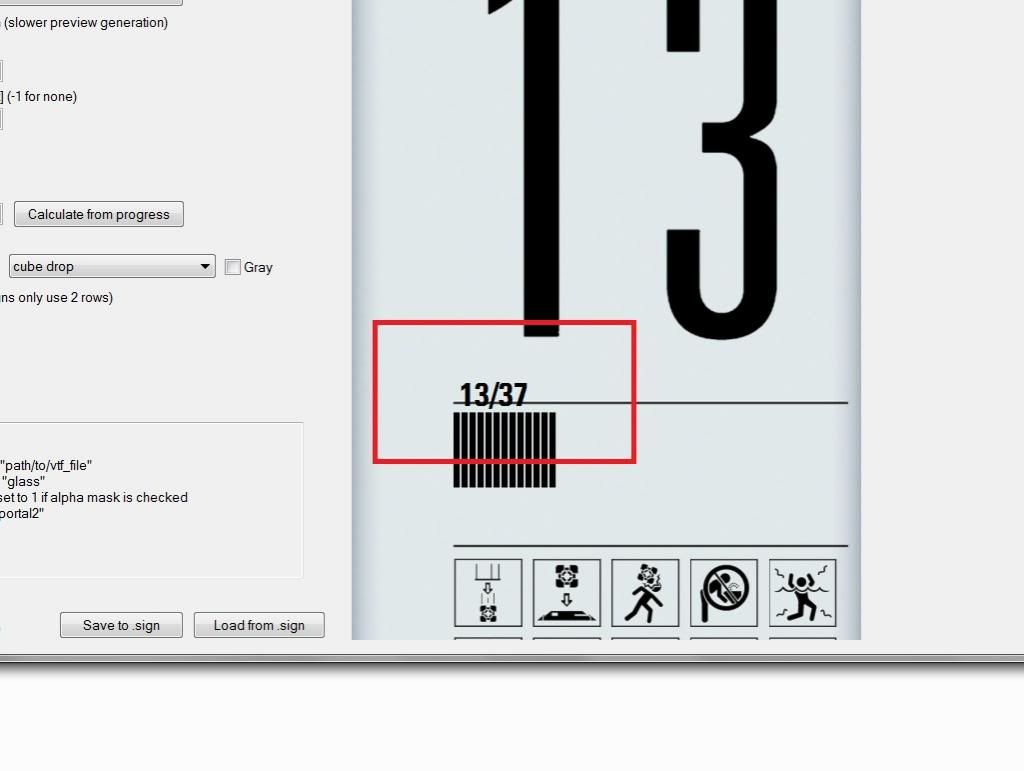
Sorry to necro this but im having an odd problem where it draws a line through the numbers 
http://i1193.photobucket.com/albums/aa352/LoneWolf2056/SignError_zps594bec8c.jpg
LOL, Stephen I can't reproduce that >.<
Could that be due to a wrong version of Microsoft .NET Framework 2? Try reinstalling it 
I did get it but it says its already installed by default, is there a specific version of it you are meant to get. This is the one I already have http://www.microsoft.com/en-gb/download/details.aspx?id=6523 and I tried http://www.microsoft.com/en-gb/download/details.aspx?id=1639 as well
Sry to bump such an old topic, but does anyone still has the sourcecode for this program? the dropbox link isn't working anymore.
For those interested on the source code, he (Omnicoder) gave a new link for it on the TWP discord here it is again for those that might be interested but for some reason aren't on the discord server.
https://www.dropbox.com/s/vtuyi37vuw2b0 ... gs.7z?dl=1
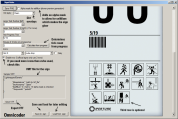
Microsoft .NET Framework 2 required
It was used to create the signs for Retrospective so you can play that if you want an example of them in-game.
File Name: signmake.rar
File Size: 8.81 MiB
Click here to download Chamber Sign Maker