File Size: 1.65 MB
Downloads: 216
Rating: 0.0 (0 votes)
Description
Ever get tired of cutting up your walls to create tile variation? Wish there was a way to automatically generate randomized walls? Now there is! Just extract the 7z, run WallRandomizer.exe, and either copy the contents of the output vmf or use it as an instance. --NOTICE-- You WILL need to install Python 3.3, available at http://www.python.org. The WTR will NOT work without the dlls from it, which I cannot distribute. Features: -Customizable size -Either white or black wall -Clean or dirty variants -Enable/disable of certain tile sizes -Automatic texture alignment Please note that this is in very early testing - just something I whipped up in an afternoon. The algorithm is also a tad slow and can lead to some odd results. Please leave feedback about any bugs you may encounter. Changelog: v1.1 -Fixed texture alignment -Added clean/dirty variants -Added input checks (no more putting "fish" as the width ) -Improved and optimized randomizer algorithm -Added texture arrays, making it possible in future versions to add a text file to change textures -Other miscellaneous bugfixes v1.1.1 -Fixed clean wall bug (thanks protoborg and tile) v1.2 (A day late and a dollar short, sorry) -Fixed side alignment issues -Upgraded from Python 2.7 to Python 3.3 -Replaced crappy 15-minute-implemented brush writer with PyVMF

Comments
Sign in to comment.

The textures aren't lining up. I'll copy and paste what I said in your other thread because this is still an issue.
Mevious wrote:
In your wall randomizer it looks like you're changing the wrong value for the offset. When I tried it, I got results like:
"uaxis" "[1 0 0 0] 0.25"
"vaxis" "[0 128 -1 0] 0.25"I think this is supposed to be:
"vaxis" "[0 0 -1 128] 0.25"
Hmm. Seems to work well enough. Though there is one thing, and I think it's the same thing Mevious was saying - some textures aren't aligned properly in their spot. For example, 64x64 brushes had centered textures when they should have been aligned Left or Right.
Easily fixed with a quick justification, but I thought it was worth flagging up.
Ah, yes, it turns out I inadvertently posted an old version of the program. It's fixed and I will update with a few more features in a few days or so (whenever I get reliable internet)
Thanks for testing!
EDIT: v1.1 has been updated, with the texture problems fixed and a few more features thrown in.
wrathofmobius wrote:
You will need 7zip, available at http://www.7-zip.org. It's free
That's what I mean. 7zip is unable to open it.
EDIT: I get an "Unsupported compression method for..." error.
EDIT2: Now Windows is saying it is not a valid Win32 application.
That doesn't sound good! Can you give me any more details about the error(s)? Like what exactly pops up? Also, are you sure the download completed successfully and was not interrupted?
protoborg wrote:
EDIT: I get an "Unsupported compression method for..." error.
You seem to have an outdated version of 7zip. I had the same error too and installing the newest version helped.
protoborg wrote:
EDIT2: Now Windows is saying it is not a valid Win32 application.
Maybe you downloaded the wrong version, for example for Windows 64bits instead of 32bits?
josepezdj wrote:
protoborg wrote:EDIT2: Now Windows is saying it is not a valid Win32 application.
Maybe you downloaded the wrong version, for example for Windows 64bits instead of 32bits?
Turns out it was not decompressed correctly because I had an older version of 7zip.
@wrathofmobius: Just to let you know, the program makes walls that are only 8 units thick. This seems to make vvis.exe crash. You may want to update the program to out put thicker walls. It is nice that only the one surface is textured. It is just annoying that the walls can't compile correctly.
protoborg wrote:
josepezdj wrote:protoborg wrote:
EDIT2: Now Windows is saying it is not a valid Win32 application.
Maybe you downloaded the wrong version, for example for Windows 64bits instead of 32bits?
Turns out it was not decompressed correctly because I had an older version of 7zip.
@wrathofmobius: Just to let you know, the program makes walls that are only 8 units thick. This seems to make vvis.exe crash. You may want to update the program to out put thicker walls. It is nice that only the one surface is textured. It is just annoying that the walls can't compile correctly.
8 units is pretty standard. However, if you want a different thickness, you can select all (easier now that it's all automatically grouped) and resize it that way.
(also, as a side note, just in case: the wall isn't meant to be compiled by itself, you have to copy and paste it into your map)
protoborg wrote:
I tried to create a clean wall and the damn thing wouldn't let me.
Ok... did it crash? Was the output not what you expected? Was the wall dirty? Give me something to work on! 
it won't let him because everytime he says "y" on that part, it says "please type y/n."
i know because i have the same problem with dirty walls.
Gah! Stupid me is stupid me... used the wrong (very similar-looking) variable to check the input. New version will be up soon.
wrathofmobius wrote:
8 units is pretty standard. However, if you want a different thickness, you can select all (easier now that it's all automatically grouped) and resize it that way.
(also, as a side note, just in case: the wall isn't meant to be compiled by itself, you have to copy and paste it into your map)
I put it as a wall that was part of a room, not by itself. You clearly state in the readme (or in the program itself, I don't remember) that it can be used as a instance. That is what I did. It didn't like it. It crashed vvis.exe when I tried to compile the room.
What was the error message? It works fine for me.
EDIT: See the issue now... the brushes don't line up perfectly for some reason (off by like .01 of a hammer unit) Looking into this now.
EDIT 2: Actually, this appears to be a Hammer-side problem - all of the faces in the VMF are lined up correctly. Also, this only seems to happen sometimes while copying and pasting. Looking more into this as we speak.
EDIT 3: Still unable to reproduce the problem. Try re-copying-and-pasting, or if that fails, generate a new wall. Please let me know if you can replicate the problem. Thanks 
It happens when the average of the brushes' centers isn't the center of the wall. Then if you move it as a block, only the center of the wall snaps to the grid. Resizing the whole thing from each corner fixes it.
wrathofmobius wrote:
EDIT: v1.1 has been updated, with the texture problems fixed and a few more features thrown in.randomizedWall.vmf wrote:
"vaxis" "[0 512 -1 0] 0.25"
Latest version (1.1.1) still not working and still causing problems.
Copied from the thread Mevious posted:
wrathofmobius wrote:
Ugh, I am really sorry about all of this. I released an untested and buggy product... I should have known better. I did not think to test it with a large number of these walls - usually just a room. Tomorrow morning I will switch over to the PyVMF library (which aligns side faces correctly and is MUCH more optimized) instead of the slapped-together VMF writer in the WTR. If all goes well, it'll be fixed tomorrow morning or afternoon.Again, I am SO sorry about all of this. I should have not released this without tons of stress testing to try and break it, and I also should not have dismissed others' reports as flukes so quickly. I hope no damage/frustration has been caused due to my negligence. Thank you all (FelixGriffin, protoborg, Mevious, etc) for all of your patience while I try to get this piece of crap working. I may also include the source in the next version so that others may fix the things I will have no doubt overlooked in the next version.
Yours,
Simeon
Let me reiterate that I do NOT recommend using this version any longer, unless you select the "align to face/world" options in the Face Edit Sheet for all nodrawed faces. I will have this fixed ASAP.
EDIT: Good news/bad news. The good news is that the problem is fixed. The bad news is twofold: I suffered a hard drive failure on my laptop, and the newest version of the source was lost. Luckily, my desktop has v1.0, but many features have been lost due to the older version. Also, I switched to Python 3.3 to use the PyVMF module, but I haven't been able to find a way to use cxFreeze to compile to exe. So there's a bit of a delay - hopefully it'll be updated this week.
Progress update for those still waiting on the fix: I am reverting PyVMF and the Wall Tile Randomizer back to Python 2.7 so that I can use py2exe instead of the vastly inferior cx_Freeze. Again, I am very sorry for the delay and will continue working on the update between classes and other commitments/emergencies that have been popping up lately. Thanks
If you know how to use cx_Freeze, please contact me either by pm or by response to this thread. Otherwise, the fix should be out in at most a week.
A day late and a dollar short, I know, but hopefully this version works well enough 
Note that you will need an installation of Python 3.3, available from http://www.python.org, to run the WTR. The new exe wrapper for Python 3.3 unfortunately depends on some Python DLLs which I am not at liberty to distribute. Sorry for the inconvenience.
EDIT: Oops, named the zip archive incorrectly. Should be Wall Tile Randomizer v1.2, not v1.1.1. Rest assured that it is in fact v1.2, I must've just been drinking acetone or something while uploading
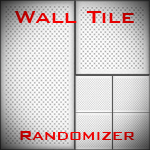
Ever get tired of cutting up your walls to create tile variation? Wish there was a way to automatically generate randomized walls? Now there is! Just extract the 7z, run WallRandomizer.exe, and either copy the contents of the output vmf or use it as an instance.
 )
)
--NOTICE--
You WILL need to install Python 3.3, available at http://www.python.org. The WTR will NOT work without the dlls from it, which I cannot distribute.
Features:
-Customizable size
-Either white or black wall
-Clean or dirty variants
-Enable/disable of certain tile sizes
-Automatic texture alignment
Please note that this is in very early testing - just something I whipped up in an afternoon. The algorithm is also a tad slow and can lead to some odd results. Please leave feedback about any bugs you may encounter.
Changelog:
v1.1
-Fixed texture alignment
-Added clean/dirty variants
-Added input checks (no more putting "fish" as the width
-Improved and optimized randomizer algorithm
-Added texture arrays, making it possible in future versions to add a text file to change textures
-Other miscellaneous bugfixes
v1.1.1
-Fixed clean wall bug (thanks protoborg and tile)
v1.2 (A day late and a dollar short, sorry)
-Fixed side alignment issues
-Upgraded from Python 2.7 to Python 3.3
-Replaced crappy 15-minute-implemented brush writer with PyVMF
File Name: Wall Tile Randomizer v1.2.7z
File Size: 1.65 MiB
Click here to download Wall Tile Randomizer