Map
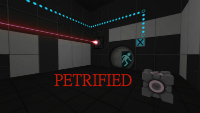
Petrified
This is a test concept I wanted to try. I may make more with this testing element ; I am not sure. The testing element is a cube that freezes when you drop it, and drops when you hit it. It's relatively easy to make: it's a prop_physics with a cube world model. When it is dropped, it puts itself to Sleep, and when it is picked up, it Wakes. The skin changes to demonstrate this. To play, unzip the file and drag the .bsp into your maps folder ( steam/steamapps/common/portal 2/sdk_content/maps )

Portal Playground
this is my first map made in hammer. I AM NOT THE PERSON WHO MADE THE ORIGINAL PORTAL PLAYGROUND,THIS IS A REMAKE.

The Opening Hour
Now that GLADoS is gone, you are the only one who can still keep tests running for who knows what happens if they stop. ____ My first "big" project. The map is a mix of various Portal 2 map styles: factory, bts, chambers etc. Workshop page: http://steamcommunity.com/sharedfiles/f ... =380441134 Enjoy!
Above Aperture - Part 2
WORKSHOP LINK : --------------- http://steamcommunity.com/sharedfiles/f ... =342174009 STORY : ------------- You wake up in a train and arrive in a deserted Aperture city. Find what is going on here ! PART 2 : -------------- This part contains a half open sky testing chambers. You will have to use lightbridge and your mind to solve this puzzles. CREDITS : --------------- Custom models : Shiroko Custom textures : from csgo

Above Aperture - Part 4
STORY : --------------- You continue your journey through the destroyed and deserted Aperture Center, on the surface. PART 4 : ---------------- This part contains 3 open sky testing chambers. You will mainly have to use pneumatic diversity vent. Two directions are used: propultion and aspiration. You should try to combine them The puzzles contains lightbridge, cubes and turrets. BONUS : ---------------- This time, the song is not hidden. You will find it in the first test chamber. DOWNLOAD : https://mega.co.nz/#!yINklJyB!Wgkis1SFf ... pJtLckVV6Q YOUTUBE : https://www.youtube.com/watch?v=Y9T0Flnmm6E CREDITS : ---------------- Custom models : Shiroko Custom textures : from csgo
Unfinished Business Part 1
Small two chamber map. Easy and Medium difficulty. Clean Environment. First part of a 3 map coop series using maps originally meant for a full coop campaign but it was cancelled. I'm busy on a different project at the moment but I've taken a break to polish the maps up and finally release them. Screenshots: https://dl.dropboxusercontent.com/u/485 ... _00001.jpg https://dl.dropboxusercontent.com/u/485 ... _00004.jpg https://dl.dropboxusercontent.com/u/485 ... _00005.jpg https://dl.dropboxusercontent.com/u/485 ... _00006.jpg Changes: v1.0 - Initial release. v1.1 - HDR Cubemaps. - Increased light levels for HDR. v1.2 - LDR Cubemaps v1.3 - Added detail everywhere. - Adjusted first chamber so trigger_catapults kick smoother. - Added additional puzzle to room 1 (Really easy but hopefully fun) - Added a delay to the mid-spawn rooms entry fizzler when being disabled to prevent player going back to room 1. v1.4 - Fixed cubemaps. - Corrected a texture size on one of the fizzlers. - Dimmed the lights in room 2. I hope you enjoy the map
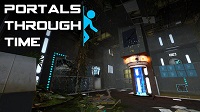
Portals Through Time (Part 3) - Collision
Face new challenges and solve interesting puzzles with the addition of Time Travel! Go back and forth between the present (overgrown and decaying) and the past (clean and functional). Steam Workshop: http://steamcommunity.com/sharedfiles/f ... =258437462 Video: https://vimeo.com/94718761
[COOP] Vertical Alignment
I've been working on this map during the last month or so, and I think I've fixed enough obvious exploits. It's cooperative puzzle focused on light bridges and conversion gel. (You shouldn't need much conversion gel. I think five placements are enough to complete the map.) Screenshots: http://imgur.com/a/0suw8 Anyway, playthroughs would be greatly appreciated. Suggestions will be taken seriously, especially if it's something I can actually fix. I'm more concerned with making this map good than releasing it soon (or I would have already released it).
![[COOP] Vertical Alignment](/downloads/screenshot/thumbnails/3042_thumb.jpg)
PHLING
Critical error: Map description not found. An Aperture Science description associate will contact you with the appropriate description when it is found. Difficulty: Medium Length: 30-45 minutes ---------- This is my tribute project to Portal and Portal 2 which bent my mind in so many ways. I wanted to try to do the same for others. It took about 2 months of work because I work slowly, and yes, it is extremely optimized which is why the size is small for the length. I hope you enjoy it. The meaning of the map [spoiler]This takes place after Chell has left Aperture. She dreams about the facility as most of her life had taken place in there. Her memories go from the old Portal 1 facility to the destroyed tests of Portal 2, always haunted by the words of GLaDOS and Wheatley. She has no family and her future is confusing. Eventually she sees the entire history of Aperture Science again from the beginning to the end, and the ending results in her being lost and confused. Her biggest test is finding her true self.[/spoiler] If you like it then please upvote the map on workshop as well: http://steamcommunity.com/sharedfiles/f ... =214699219
[Coop] Colours Co-Op : : Map 5
Available on the Steam Workshop here: http://steamcommunity.com/sharedfiles/f ... =186152648 The Theme Is Purple. This is the grand finale. Sorry for the long wait, was working on releasing a game on Steam for the last 2 years. Now that that's over I finally took the time to finish this. Enjoy!
![[Coop] Colours Co-Op : : Map 5](/downloads/screenshot/thumbnails/2906_Colours05.png)