Portal 1
My Map
A test of some things in hammer. A test of some things in hammer.

GlassWalls
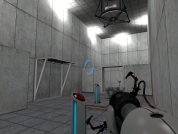
Uploaded for my friends but feel free to download and enjoy.

spherique00
WIP portal map A school project I had to do.
Logic portals z02 fling
a demo file of a fling from the 3rd to 4th areas what i did is i made a portal in the floating wall panel near the exit of the room, then i tunneled to a high spot across the room, then i made a floor portal to get through at an acute angle.
[WIP] Chamber 09 ADV
this is and advanced map of test 09 This is an edited version of Chamber 09
NOT A MAP Logic Portal Materials Keyword Fix
Erases Logic Portals textures from PORTAL keyword A request from volt for developers to removes all Logic Portals materials showing up in the texture list when the keyword "Portal" is used. Now replaced by the keyword "hurricaaane".
Portal Inside Portal wmf [FOR PESTCHAMBER]
THIS IS NOT PLAYABLR MAP! IT'S FOR @PESTCHAMBER READ THE TITLE
Mirror Demo (not a map)
A proof-of-concept for a mirror. This map was an experiment of mine in which I was trying to create a mirror. Since the mirror textures provided are flawed, I took a different approach by using just a glass wall instead of a mirror, and placing an object on both sides of the mirror. I've also demonstrated a couple of cool tricks you can do with this setup. How I did it: Mirroring the box's movement was achieved with a clever setup using a logic_measure_movement and info_targets. The wall effect was created using an invisible func_clip_vphysics with a filter for the driver cube. The button effect was created by moving the func_door and box trigger of the button to the other side of the glass and changing the trigger filter. Much credit goes to HMW who pushed me in the right direction and helped with some of the trickier implementation details. Again, this is just a concept. I may or may not make a level of my own using this, but I encourage anyone who wants to to go ahead and do so (just cite where you got it from!). Once you figure it out, it's actually very simple and quick to implement. Also, I'd love to see what other interesting things can be done with this mirror setup, so I welcome any expansions on this idea.
Down The Rabbit Hole
Chell suddenly finds herself in an alternate dimension. Things go from simple minded to having no mind at all. This first chamber is just a basic idea of what I have planned. Lemme know what you think of the concept.