Portal 2
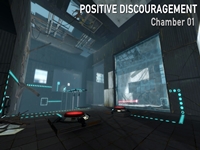
Positive Discouragement - Chamber 01
"Positive Discouragement" is a small map pack that I'm working on. I decided that I might as well upload this here, instead of having it sit around on my computer until I finish all the maps, but I'm not going to upload it to the Workshop until they're all done. So for now, you'll have to do it the old-fashioned way! (place the .bsp in your "portal 2/portal2/maps" folder) ====== This chamber is the intro chamber, so it -isn't supposed to be super hard -is meant to be the most destroyed of them all. I fashioned it after 'sp_a2_dual_lasers' On a side note, this map is a VisLeaf mess. Guess how many numportals? Almost 3500. I didn't know how to make 3D skyboxes at the time, but now I see that I really should've used that, as it would've saved me so much trouble and time. I may revamp it before the workshop release. Anyway, enjoy! Don't forget to leave feedback, it is much appreciated. ====== Changelog: 1.0 -Release 1.1 -Changed the BTS area -Reworked the map so that it doesn't use linked_portal_doors -Changed some trigger_look settings -Fixed a broken animation on one of the fizzlers ====== A big thanks goes out to Lpfreaky90. If it weren't for her and her troubleshooting ability, this map wouldn't even exist. I'm serious. Hammer was telling me there was a leak in the middle of the void so I couldn't compile. Also, thank you to Stimich, who helped me beta-test!

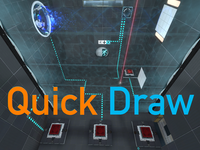
Quick Draw
Hey guys, its been a while since I released a map, so here it is! This map was made in a week, and it consists of two chambers. Special thanks to my friend (iStarStruck) for designing Chamber 1! Chamber 2 was designed by me, and both chambers were made by me. This map was purely made in Hammer. Note: This map is not part of the JFTC series, its just a stand-alone map. Note 2: If you don't really care about the test chamber sign, ignore the "scripts" folder. Difficulty: Medium Size: Medium Theme: Clean, Behind the Scenes Testing elements present: -Laser Field -Angled panel -90? panel -Excursion Funnel (polarity change) -Repulsion Gel -Propulsion Gel -Thermal Discouragement Beam (and its receptacle) -Discouragement Redirection Cube -Fizzlers -Basic elements (cubes, buttons, switches...etc) Remember to rate it and comment about what you think about it! Blindruns are much appreciated, they help me alot! Changelog: v1.0-v1.1 -Fixed unintended solutions --Made Chamber 2 larger --Reduced white surfaces on the room in Chamber 2 -Included an "angled wall version" of the map for players who are having problems with the angled panel (such as bmail) --The angled panel in the "angled wall version" is now replaced with an angled wall instead. Walkthrough: (v1.0) Warning! Spoiler alert! Only watch if you're stuck or have already completed the level! [spoiler]JWiUVLFuQ98[/spoiler] Screenshots: Screenshots [spoiler] Entrance to the first chamber, with the test chamber sign. An overview of the first chamber. Ditto. Ditto. Ditto. The Goo and angled panel in Chamber 1. The right room of Chamber 1. Behind the scenes section seen from Chamber 1. The hallway between chambers 1 and 2. An overview of Chamber 2. Ditto. Ditto. A room in Chamber 2 An overview of the room in Chamber 2. Ditto. Behind the Scenes section. Ditto. Ditto, with a view of Chamber 1 through the grate.[/spoiler] Added to the Steam Workshop: http://steamcommunity.com/sharedfiles/f ... =154863757 Thanks for testing!
Alternative #3
RELEASE DATE: 12.10.2012 WATCH TRAILER: http://youtu.be/1D96H_sElGQ Maps in valve style(i hope), medium difficult. Thx for playing my maps ;]
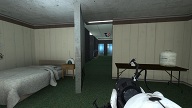
Hotel Aperture
PLEASE NOTE: The filename of the map has changed since the last update, it is not hotel_aperture so take that into account when playing the map Changelog (V 1.4.2) V 1.3: Cubemaps have been correctly built so hopefully no more visual corruption V 1.3.1: Hopefully thanks to HMW's helpful suggestion the cubemap error should be gone for good. V 1.4: Fixed the faith plate animation, radio no longer carries on playing after being fizzled, other small visual tweaks and bug fixes V 1.4.1: Further lighting tweaks V 1.4.2: Eliminated a potential scenario in which players and objects could fall through the aerial faith plate V 1.5: Fixed a couple of exploits and made some visual tweaks
Compulsive
This map is a vast improvement from my previous maps, and thanks to Nautik for all his help. about 40% of this map was helped by from Nautik. anyway this is a 3 chamber map, with easy elements in first chamber. 3rd chamber is i think my best chamber i ever made, but Nautik helped me out with some issues i had in this room. I am sorry if you dont like jumping platforms in 3rd room, but i have now edited the WIP version into this version and you will see that jumping platform part of the puzzle is now much easier (trying not to give any details out to those who didnt see my WIP version As always all comments will be greatly appreciated and i also would hope this map is upto the standards now of the Admins Have fun all and enjoy Ok although i know i am having 2 tiny problems with HDR, some textures are showing odd, and in the 3rd room in the part of the chamber where there is a cube button part of the ceiling is showing very dark, i tried to fix this but this HDR full compiling is making it show dark, so unless i did a normal compile cant find a solution as of yet, but i want to do HDR so will keep it as this for now. (so please dont comment bad for this lol) I will update this version when i find a fix for it , but my map is ready LuckyRJ EDIT: just updated the screenshot
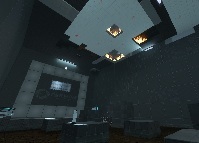
PTI_polarity_transition
This is a 2 Room Testchamber created by using only the PTI for the Map and Hammer f?r the Coop-Entrance and Exit. Once the first Room is solved, there is a shortcut to the second Room for the case that you should die. GLaDOS: "And you will die for shure" Rynax: "shhht, shut up GLaDOS. Guys, i believe in you!" Hope you enjoy the Map with your Partner and leave me some feedback. I am looking forward for your Report. GLaDOS: "I am looking forward to your failure"
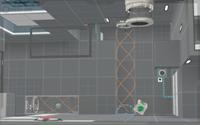
[JFTC] Chamber of Lasers (Test Chamber 04/19)
Hey guys! This is the fourth test chamber of the "Journey for the Cake"! Its pretty easy, so don't worry. This chamber was built to make a "story". Size: Small Difficulty: Easy Testing elements involved: Thermal Discouragement Beams Laser Field Discouragement Redirection Cubes Weighted Storage Cube Cube Button Fizzlers Improvements that need to be made in the next map: -Observation Rooms -Autosave after elevator Improvements: -? - Remember to comment and rate this map! Post your blindruns and walkthroughs here too so I can know what to improve on in my next map. Have fun!
![[JFTC] Chamber of Lasers (Test Chamber 04/19)](/downloads/screenshot/thumbnails/2177_rsz_sp_chamber_of_lasers.png)
Security Crisis
My first Portal 2 map! GLaDOS finds that Wheatley's monitor screen is better than her security cameras, so she decides to use it. This map contains two simple puzzles, a Laser Relay puzzle and a momentum puzzle. Both are required to solve in order to open the exit door. Some mechanics involved: Laser Relay Discouragement Redirection Cube Thermal Discouragement Beam (and its receptacle) Excursion Funnel Aerial Faith Plate Edgeless Safety Cube This is a map purely made by Hammer (Authoring Tools). I'm new to it so be nice Leave some comments on what I can improve on in my next map. Don't forget to rate it! If you like it, I might do more next time.
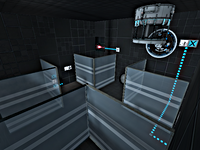
[JFTC] New Journey for Cake (Test Chamber 01/48)
Hey guys! I'm making a set of 48 test chambers, this one being the first. The set is called "Journey for the Cake" as you will get cake upon completing all 48 test chambers. Just to let you know, "[JFTC]" is the abbrevation of "Journey for the Cake" This first test chamber is called "New Journey for Cake" Size: Small Difficulty: Easy-Medium (70%-30%) Some testing elements you can expect: Hard Light Bridge Goo Discouragement Redirection Cube Thermal Discouragement Beam (and its receptacle) Turret CAKE (Its not a lie) Read the readme inside the .rar file. Remember! If you don't really care about the elevator videos, don't bother about the "portal2_dlc2" folder. This is my second map made in Hammer (Authoring Tools). I have improved alot. Download it and let me know what I can improve further! Remember to rate it and have fun! Blindruns and walkthroughs are appreciated! For those of you having trouble on the map, WARNING! Press "show" only after you completed the test chamber [spoiler]You're supposed to jump through the portal on the white portion of the floor where you're standing. You can shoot a portal there by going to the extended part of the floor with the railings. I purposely made the Goo hurt lesser and shallower to make it more easier. [/spoiler]
![[JFTC] New Journey for Cake (Test Chamber 01/48)](/downloads/screenshot/thumbnails/2129_rsz_sp_newjourneyforcake.png)
Time Portal
a puzzle involving time travel, i also included the .vmf file so others can see how the concept works it is simple if you can think in the forth dimension! v1.1 added destroyed theme to past fixed unintended solutions i want to create a emancipation grid type field but i ran into a few bugs, so i just left it out. feel free to use anything, inform me of bugs, free free to tell me how i can improve(i am not an expert at hammer)
