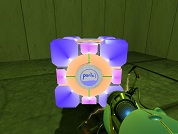
Portal 1 (Work in progress)
WIP Portal 1 maps and experiments not yet finalized.
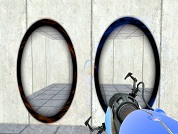
Black Portals
Black Portals. Put in portal>materials>models>portals. Make those folders if you don't have them.

Ricotez's Voices Edited and Unedited
The 3 different stages of Ricotez' voice Same as the short.

Cubeism Unedited Dialog by Ricotez V1.0
Custom Unedited Dialog for the Cubeism skins Cubeism Cube Custom Skins Unedited Dialogs by Ricotez Version 1.0 Special lines of dialogue based on the custom cube skins made by Kayaia; see the following link: [url]http://forums.thinkingwithportals.com/extra-cubes-buttons-t1290.html[/url] The cube names were made up by Kayaia. The voice you hear is mine, that of Rafael Alejandro a.k.a. Ricotez. You are free to edit these samples, to make them sound more like GLaDOS, or like any other crazy computer AI, as long as you credit me. All samples are in mono, and in .wav-format. These are the samples: Hot Cube.wav "This red cube is the Aperture Science Weighted Hot Storage Cube." Hot Cube 2.wav "This cube features an internal heat source. Because of that, it is not advised to stay very long in it's near proximity." Light Cube.wav "This blue cube is the Aperture Science Light Storage Cube." Light Cube 2.wav "It has not been weighted, and because of that, it's mass is only 1/40th of the mass of a normal storage cube." Heavy Cube.wav "This green cube is the Aperture Science Overweighted Storage Cube." Heavy Cube 2.wav "It's mass is 2.5 times the mass of a normal storage cube. Because of that, you cannot lift it." Push Cube.wav "This grey cube is the Aperture Science Repulsion Cube." Push Cube 2.wav "This cube features an energy field, meaning it will repulse any other object touching it, including other storage cubes."
[Overlays]-dirt/abandoned overlays
the dirt overlays I made and used in my map unfortunately, I only made them for my level, so you will have to keep the folder named "Agito" named that all the time. copy the "Agito" folder into the portal/portal/materials folder and they will work after you restart hammer
Hammer CFL Light Entity
Put this in your mod's folder (example portal/portal) as well as it's hl2 folder (example portal/hl2). Your light entity will be much more efficient.
Cool Room
Just a simple room with simple functions. I'm new to using Hammer, so nothing major goes on.
Cutie Mark Cubes
MLP Cutie Marks storage Cubes
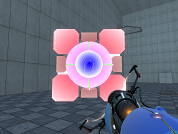
Uber-bright cube
Same thing as my bright cube but darker colors.
Blue-ish Portal Gun
A portal gun I made. Not sure where I found the original portal gun texture but I changed it to make it blue. This time the folders are included. Just put it in your materials folder in portal>portal.