Portal 1 (Work in progress)
WIP Portal 1 maps and experiments not yet finalized.
Orb Catcher Tutorial
A .vmf and .bsp for an orb catcher This is the .bsp and the .vmf made to accompany the wiki I wrote for it. - Added in the cutout for the wall behind the catcher - Added in the point_spotlight


Cube Movement Tube test
Test of movement tubes press the button to launch a combine ball into the tube, jump in to go for a ride.
Sample BMZ
How to package your maps for EASY import! This is a sample BMZ file to demonstrate how they are EASILY imported through the Bonus Maps UI. TO IMPORT: Start Portal, Click "Bonus Maps"?, Click "Import Bonus Map", Browse to this BMZ file and select it, and poof enjoy! TO MAKE YOUR OWN BMZ: Use this file as an example by changing the extension to .zip and inspecting the files. This guide provides more detailed info: http://developer.valvesoftware.com/wiki/Bonus_Maps You should also consider allowing BMZ files to be uploaded to the Released Maps section.
NPC Walkting Through Portal
Contains .bsp and .vmf of a test map Contains .bsp and .vmf of a test map, of Walking through portals tutorial, as well as most of the other tutorials on this site, for reference. Put the .vmf file in your sourcesdk_content/portal/mapsrc directory to see it in hammer, or just open it. Put the .bsp file in your portal/portal/maps directory to play it.
Indicator Strip Example
Example file showing how indicator strips work. The example file that co-en sides with the article based on indicator on how to design working indicator strips for your map. Edit: Changed light strip overlays from having multiple overlays over a distance, to stretching the overlay across the distance, and editing U/V value accordingly.

Button and Door Tutorial
A .vmf and a .bsp for button/door example This file goes along with the tutorial found on the wiki for creating a button / door. It contains the .vmf file, and the playable .bsp.
Timethrottle with mousewheel control
Slow down/speed back up time w/ mousewheel! This script lets you step up and down through four levels of slo-mo plus a complete timefreeze using the mousewheel. *** UPDATED to version 0.9. Read the readme.txt. *** [To use: copy timethrottle.cfg into your .../portal/cfg/ folder, launch the game, then pull up the console and type EXEC TIMETHROTTLE] The steps are: - normal speed - 60% normal - 40% - 20% - 10% - time stopped Mwheeldown slows down, mwheelup speeds up. Clicking the wheel in (MOUSE3) toggles between first-person and third-person view (helpful for getting some perspective on those extra-disorienting fancy flings).
Small pack of new voices
Woman-Computer-like This is a small pack of 4 voices made in text-to-speech program. You can use freely. Just give small info in credits about creator.
BNS Script maker
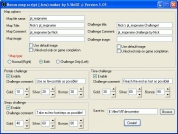
Makes BNS scripts :| Easily create BNS script for your maps, Supports challenge maps, regular maps and both.
Activated strip help
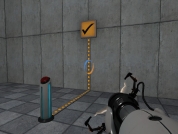
A tiny map with a button that changes the texture A tiny map with a button that changes the texture of the strips on the wall and the X.