Work In Progress
Portal Raw Level Signage (PSD file)
A PSD image file to assist in creating level signs This PSD file contains all the basic elements used in the large level signs at the start of each portal level. Each element is on it's own layer to allow the elements to be hidden or made transparent so that the "lighting up" animations for these sign can be quickly and easily created. Please see the readme file for more information. v1.0 - initial release v1.1 - changed to use the actual large number font use in portal - added a tutorial on creating the signs in photoshop


Down to *710 extended Bonus Maps Window
Stretches the list, so you can see more at once This modification stretches the list of bonus maps so you can see more icons at once. Only suitable for resolutions down to 710 in height. Extract the file in portal/portal/ directory.
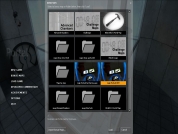
Down to *843 extended Bonus Maps Window
Stretches the list, so you can see more at once This modification stretches the list of bonus maps so you can see more icons at once. Only suitable for resolutions down to 843 in height. Extract the file in portal/portal/ directory.
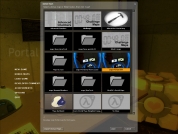
Orb Catcher Tutorial
A .vmf and .bsp for an orb catcher This is the .bsp and the .vmf made to accompany the wiki I wrote for it. - Added in the cutout for the wall behind the catcher - Added in the point_spotlight

Cube Movement Tube test
Test of movement tubes press the button to launch a combine ball into the tube, jump in to go for a ride.
Sample BMZ
How to package your maps for EASY import! This is a sample BMZ file to demonstrate how they are EASILY imported through the Bonus Maps UI. TO IMPORT: Start Portal, Click "Bonus Maps"?, Click "Import Bonus Map", Browse to this BMZ file and select it, and poof enjoy! TO MAKE YOUR OWN BMZ: Use this file as an example by changing the extension to .zip and inspecting the files. This guide provides more detailed info: http://developer.valvesoftware.com/wiki/Bonus_Maps You should also consider allowing BMZ files to be uploaded to the Released Maps section.
NPC Walkting Through Portal
Contains .bsp and .vmf of a test map Contains .bsp and .vmf of a test map, of Walking through portals tutorial, as well as most of the other tutorials on this site, for reference. Put the .vmf file in your sourcesdk_content/portal/mapsrc directory to see it in hammer, or just open it. Put the .bsp file in your portal/portal/maps directory to play it.
Indicator Strip Example
Example file showing how indicator strips work. The example file that co-en sides with the article based on indicator on how to design working indicator strips for your map. Edit: Changed light strip overlays from having multiple overlays over a distance, to stretching the overlay across the distance, and editing U/V value accordingly.

Button and Door Tutorial
A .vmf and a .bsp for button/door example This file goes along with the tutorial found on the wiki for creating a button / door. It contains the .vmf file, and the playable .bsp.
Timethrottle with mousewheel control
Slow down/speed back up time w/ mousewheel! This script lets you step up and down through four levels of slo-mo plus a complete timefreeze using the mousewheel. *** UPDATED to version 0.9. Read the readme.txt. *** [To use: copy timethrottle.cfg into your .../portal/cfg/ folder, launch the game, then pull up the console and type EXEC TIMETHROTTLE] The steps are: - normal speed - 60% normal - 40% - 20% - 10% - time stopped Mwheeldown slows down, mwheelup speeds up. Clicking the wheel in (MOUSE3) toggles between first-person and third-person view (helpful for getting some perspective on those extra-disorienting fancy flings).