Browse Downloads
Recently active files on the download database.
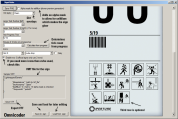
Chamber Sign Maker
Microsoft .NET Framework 2 required It was used to create the signs for Retrospective so you can play that if you want an example of them in-game.

Afterburn
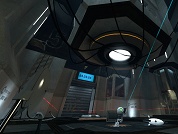
Level created for Thinking With Portals October 2010 contest following the reveal theme. Update Uploaded a new release (1.01) that fixes a bug which prevented some players from completing the level. A video walkthrough can be found on Youtube here: Part1: http://www.youtube.com/watch?v=DZYwHEUisF8 Part2: http://www.youtube.com/watch?v=xjKF-wOYSgI
PotatOS Human (model)
Human version of PotatOS (aka GLaDOS in the potato) from Portal 2. Based on Sea Maggie's art. Initial modeling by Mx(me). Additional modeling by Vertex Arcade. Porting to Source by Mx(me). Upload includes: * Original Blender file * Smd and QC files. * Portal 2 replacement VPK, (soundcache not included, you need to copy it or regenerate)

Hi-res Coop Signages
Hi-res coop signs, that's all. Includes: singage/hr/ coop_teamdoor_blue_overlay.vmt coop_teamdoor_blue.vmt/vtf coop_teamdoor_orange_overlay.vmt coop_teamdoor_orange.vmt/vtf When crediting, make sure to credit: AbbieInSpace (Creating the Textures) oktocentillion (Making Base textures for the exit person) If you're using P2:CE, I recommend using the workshop version, as it uses vtf 7.6 format https://steamcommunity.com/sharedfiles/filedetails/?id=3727885688 (If you have any questions, or problems, Lmk!)

Rusty BTS Props
This is a pack of assets that I recently made for Portal: Divinity Chapter 2 and have decided to also let the public enjoy. It features many of the iconic BTS props given a new rusty skin. Includes the pellet behind models, roommovers, gantries, cable beam, new colors and dirty skin for the bts lights, rusty conduit model, and has an extra gray colored conduit for good measure. NOTE: The chamber models use November's plastic. The material points to its original file location and you need November's overgrown plastic texture for it to work. If you want to use an alternative just edit the vmt to point elsewhere. NOTE 2: It might note fit extra lush environments because it's mostly intended for use in a sandy corroded environment, but it should still look a lot better than the clean assets in overgrown environments.

Dynamic Portal Lights
2 .VMF instances for hammer users to create dynamic portal lights that update as the portal moves. [Singleplayer Blue] $color_p1 - 0 60 255 [Singleplayer Orange] $color_p2 - 233 78 2 [ATLAS Portal 1] $color_pl1_p1 - 32 128 210 [ATLAS Portal 2] $color_pl1_p2 - 19 0 210 [P-BODY Portal 1] $color_pl2_p1 - 255 180 32 [P-BODY Portal 2] $color_pl2_p2 - 57 3 3 $brightness - 100/200 [depends on the scenario and mood the hammer user is going for]

Unique Brush Squarebeams
A .VMF containing a lot of squarebeams made in hammer through brushes, featuring corner sqarebeams, 32x32 squarebeams, and more. Mainly useful for the pillars and inward corners.

Portal-Life
A short linear map that introduces some gameplay elements from Half-Life 2 integrated with Portal puzzle system. If you like the idea of portal gun in HL2, give it a try. V2.1 - updated file paths for effects to work on the modern release
1970's Colorable computer cabinets
A version of the 1970's computer cabinets that can have a custom RGB color for their front panels, doesn't replace the vanilla models Includes all 4 cabinets present on the game.

Modular Ducts set
Modular set of ducts 64x64, comes two sets, normal and hollow (you can walk inside it), both sets comes with parts, in the following lengths: -32 -64 -128 -256 -512 -1024 Along with a curve piece and some special variants for the hollow set.