File Size: 16.15 MB
Downloads: 228
Rating: 5.0 (5 votes)
Description
These are a number of advertisements which have been made by TWP members for the advertisement of our site in game! Well done to everyone who made some awesome stuff. Files included are: Ratman TWP scrawl by zivi7 TWP logo model by Skotty Elevator Animation by PixeledFace http://www.youtube.com/watch?v=SKUdo14NXZM&feature=player_embedded Elevator Animation by Habzs http://www.youtube.com/watch?feature=player_embedded&v=WlIJv7eUie0 Lab monitors by greyKarel Aperture Posters by Brainstone Elevator instance and script by ChickenMobile For further instructions on how to use these advertisements and place it in your map, look at the relevant ReadMe.txt included inside the download. Make us proud TWP, advertise us!

Comments
Sign in to comment.
If I post it in the wrong place ...
Though some time has passed since all this stuff were designed and posted I eventually introduced custom elevator video on the Workshop. Well, since there's no way to pack .bik file into .bsp, I had to think of some workaround for it. Though some people here said that it won't do I still tried to convert video to animated texture. So I took PixeledFace's video, resized and converted every frame into .png image then loaded every second one in VTFEdit and got a .vtf file with about 200 frames and size 17MB (original video is about 6 or 7). Then I edited instances of arrival and departure elevators base having placed a func_brush 1 unit over screens. The result can be seen in my new map "Banzai!!!". The only problem so far is that departure elevator won't disconnect you at the end, but it may have nothing to do with my instances and I was wrong somewhere else.
I attached my stuff if someone is interested to use it or check. Feel free to edit the instances if you have any ideas. If you have any problem with it just PM me and I'll try to help.
im confused when im told to put the models folder in the portal 2 folder am i supposed to merge it with the models folder in materials or just put it straight in because if i have a models folder in portal2 it doesnt show up
staryoshi06 wrote:
im confused when im told to put the models folder in the portal 2 folder am i supposed to merge it with the models folder in materials or just put it straight in because if i have a models folder in portal2 it doesnt show up
make it so that the models FOLDER is put in portal 2/portal2/ so it merges with your current models folder; and for the textures: merge the materials folder from the zip with your own materials folder.
If there are any sub-folders in that's done automatically.
also i have some problems: i set a custom elevator video (BHI) and a twp ratrman scrawling and poster as well as some bean cans and water bottles but in the game the video is white and the things arent there (its not a problem with custom content cause the cans and bottles arent custom)how do you fix this also when i fix it how do i stop the ratman scrawling and poster from clipping through the wall edit:also is it possible to make the poster and scrawling a decal because i cant get the poster right  edit: i figured it out now i just need a transition to menu
staryoshi06 wrote:
also i have some problems: i set a custom elevator video (BHI) and a twp ratrman scrawling and poster as well as some bean cans and water bottles but in the game the video is white and the things arent there (its not a problem with custom content cause the cans and bottles arent custom)how do you fix this also when i fix it how do i stop the ratman scrawling and poster from clipping through the wall edit:also is it possible to make the poster and scrawling a decal because i cant get the poster right
The videos are not showing since the first DLC... Here you can find a fix. About the props not showing, you must have received a yellow message during the compile, check this out; surely you introduced them as prop_static for exammple and they need to be prop_physics or prop_dynamic (you can know what kind of prop you need to use if you check the "Info" tab in the model browser). About the poster and the ratman scrawling, just use the overlay tool to place them into your map as info_overlays.
I quickly threw this BTS style sign... thing... together in photoshop in about 5 minutes. I still have the raw file, so I'll take any suggestions. It has some basic decay to it. Feel free to download and convert it to a vtf and use it if you like it.
It may be nice to put referencing an office area with lots of computers. Maybe even put the hammer editor open in one 
Arachnaphob wrote:
I quickly threw this BTS style sign... thing... together in photoshop in about 5 minutes. I still have the raw file, so I'll take any suggestions. It has some basic decay to it. Feel free to download and convert it to a vtf and use it if you like it.It may be nice to put referencing an office area with lots of computers. Maybe even put the hammer editor open in one
Cave Johnson: YOU ARE LATE. WE'RE ALREADY DONE HERE.
Me: Hopefully they'll add this to the pack. This was made probably before we both signed up. (Nah, otherwise, users can VTF it and VMT it themselves).
VTF/VMT: Verb invented by yishbarr. It means to turn an image to a VTF and add a VMT.
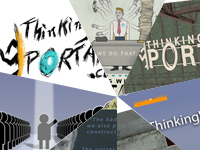
These are a number of advertisements which have been made by TWP members for the advertisement of our site in game!

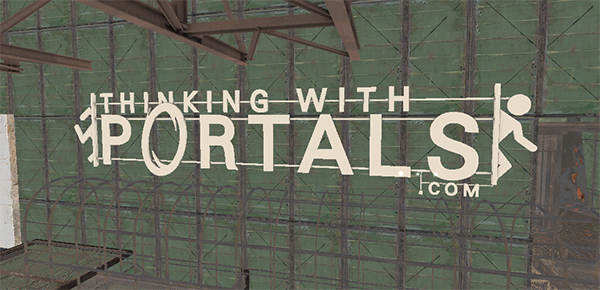


Well done to everyone who made some awesome stuff.
Files included are:
Ratman TWP scrawl by zivi7
TWP logo model by Skotty
Elevator Animation by PixeledFace
http://www.youtube.com/watch?v=SKUdo14NXZM&feature=player_embedded
Elevator Animation by Habzs
http://www.youtube.com/watch?feature=player_embedded&v=WlIJv7eUie0
Lab monitors by greyKarel
Aperture Posters by Brainstone
Elevator instance and script by ChickenMobile
For further instructions on how to use these advertisements and place it in your map, look at the relevant ReadMe.txt included inside the download.
Make us proud TWP, advertise us!
File Name: TWP Advertisements.zip
File Size: 16.15?MiB
TWP Advertisements