Portal 2 (Other files)
Miscellaneous Portal 2 mods, assets, tools, and non-map downloads.
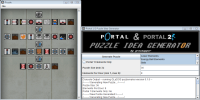
Portal 1/2 Puzzle Idea Generator
This program generates element templates that can help give you grounds for a puzzle. It doesn't generate puzzle themselves, but gives lists of elements chosen at random you can use to give your brain ideas for puzzles. See topic for more details.

Scene Voice Script Package
These are a number of files which you can use to play Valve's scene files for voice lines. You can create your own custom order for the scenes like the way Valve has done it. This example mainly covers coop GLaDOS. If you really want to use a custom scene this is the only way to do it if the Scene Table is personalised for a certain map. I highly suggest you don't go all out unless you are making a mod or a larger map-pack. Check out: https://developer.valvesoftware.com/wiki/Portal_2_VCDs for references of each scene.

Coop Transition Script and Level Choosers
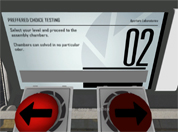
This Transition script and custom level choosers can be used to transition to different maps and courses through a hub map (like Valves). The level choosers can choose from any map in the course and it can display what map you are choosing with a message appearing on the screen. You can have 'infinite' courses inside your script, however both players need the same maps in order for the map to transition to it. If anyone wants to make a coop mass mack-pack (from everyone's coop maps), go ahead. It is definitely possible. Refer to the README.txt included with the download for installation instructions and common problems with fixes. If you have a problem and you cannot find an answer to it: put a post in this thread or PM me so we can get it working. One thing I don't know how to do (yet) is to save a player's progress and make the courses 'unlockable', even if the player has ended the game and then goes back to it (with the same or different partner). If anyone can tell me how to read and write to a file, I would gladly edit this and put this function in. If you are to use my instances/script/materials make sure you credit me within your map download or in your credits! Anyway, enjoy! ChickenMobile EDIT: From a very nice person I found out that there are a few errors with this: - The map doesn't transition without a point_servercommand called @command in your map - I forgot a major script that opens the chooser panel - Updated the Readme file to account for a new problem found - You don't have to use my coop spawner instance (your welcome to use your own) Guaranteed all things are now fixed! EDIT: Sorry guys for uploading the wrong file. Fixed in double time.
Credits
A Credit script that works with an instance to display your credits
My Little Portal Project: Rarity Portal gun.
The third portal 2 gun by my little portal project! the handheld Fabulous device! bigger picture: http://oi41.tinypic.com/11b2byg.jpg twilight portal gun: My Little Portal Project: T. Sparkle Portal Gun pinkie pie portal gun: My Little Portal Project: Pinkie Pie Portal gun
My Little Portal Project: Pinkie Pie Portal gun
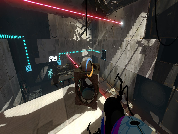
the second one is here! Enjoy you aperture science Handheld Party Device! Twilight sparkle: My Little Portal Project: T. Sparkle Portal Gun pictures: http://oi43.tinypic.com/33yjsbd.jpg http://oi43.tinypic.com/6rq2rq.jpg
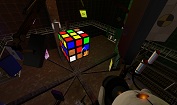
Portal 2 - Rubik's Cube
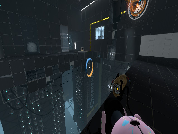
I stopped to wonder one day, "Can I make a Rubik's Cube in Portal 2?". I soon decided that yes, yes I could, and after a great deal of logic work, here I am. The level's a bit crude but after all this isn't about the level, it's a about a fully functioning, fully solvable Rubik's Cube in Portal 2. Let me know what you think!
My Little Portal Project: T. Sparkle Portal Gun
My little portal project presents: Twilight sparkle portal gun! this is our first creation! there is a readme within the file so make sure you read it! re: sorry guys here is a better picture http://oi40.tinypic.com/311kivn.jpg
Want You Gone Music and Lyrics
This will play "Want You Gone" (Portal 2 credits) and display the lyrics at the same time. Extract the zip folder and run "Want_You_Gone.bat" to start. See the ReadMe document for more info. Note: This will only work with a Windows computer.
tripwire turret
This is meant as a tutorial on how to create a tripwire that you can see in game, rather than being invisible. This specific map triggers a turret, but it can be used for many different occasions. I hope this is useful to someone.