Portal 2
Super Fling
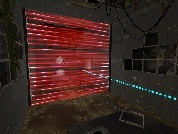
Version 1.2 now available Sept 24, 2011 SUPER FLING Read me file A Portal 2 custom map Name: Super Fling Version: 1.2 Author: LeeDavis Created: Sept 8, 2011 Difficulty: 5/5 ----------------------------------------------------------- Description: This map is for advanced Fling players. Created to challange your "twitch" ability and quick reflexes. The map starts simple and moves toward more advanced fling manuevers. Every section has a secret included in it. Can you find all 4. There is no intended solution. Solve it as you are able. Each room has many solutions. Installation: Copy or move the "Super Fling.vpk" to your "Portal2/Portal2/Addons" folder. If folder does not exist, create it. Start Portal 2 and open consule (`). Go to options and enabled "Developer consule" if you haven't already. Type "map superflingv1_2" (without quotes " "). Enjoy! ----------------------------------------------------------- Changelog: v1.0 No changes V1.1 Added Temporary ending Added LOD Edited Portal Bumpers Edited Gel Dropper v1.2 Made some secrets easier to find and some harder to find. Added Secret Helper Arrows to show location of secrets. (located at map exit) Added Homemade Arrival and Departure Elevators Added Testchamber Indicator sign and other LOD. Added Game Difficulty Toggle: Normal/Hard(NO PORTAL BUMPERS) ----------------------------------------------------------- Credit: Creater/Editor: LeeDavis Design ideas and testing: Christian Grammentz End message: CH3II Testers: Thomars.dm CH3ll Tyronis3 Skerik Djinndrache KennKong Special Thanks to all those that helped edit this map from beginning to end. Your constant play-testing helped make this map what it is now. Special thanks to: Steam Wiki http://developer.valvesoftware.com/wiki ... vel_Design Solarchronus YouTube.com "Portal 2 hammer Tutorials"

Massive Tutorial Level - v 1.1
Hi, this is my "second" map. I want to make REALLY BIG map and "teach" you things from walking & jumping to cube-throwing. CHANGELOG: Verison 1.0 - Basic Walking - Jumping across the barriers - Jumping across the pit Version 1.1 - Added lights - Fixed toxic water - Added start of second chapter - Some texture-problems - Optimalization - Effects - First "easy" puzzle with cube and buttons - "Ending" Version 1.2: - Working in progress CREDITS: Design - Honzas4400, life28 Music - Valve Corporation Map Maker - Source SDK (Portal 2 Authoring Tool) Map Help - life28 Coming Soon: - Effects Hope it will be good map

Brain Exercise
An easy single player map. Includes Laser, Hardlight, Turrets, and Faith Platform. Have Fun! Please Point out any flaws, bugs, mistakes, "ninja" ways to solve it. Added few updates: bug fixes.
Bunnyhop v1.0
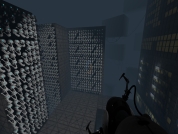
Size: very small! This is a average map where you bunnyhop your way to the finish. It took me a while too make this as this is my first map and i am not that good with hammer, but I know a lot of people have trouble bunnyhopping so here is a good chamber to practice!

Space and Time
My first Portal 2 Map I'm making, WIP.

Shootout
I'm working on a Wheatley map with 3-4 chambers, and I just want this first one to go through a playability test. Please mention ANY comments/suggestions/concerns that might help improve the map. I want this good and ready when it's released.
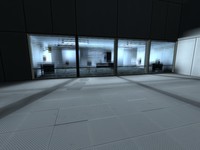
PTI element: Large (4x2x1 / 512x256x128) observation room
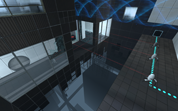
Seeing a screen shot here: http://theportalwiki.com/wiki/File:Port ... ent_02.jpg which has a different observation room from the one featured in the editor, it inspired me to clone the observation room and create a 4-block wide observation room. It is not identical to that screenshot, but it has similar principle: Ligher mood, things (having) happened. The ZIP file contains the observation room, a simplified observation room, and the snippet of text to insert in your editoritems.txt. The room instances will be put in sdk_content/maps/instances/p2editor/ .
Liquid Coloring Excision Field
This pink field was designed to block portals and paint, but not fizzle portals or cubes. It is essentially a barrier that blocks paint. Credit goes to Josepezdj for taking the time to teach me the basics of retexturing a fizzler, so I'd like to thank him again. Creation: https://developer.valvesoftware.com/wik ... ler_Fields

Want You Gone Music and Lyrics
This will play "Want You Gone" (Portal 2 credits) and display the lyrics at the same time. Extract the zip folder and run "Want_You_Gone.bat" to start. See the ReadMe document for more info. Note: This will only work with a Windows computer.
Forbidden Tests
The tests you will see were forbidden by Aperture's supervisors because the testing elements they included were too lethal. You have two choices of how to come through these tests. You'll need Unused Signage, fixed paint_speed sign and Working Energy Balls + Clean models + Instances for correct display of icons and energy balls. Screenshots: http://imageshack.us/photo/my-images/12 ... 00010.jpg/ http://imageshack.us/photo/my-images/8/ ... 0005c.jpg/ http://imageshack.us/photo/my-images/40 ... 00012.jpg/ http://imageshack.us/photo/my-images/82 ... 00001.jpg/ Version 1.1: Last part done. Version 1.0: Elevators and GLaDOS' quotes added, bugs fixed. Version 0.9: Another way added. Many bugs fixed. Version 0.8: Fixed some bugs; indicator panels and signs added. Version 0.7: Fixed bugs; indicator panels added in the 3rd room.