Portal 2
Custom Coop Start+Platforms+Calibration Room
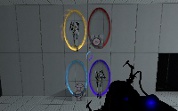
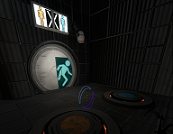
This is a Instance Pack with 3 things. -First Instance is Blue and Orange buttons for coop (Totally Custom) -Second is the full room Instance to start the coop map (using the blue and orange buttons). -And the final is a Start Coop with the Room instance full. Instructions: -Darkylight's Instances goes to sdk_content/maps/ You only need to create a func_instance with it and run the game Glados Language is your Portal Language. -Fixed The nodraw wall <-< -Video: http://www.youtube.com/watch?v=DuqFc37rOSU

Boxframe (Reflectorcube)
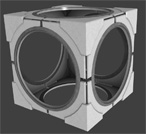
This was made by me after an request of lpfreaky90. I remodeled the whole boxframe of the reflector cube and made a new skin. If needed I got a 1024x1024 texture version and I can rescale the cube to whatever you want. This model has full concave physics.
Split Co_OP
This is my Second map that I have created and I figured I should post in the WIP forum before I post into the released forum. I would like comments on what I should change to make my map better. Play instructions: Unzip the map from the archive and place in your Steam/steamapps/common/portal 2/portal2/maps folder. Both players have to downloaded the map. Start a normal co-op game and whoever is hosting (the Blue Robot) type in "changelevel mp_coop_split" in the console (which is activated by the ` key under ESC. Updated some more textures and fixed an unintended way to solve the puzzle. Just figured out how to use moveable panels, and I added some. Added lots more movable panels. Added some sounds, fixed another unintended way to solve the puzzle, optimized it more, and changed more textures. *More looks changes. P.S. Please give input on what you like and dislike, so I can improve my map.
Currently Unnamed - Underground Theme [UPDATED V1.4]
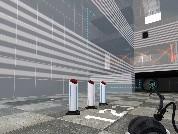
(Updated to Version 1.4) I'm working on the first of a series of gel puzzles that I will eventually include as one package. This is a more progressed version of the first map. I still need to fix an overlay (the one near the first faith plate, if anyone can help with that), but it's almost done! Please give me feedback! P.S. - The textures have a little break in them on the emancipation grills in the larger room in chamber 2. Hopefully someone will know how to fix this if they check out the .vmf P.S.S. - I have also included my instances (Geodome and Custom Faith Plate)
![Currently Unnamed - Underground Theme [UPDATED V1.4]](/downloads/screenshot/thumbnails/998_SS.jpg)
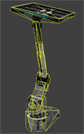
arm64x64_interior with hitbox
This is the normal arm64x64_interior with all it's animations and skins but additional physical hitboxes. Now prop_physics or players can collide with it without any clip-brush. Clean and rusty skins are in 1 model. Skin 0-2 is clean, 3-5 is rusty. (0 normal, 1 off, 2 error) I recommend to use this model just if necessary (avoiding possible mistakes made due decompiling).
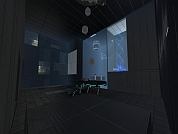
Misplaced Conversion
I thought about it and realized that Conversion Gel and Excursion Funnels were never really used together in the single-player or co-op campaigns. I have taken a stab at fixing that. This is the first map I felt remotely comfortable about uploading in such an early state. It's a work-in-progress for my Summer Mapping Initiative map, so we'll see how it goes. I'd love to hear some constructive criticism; I know the map's not perfect (it's definitely not right now, still very early and cobbled together) but I think it could be a pretty neat little test chamber once it's all said and done. Modified arrival/departure transition vmf courtesy MSleeper, who has been super-helpful with all the scrubby questions I've had so far. v0.5 Update - - LOTS of retexturing/detailing. Texturing - Fairly far along. Getting there, but not perfect yet. Detailing - Making some good headway on this. It's starting to look the part of a Wheatley chamber. Lighting - Mostly natural lighting at this point. Might add some to the bottom region, but not sure. Props - Comin' along. There's some stuff to look at.
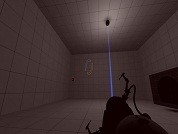
The 3D skybox models thread
So you wanted to make a 3D skybox for your Portal 2 map, browsed for skybox models but didn't find any and now you are disppointed. Don't be! This zip-file contains some skybox models that could get you started. Copy the contained folders into the model folder. You can create your own skybox models from the existing models in the game without any modelling experience when you follow these tutorials: 1. Decompile the model you want, as explained by Skotty here. 2. Rescale the model as explained in this tutorial on interlopers.net 3. Compile the new model following Josepezdj's tutorial here. If you do so, let me know via PM or upload the file attached to a reply in this thread and I'll add your models to the zip-file.

Boss Battle
This is the very beginning of what I hope will be a great boss battle. 1.0 Currently, there is no way to win. As of this version, I'm only testing some of the ways I plan to kill the player.
Coop Paintsketball
Version 1.0 Created by: Jacob Clayman AKA Freeport Screenshots at: http://jacobclayman.webs.com/paintsketball.htm ----- FEATURES: Paintsketball is designed to mimic a game of basketball, only utilizing the world and game mechanics offered by the original Portal 2 assets. The Paintsketball pops out of center-court. Utilize paints and portals to carry it to your basket and score! Thanks for downloading Coop Paintsketball! I hope you enjoy it. ----- Contact Info Email: [email protected] If you have any questions, comments, or general feedback, please feel free to contact me at my email: I'm always looking for constructive criticism so don't be shy! For more of my work, please visit my portfolio at jacobclayman.webs.com Thanks again! -Jake

Coop Opposite Linkage
Opposite linkage is a special mode for Portal 2 Cooperation game, in which players' portals are switched, i.e. ATLAS primary portal is connected to P-body's secondary, and vice versa. UPDATE: - changes in map: changed the behavior of the elevator (first laser catcher moves elevator up, when powered) added indicator lights and other details added the button accessible only by using noclip to test portal linkage switching - killing one bot, no longer triggers the delayed death of both, instead portals are destroyed and their linkage are switched to normal and then back to opposite during respawn (in a nutshell: when one of players screws up, all 4 portals are destroyed, but the second bot don't have to die) - switching linkage between normal and opposite will no longer change portal colors Known bugs: - switching linkage to opposite, when one of the bots is dead, screws up the portals linkage - at least three graphical glitches related to P-body's portals, only visible at second player site