Portal 2

[COOP] Vertical Alignment
Uploaded by Instantiation · Mar 10, 2014
2 comments · (No ratings)

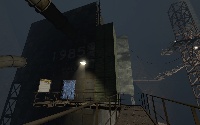
I've been working on this map during the last month or so, and I think I've fixed enough obvious exploits. It's cooperative puzzle focused on light bridges and conversion gel. (You shouldn't need much conversion gel. I think five placements are enough to complete the map.) Screenshots: http://imgur.com/a/0suw8 Anyway, playthroughs would be greatly appreciated. Suggestions will be taken seriously, especially if it's something I can actually fix. I'm more concerned with making this map good than releasing it soon (or I would have already released it).

[COOP] Vertical Alignment
Advertisement
Registered users don’t see ads! Register now!
Double Trouble
Uploaded by Parano.Oya · Jun 29, 2014
1 comments · 5.0 (2)

include This is my second created cooperation map. And remember: Turrets are not our friends! You should take a long view to solve this map. Finally, if you find bugs, report them. ---------- version 1.2: This "new" map is now a little bit harder to solve it. ---------- version 1.3: Well, I decided to change some areas which also makes this map harder to solve. And I decided to upload the map. difficulty: 8/10 (hard) (I think it should be acceptable...) duration: expert: less than 20 minutes advanced: between 20 minutes and 45 minutes beginner: more than 45 minutes Have fun

Double Trouble
Get all the cubes from the turrets
Uploaded by reeseboy1234 · Dec 04, 2011
1 comments · 2.5 (2)

Let me know how I can change this map. Also tell me how to copy and paste so I can have the door smoother.

Get all the cubes from the turrets
portal map for fctbarnes
Uploaded by Ram64 · Aug 21, 2011
1 comments · (No ratings)

just a random map

portal map for fctbarnes
Glass Light Instance (No leaking light)
Uploaded by Vordwann · Jul 31, 2012
1 comments · (No ratings)

This glass light instance works with 8 thick walls by default, but is easy to modify for whatever thickness walls you want. You can also change the intensity and warmth/coolness inside the instance to fit your needs, as it is currently a neutral light. The point of this glass light instance is to avoid light leaking through and around brushes when using glass lights.

Glass Light Instance (No leaking light)
Save the cube from the evil turrets!
Uploaded by reeseboy1234 · Nov 19, 2011
1 comments · 0.0 (1)

WARNING! If you die, you have to exit out of the game and come back in. The elevator has a few problems but I hope I can fix it. Also at the end, once in the exit elevator, you have to exit out of the map yourself. Have fun and save the cube!

Save the cube from the evil turrets!
Excursion Funnels
Uploaded by commando66 · Aug 07, 2011
2 comments · (No ratings)

a W.I.P by r3v3rt

Excursion Funnels
just a small metal gear remake idea
Uploaded by guckzurlinse · Dec 25, 2011
2 comments · (No ratings)

its a low remake of "metal gear solid twin snake"s first map. i just had the idea to creat the whole metal gear solid game. the download of the paintable portal gun (the creater of it call it omnigun) could changed for shooting lasers, turret-rockets and turret-gattlings. so i?m a fan of metal metal gear and i have create this little thing... just play and then post if you want to play more.

just a small metal gear remake idea
3 in 1 V2.0
Uploaded by Thecrafter97 · Sep 05, 2013
2 comments · 0.0 (1)

The second version of my 3 in 1 map. The difficulty is easy, you will not blow up your minds. In fact the first version was a fail from me : i uploaded a wrong file...

3 in 1 V2.0
Advertisement
Registered users don’t see ads! Register now!
re-colorable plasticwall002a psd 2
Uploaded by tile · May 19, 2014
1 comments · (No ratings)

Have you ever wanted a different color to the nice plasticwall002a texture? Did you find the old version of my psd, and realized that you didnt have photoshop or simply couldnt get the desired effect with the hue slider alone? well, that's what this is for! Now it includes several pre-made colors, as well as an example .vmt that allows for custom coloring without photoshop via the $color parameter. ============================================================== To use: 1.open the psd. change the hue setting on the "color hue/sat" layer (not the saturation setting!) 1b. Optionally, you can have more control over the exact color you want by disabling the hue/sat layer, enabling the manual color layer, and filling the manual color layer with a solid color of your choice. 2.save it as a .tga file 3.open your .tga file with vtfedit and save it into portal2/portal2/materials/props/ as "plasticwall002a_YOURCOLOR.vtf" 4.Create a .vmt for it by copying the provided "plasticwall_002a_YOURCOLOR.vmt" and renaming the copy with your color. ==Please note== the part of the example vmt that says $color "[0 0 0]" is meant for people who dont have photoshop or any other program that opens .psd. do not use it unless you need to. Also, you'll notice that there are layer masks on the color layers- this is because in valve's textures, these areas stay consistant across different versions of this same texture. for best results, dont delete these. ==Please also note== If you use this in a map,mod,or SFM/Gmod video, Please not only credit me but let me know you used it. I like it when i see something i made used in sombody else's work! Contact me at: http://www.moddb.com/members/tile http://steamcommunity.com/id/notsoregular/ http://notsoregularfox.deviantart.com/ Thanks for using my stuff! -Tile

re-colorable plasticwall002a psd 2