Portal 2
Fugue
Another one of my early efforts. I realize the chamber is a bit... larger than it needs to be. I was still getting a sense for things.


[SP] Project: basement
This is a mapping project i started a while back inspired by my only memory of what my first map ever was about. basically, you "woke" in a room after an elevator crash down to the deepest parts of aperture labs, and then had to climb upwards in a massive room with acid that didn't kill you and a turret that didn't shoot. it was crap. interestingly enough though, that map was a portal 1 map before portal 2 was even hinted at, even in ARG form. So it's was a complete coincidence that it fit portal 2's "The fall" so well. so, this is my WIP remake of that map, and it is, of course, in the old aperture facilities. I also hinted at this map in another thread i made asking for help on one of the puzzles that wasn't working, so, even though i might work on this again, im also including the VMF of it for anyone who thinks they'd like to add to it or change it, maybe even finish it for me. Just give me credit if you do!
Project Serenade
Project Serenade is the WIP pre-release of my upcoming Water Temple map. Some of you may remember my previous Legend of Zelda adaptation Forest Temple I wanted to upload this as a WIP to hopefully catch some bugs and get some feedback before releasing the full map. Let me know what you guys think, is the place confusing, are the puzzles hard enough, etc. Things that are not done: - Textures and lighting - The Dark Link encounter - General cosmetic touches - Pesky conveyor belts Things that are mostly done: - Portalable surface locations. I'm watching for exploits, particularly with tractor beams - Most of the puzzles, although some changes may still be made Things that are definitely done: - General structure of the map (I won't be adding rooms or breaking things up) Known issues: - Some elements stop working after dying and reloading, including (but not limited to) tractor beam blocks not moving and particle effects not appearing. Needs further investigation - One of the locks can be circumvented, leaving 1 surplus key. This was actually true in the LoZ dungeon, and as such I won't fix it
Diversity Vent help V2
i NEED help to get it working now with hammer files
New Door
Door from reepblue's betapack as a seperate model.
Heavy cube impact VMF-File
This is a sample scene vmf-file for the Mapping Help Subforum. Thread can be found here: mapping-help/weird-trigger-behaviour-t4075.html I tried to simulate a heavy sound plus shake effect when a cube falls from a certain height.
Enviromental Testing -BETA!- V2!
Hey! First update, second version! Not bad, eh?! Still waiting for some ideas from you! There also will be a "Upate Log" with every update now! Even in the description of the publish! =D ITS GEINUS! SO LOOK AT IT! Update Log: -Removed the companion cube secret. -Removed Puzzlelist folder. -Removed test soloution .txt's. +Added more lighting for the "Old Aperture Zone." +Changed two buttons to fit their "zone." +Added a Weighted Button to activate exit. +Added the "Update Log" to the "README OR ELSE.txt." Fixed the "Invisible" emansipation grill error. Gave the moving wall at the beggining non-cubeic corners while in "Starting Background Zone." NOTE: I will be creating some Side-Projects that will be fully uplaoded onto the "Sigleplayer Tests" download area! These tests will NEVER have beta(s)! They will be full-on created! This map series (Enviromental Testing) Is going to be a -main-work-project- but the others are a side-project for you to play while waiting for more beta versions to come out! There also might be demos I will be posting of the "Side" maps on my youtube channel! (LordHigg1) and, some of the "Side" tests will be added to the FINAL RELEASE of Enviromental Testing FULL RLEACE! So, its more of a modpack! So, wait about a month or two, and you can play he full Enviromental Testing map, and all of the extras!! So stay tuned! (Sorry for all the text xP)

Timed Button Example
A simple little puzzle I created for someone to demonstrate how to set up a timed button. It was meant to take five minutes to make, but I got distracted by something else, and then when I came back, I got carried away and made it a full-blown proof-of-concept puzzle. I was hoping my first upload would be something a little more exciting, but here you go. Don't download this if you're looking for an actual puzzle; this is the simplest one you could ever imagine. Known bugs: For some reason, the logic_playerproxy doesn't work, so PotatOS is on the portalgun.
Conversion Gel Intro
This is an intro map for the conversion gel for a mod I am working on. Please PM me with your name if you want to be put in the credits as a map tester. -Known Bugs- 1. The door trigger doesn't seem to work. If the door won't open, noclip through it. 2. The storage cube is a bit difficult to Portal out of the room. 3. The Portal Gun sometimes won't stop shooting. To stop this, move your mouse out of Portal 2, click, and back to Portal 2. Please report any bugs, and give suggestions.
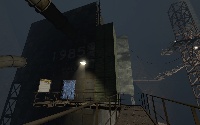
massandvelocity preview retry Atempt 2
This is a reupload. The other one did not seem to work Hopefully this one will work. I will not garentee it will work though. thanks, portalmaniack Thank you gig for testing. EDIT: This one should work. its in prooved. The improovements are in discription Once again thank you for gig who is going to test it! Thanks anyone who is going to download it too!