Portal 2
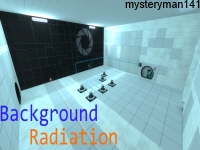
Background Radiation 1
Easy, Short, More to come.

Laser cube addon - BEE2
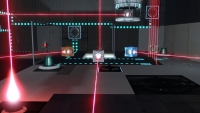
---English---Anglais--- This addon add a "laser cube" to BEE2. The idea come from a map of HallowITE on the steam workshop. This is my first own mod. The cube can be normal, or with speed/bounce gel. This can be set with the button type. All is in the description of the item (right click in BEE2) Thank to Radelite for his help. The next version will add a dropper, if I can do it. PS : sorry for my english but I'm french (: ---French---Fran?ais--- cet "addon (suppl?ment ou mod) ajoute un "laser cube" ? BEE2. L'id?e vient d'une map de HallowITE sur le workshop de steam. C'est mon 1er propre mod (que j'ai fait moi-m?me de a ? z) Le cube peut ?tre normal, rebondissant, ou acc?l?r?, Cela peut ?tre d?fini avec le type de bouton. Tout est dans la description de l'objet (actuellement en anglais, d?sol?.), en faisant clic droit sur l'objet dans BEE2. Merci ? Radelite pour son aide. PS : le PS en anglais ci-dessus ne vous concerne pas, c'est tout (:
Past Experiences
A Portal 1 Themed map in Portal 2. Map Size: Small Map Difficulty: Easy

[Coop] Colours Co-Op : : Map 5
Available on the Steam Workshop here: http://steamcommunity.com/sharedfiles/f ... =186152648 The Theme Is Purple. This is the grand finale. Sorry for the long wait, was working on releasing a game on Steam for the last 2 years. Now that that's over I finally took the time to finish this. Enjoy!
![[Coop] Colours Co-Op : : Map 5](/downloads/screenshot/thumbnails/2906_Colours05.png)
Departure Elevator with Debris
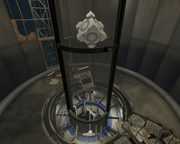
This is a departure turbine elevator with several options: The ability to toggle junk to fall down the elevator tube before the elevator arrives. The ability to trigger the lights in the bottom of the elevator tube to flicker on and off as seen in some official maps. The ability to toggle the PTI vote screen. The ability to toggle the game to go to the main menu. If you use this instance I would appreciate you crediting me for the use of it .
RB-TAM update 23
RADELITES BEE 2 ADDON MOD What is Rb-tam? Rb-tam is a mod made to add many of the more unique testing elements you might have seen over the past few years in custom maps. From paint guns to portal detectors and many more amazing elements that I have found created by fellow users like yourself I have collected them and worked with many awesome mappers to give you a mod that lets you use their amazing items in your very own peti editor(with quite a few of my own items of course. How do you use this mod you might ask? Its very simple, all you do is install bee 2(it can be found on this website) Then download this and follow the embedded instructions Have fun, also thanks to all you awesome people who were kind enough to share your creations to be incorporated in this mod. When you create an AWESOME map with this mod make sure to copy this hashtag inside your description of your map #RB-TAM link to a collection of simple maps made with my mod for bee2http://steamcommunity.com/sharedfiles/filedetails/?id=202463960 -planned updates- While I cannot update items in the mod at this time I do plan to make a webpage for the mod and maybe add an eh little treasure hunt eheh. Also plan to create new icon for mod.

PDMOD
THIS IS A PORTAL DETECTOR MOD FOR THE PeTI EDITOR Created by Me (radelite) and BOB74j aka (brainstatic) This is not yet compatible with any-other mods but it is fun here is a link to one of the maps made with the earlier form of this mod http://steamcommunity.com/sharedfiles/f ... =178598821 The new form has better placement then the older one Have fun mapping
3 in 1 V2.0
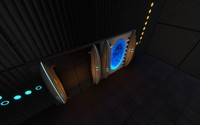
The second version of my 3 in 1 map. The difficulty is easy, you will not blow up your minds. In fact the first version was a fail from me : i uploaded a wrong file...

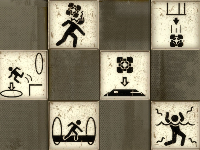
Worn out custom signage for destroyed maps
These are the custom symbols I made for my map "White Room (reMiX by josepezdj)". I thought some mappers could like them and maybe want to use them in their maps They are not all the symbols that Portal2 uses, but since I have them all in layers in a PDN file, I can make any of the rest if someone needs it. Just say here and I'll go posting those that ppl need! Default location By default I haave them into my folder materials/josepezdj/signage_wasted, so create a folder like this so your hammer editor load them on the fly. If you prefer any of your folders, just edit the .VMTs changing the line for the $basetexture... for example: - "$basetexture" "josepezdj/signage_wasted/jose_wasted_signage_box_button" by: - "$basetexture" "mysignage/jose_wasted_signage_box_button" Or you can even change the name of the .VTFs themselves and put their new name there in the $basetexture line... Any doubt about this or any help anyone need just let me know! Reference screenshot jose Change Log - v1.1 (2013.10.17) => Lowered the brightness in the alpha channel so that they look less bright in game. - v1.2 (2014.06.29) => Added the "paint_dispenser", "bounce_gel", "laser_catcher" and 4 dots per Tmas98 request
3 in 1
A chamber that contains 3 tests. The difficulty is easy.