Portal 2


SP_Portal unto dawn
This is my first full fledged hammer map that I have posted on TWP have fun http://steamcommunity.com/sharedfiles/f ... =174881624
Gravitymod v.2
This version makes the gravity gun compatible with beemod1 Have fun Happy gravitying
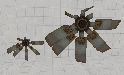
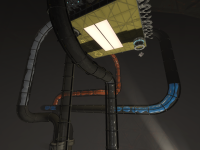
Destroyed/broken fan_01 models
have you ever been making an epic bts escape scene, and you thought "man, i wish i knew a non-cheesy way to make this fan look broken/break"? well, that's what these are for! featuring full collision and only using a pre-existing material, these are good for any time you need a broken fan for some reason. if there are any bugs other than the one mentioned in the read-me, please let me know. also please credit me if you use it in your map, "Tile" or "tile". Thanks. this is a pic of the collision model.
BEE2 Addons
My collection of items for the BEE2. These items mainly are rearranged or special versions of existing items. Some help is available in the right-click info panel, but consult the Readme for full instructions. All non-logic items are fully styled for all the default styles. It is compatible with Radelite's addons, providing styled versions for the Ratman Style. This includes my Refurbished Style, a hybrid of Clean and 1950s style similar to the Coop Course 5. I also have a modified version of 1980s style, with a damaged Enrichment Sphere showing the surrounding Test Shaft. I now have an Overgrown Style, replicating the dilapidated Aperture seen in the first few levels of the singleplayer campaign. There is also a debug Unlocked style to allow adding or deleting the mandatory entry/exits and observation rooms. Be careful with this! Thanks to Skotty (High Energy Pellets, Bumbleballs and Catapult Cubes), Moth(Bumbleballs), SoundLogic(Catapult Cubes) and PortalCombat (Sphere Cannon) for creating the original versions of some items, which I have made PTI compatible and restyled. You'll need 7-zip to extract the archive. See the GitHub repository for WIP items, styles and changes. I don't advise using these files unless you are willing to have your maps break. Styles: - Refurbished Style - Overgrown Style - Open 1980s Style - Unlocked Clean Style items [spoiler]- Retractable Pedestal button - Worldportal Door - Diagonal Laser and High Energy Pellet launcher - Quarter wall - Dropper version of PortalCombat's Sphere Cannon - Antline Router - Antline Magnet - Angled Block - Music - Laser Music - Conveyor Belt - Large Faith Plate - Global Cube Dropper - Paint Cleaner - Double Grated Panel - Futbol - Ditch - Caged Turret - Caged Reflection Cube - Wheatley Monitor - Portalable Stair - Portalable Piston Platform - Turret Dropper - Toggleable Faith Plate - Static Panel - Static Piston Platform - Half/Half Wall - Coop Checkpoints - Recessed Fizzlers - Crusher Plates - Sideways Light Bridges - Shredders - Static Glass Panels - Half Panels - BumbleBalls - Catapult Cubes - Bomb Droppers - Rotating Faith Plates - Glass With Hole - Glass Doors - Slow Crushers - Piston Relays - SR Latches - Angled Light Bridge - Separation Coop Checkpoint - Cube Transmuters - Ceiling Lights - Autoportal Pistons - Timeout Portals - Clamped Cubes - Global Cube Triggers - Override - Neurotoxin - Chamberlock - Retractable Floor Button[/spoiler] Changelog [spoiler]* v45: - Fix hovering debris in Overgrown Entrance Elevator - Prevent ball lines from playing in Clean - Quiet - Fix Warm Lights in Clean Style - Make Clean Fizzler models animate correctly - Remove the old documentation from the archive * v44: - Brand new Portal 1 Style Coop entrances and exits, using lifts to transport players to and from the level. - New P1 Style Angled and Clear Panels that use pistons instead of robot arms. - Change: Caged Turrets will no longer have the grating explode, this should make it less likely the turret will not be able to shoot through the grating. - New Caged Turret model. - Fixed Overgrown Quiet Style. - Retractable Pedestal Buttons use the correct Overgrown instances instead of Art Therapy ones. (Typo!) - Fixed crash in P1 Coop if cubes are present in the map. - Clean Style Fizzlers should now retract properly if they didn't before. - Black texture added behind fizzler, so they look nicer on white walls. * v43: - Improved Overgrown style observation rooms, the sound should be quieter and the flickering can be completely disabled by turning off "start enabled" in the large observation room. - The overgrown style elevator screens are less random, they match Cave's PTI dialogue (If you heard them all, the video screens will be random). - Overgrown Turrets are twitchy now. - Changed style of Refurbished lights. - Fixed bug with Overgrown track platform rails. * v42: - Fixed Overgrown reflection cube packing. - Fixed floating cubes on Overgrown piston platforms. - Added custom model for P1 styled storage cubes, companion cubes, spheres, pedestal buttons and laserfields. - New custom Overgrown style glass. - Better P1 style crusher, piston platform and buttons. - Custom indicator lights for P1 style, to make them appear smaller. * v41: - All Valve+BEE1+HMW items finished for Overgrown Style. - Coop exits done. * v40: - Added first version of Overgrown Style, featuring a heavily damaged Aperture overgrown with plants. This is not finished, some items remain clean styled, and Coop exit corridors haven't been styled yet. - A quote list has been added to describe how the extra quotes in the various styles are picked. - Neurotoxin vents have been modified to be cheaper; the activation radius is now only visible in the editor. - Neurotoxin will permanently shut off when players get inside the exit door. - Added update checker to the readme. When the next update is released, the readme will show a message (only when actually open). * v39: - Added files for some checkpoint instances. - Adjusted lighting in P1 Style Checkpoint, and changed droppers to use P1 style versions (both checkpoints). - Added the second door for P1 Style Chamberlocks (Whoops.) - Checkpoints will not close their front door if an object is placed between it and the fizzler. - Players will slide off of the camera in Refurbished Small Observation Rooms. (Prevents cheating puzzles). - Changed something with Companion Cubes[/spoiler] Earlier changelogs
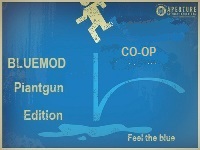
Bluemod v.3 co-op edition
This is bluemod v.3 after a long time I decided to make it for co-op the only thing that causes a little problem is there is sometimes a single portal gun that pops up but it doesint do anything this is compatible with bluemod v.1 v.2 speedmod gravitymod and beemod have fun
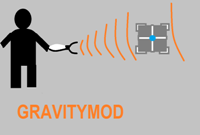
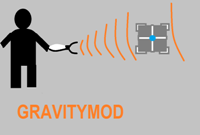
Gravitymod
I will write a better discription later This is a gravity gun for the ingame editor will try to add more instances later this week THIS IS NOT BEEMOD1 COMPATIBLE or bluemod or speedmod have fun
Toggle
A seemingly simplistic puzzle utilizing a funnel that can change direction for a short amount of time.
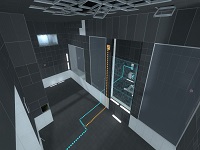
L-Circuits
This map makes full use of a new puzzle mechanic of self-activating lazers. It comes in 3 rooms, The first is a training room, (with a deceptively simple solution) and the last two will really work your brain with multiple layers of delicious lazer-related puzzles like a huge.... sandwich.

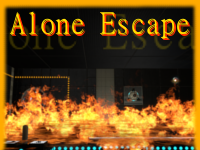
Alone Escape
Difficulty: Easy Map Size: Large Map Type: Clean & BTS _ So, I have finished my first map. You start first with normal tests and ... I wont tell more Inn this map are 3 secrets, do you find them all? ^^ Some areas of this map dont look so good, that's because in some areas I had not much experience, but some another areas are looking much better. In Future i will make my maps better, i swear So have fun, and feedback is welcome. (= (Sorry for some lags cough, but the map is completely playable)