Portal 2
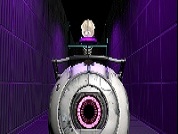
Dupli
Dupli is a simple co-op map, which should be fairly short and easy to complete. I had at first created this map to test out Wheatley-style vistas and fog, but ended up turning it into a playable map. Enjoy! Feel free to leave any bug reports or feedback. This is basically the second map I've ever created in hammer for public release, so I expect at least some things to have slipped my mind during creation. Anyways, without further ado, here's some screenshots! http://i93.photobucket.com/albums/l46/T ... shot_1.jpg http://i93.photobucket.com/albums/l46/T ... shot_2.jpg http://i93.photobucket.com/albums/l46/T ... shot_3.jpg http://i93.photobucket.com/albums/l46/T ... shot_4.jpg Update 1: Fixed the indicator strip from the floor button.

Super Fling
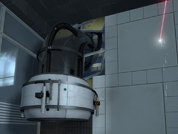
Version 1.2 now available Sept 24, 2011 SUPER FLING Read me file A Portal 2 custom map Name: Super Fling Version: 1.2 Author: LeeDavis Created: Sept 8, 2011 Difficulty: 5/5 ----------------------------------------------------------- Description: This map is for advanced Fling players. Created to challange your "twitch" ability and quick reflexes. The map starts simple and moves toward more advanced fling manuevers. Every section has a secret included in it. Can you find all 4. There is no intended solution. Solve it as you are able. Each room has many solutions. Installation: Copy or move the "Super Fling.vpk" to your "Portal2/Portal2/Addons" folder. If folder does not exist, create it. Start Portal 2 and open consule (`). Go to options and enabled "Developer consule" if you haven't already. Type "map superflingv1_2" (without quotes " "). Enjoy! ----------------------------------------------------------- Changelog: v1.0 No changes V1.1 Added Temporary ending Added LOD Edited Portal Bumpers Edited Gel Dropper v1.2 Made some secrets easier to find and some harder to find. Added Secret Helper Arrows to show location of secrets. (located at map exit) Added Homemade Arrival and Departure Elevators Added Testchamber Indicator sign and other LOD. Added Game Difficulty Toggle: Normal/Hard(NO PORTAL BUMPERS) ----------------------------------------------------------- Credit: Creater/Editor: LeeDavis Design ideas and testing: Christian Grammentz End message: CH3II Testers: Thomars.dm CH3ll Tyronis3 Skerik Djinndrache KennKong Special Thanks to all those that helped edit this map from beginning to end. Your constant play-testing helped make this map what it is now. Special thanks to: Steam Wiki http://developer.valvesoftware.com/wiki ... vel_Design Solarchronus YouTube.com "Portal 2 hammer Tutorials"
VP Laboratories Demo
This is Demo map for VP Laboratories a Portal 2 Mappack. If you found any bugs or have any suggestion feels free to post it For more information please visit our Moddb page
Map_Name_Here_123
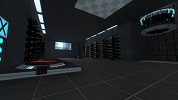
What is Map_Name_Here_123? This map. A clean style map of average (?) difficulty with decent aesthetic finish. 1.1: New, exciting name! 1.2: More freedom in blue gel area, orange gel button is now floor button, more 'shielding' on top of the turret 'fish tank'. 1.3: Reduced glass opacity. 1.4: Better support for alternative flinging in first chamber.
10 testchambers
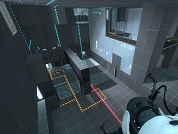
My First Map! It includes rooms with lasers, paint, physics, boxes, tractor beams, and even hard light sidewalks! Hope you enjoy.
IonEnabled
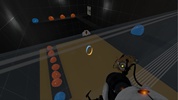
This is an easy/medium map consisting of one chamber plus a little extra for fun. This is my first map since the golden age of Doom, yes I'm that old! If I were to start it again I would certainly do things differently, having learnt a lot along the way.(Xdiesp be gentle). Nevertheless, I hope you enjoy playing it. Thanks to everyone on this site, without whom this would have not been possible. V1.1 - Whoops I forgot to buildcubemaps. 'Hangs head in shame' V1.2 - Fixed unintended solution V1.3 - Updated texture alignments & minor tweaks V1.4 - Further tweaks & boundaries added to avoid allowing the player to stray off the map
Chander Test 3.2
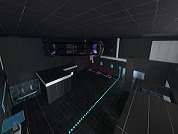
This is my third card. Please leave your comments. Waiting for an objective critic. Version 2
Propulsion Panel
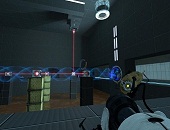
Hey! So this is my second map, and I really dont want to work on this map any more. Its good, I assure you, with Puzzles featuring DIversity Vents and Propulsion Gel, this map is not a bad one. It is, however, a little rough around the edges, so in the comments please tell me how i can improve this map later. Set during clean aperture this map consists of two test chambers.

[SP] No Companion Cube For You
WARNING: Do not download this map if you don't want to suffer. Watching companion cubes go is very difficult, I know. GLaDOS this time will make you suffer, she won't let you touch a companion Cube, or can you be fast enough to pick up one? Difficulty: Easy. That's my first map, leave a comment! Thanks.
![[SP] No Companion Cube For You](/downloads/screenshot/thumbnails/1220_NoCompanion.jpg)
Uselessness
An Easy-Medium one room puzzle featuring the all knowing Core 3 and his hilariously inaccurate facts.