Browse Downloads
Recently active files on the download database.
Old Aperture portal gun reskin
A re Skin of the portal gun with the Old aperture portal gun!!!!

Quadrilateral Part 1 [Concept]
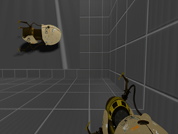
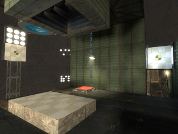
This map is a concept of a set of maps that I may work on in the future. It introduces the concept of two pairs of portals. One pair is controlled by the player with the ASHPD, and the other pair is placed by the chamber through the use of portal frames. The player must use the combination of all four portals to achieve each chamber's goal. In this first chamber, the player is equipped with a disabled ASHPD. The test chamber spawns all four necessary portals when the appropriate triggers are activated. Above each frame is a number. This number represents which pair the portal belongs to. The only reason I provide the player with a disabled ASHPD is due to the fact that when Chell holds an object without the device, it looks so unrealistic. ;p Thanks Omnicoder for the Chamber Sign Maker!
![Quadrilateral Part 1 [Concept]](/downloads/screenshot/thumbnails/726_quadrilateral1.jpg)
Jumpingjack
My first map for Portal2, lots of try and error style mapping. This map is less puzzly but involves strafing and the right timing. Difficulty: medium There is also a hidden Companion-Cube! Hint: Look out for the red light and try to get there. If you manage to escort the Companion-Cube to the End and place it on the Button you will be rewarded! To install: Go to Steam\steamapps\common\portal 2\portal2\maps and put the .bsp in there Start up Portal 2, start a multiplayer match, invite your friend, while connecting to the Hub or in the Hub, go into the console and write "changelevel mp_coop_jumpingjack" and have fun!

The Chamber of Silence
This is my entry for the Portal 2 Summer Mapping Initiative Contest! This Chamber is relatively simple but utilises a variety of Portal 2's puzzle mechanics and hopefully makes for a difficult but enjoyable map. Before we start, however, keep in mind that although fun and learning are the primary goals of this enrichment center activity, this is my very first map! Enjoy!
Engineer
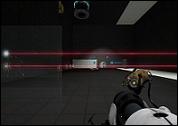
A map designed to make you think. This is not a series of chambers, but a large interconnected puzzle that requires exploration and problem-solving. It's meant to be solved over time and not intended to be burned through in one sitting. The most important thing to focus on is that the intended solution is not tedious. While the map does have several solutions, some are more tedious than others, and if you find yourself repeating a multiple times to "get it right" (or are becoming frustrated), then most likely it'll be best to take a step back and reconsider the strategy. A walkthrough for version 1.1.1 is available here (best to view if stuck or to compare with your solution): http://www.youtube.com/watch?v=uBUwK4-qfLc Notes: - It is possible to do things that make the puzzle unsolvable. Usually you will realize problem relatively quickly. Autosaves are placed in such a way as to help minimize getting stuck. - Both .bsp and .vmf are included in all versions. Want to see how I made the enable/disable/reverse tractor beam? Go right ahead. Changelog: v. 1.3.2 - Added elevators & pit lasers. v. 1.3.1 - Many cosmetic and convenience additions. v. 1.3.0 - Changed the puzzle a little. Fizzlers now work as normal, fizzling boxes too! Added about 2 or 3 additional non-trivial solutions. Added some lighting. Added some small changes to increase intuitiveness. Cleaned up many extraneous entities. Lots of small bug fixes. v. 1.2.1 - Added textures to make it prettier. v. 1.2.0 - Reduced need to resolve elements. Fixed solutions broken in 1.1.2. Added autosaves. Added additional non-trivial solutions. v. 1.1.2 - Pits now kill the player. Added lighting to make traps more obvious. Finished all indicators. v. 1.1.1 - Aesthetic changes to increase map intuitiveness. v. 1.1.0 - Fixed several exploits. Fixed ending room. v. 1.0.0 - Initial release.
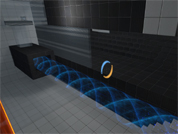
5 Do you like my TARDIS?
NB. Decoration not included Video
Cubiculous
That's my first Portal map that I've ever made. It's a rather easy map featuring a quite clean (but not totally clean) Aperture Science look. Took me 42 (!) hours to create it. I hope you will enjoy it. INSTALLATION: copy the file "sp_cubiculous.bsp" to ...\Steam\steamapps\common\portal 2\portal2\maps\ (just where all the other maps are) load the map by typing "map sp_cubiculous" into the console ... THAT'S IT !!! NOTE !!!: The map looks best on medium shader details (in my opinion) VMF: In the folder "vmf", you can find the original "sp_cubiculous.vmf" file and all instances I used. THANKS TO ZELLLIX for creating the puzzle in the right test chamber. All mapping was done by IMPAQUADE.
Red, White and Blue
A 1940s-style map I made for a small project, but I'm also going to enter it into the contest. This is the first complete map I've made for any game, so it will be a little rough and not optimized. v1.2 Fixed a massive solution skip (added fizzlers at the entrance) Changed test sphere to the instance, instead of separate brushes/entities Added clipping brushes to the entrance catwalks Reverted outside overlays to the correct orientation v1.1 Added textures to places that were missing them Patched a hole in the test sphere Moved a support to its correct position Made a changelog v1 Initial release
First Map
This is a map with two puzzles branching from a central hub room. Currently the first puzzle is functionally complete. The second puzzle is under construction.