Portal 2 (Other files)
Miscellaneous Portal 2 mods, assets, tools, and non-map downloads.
My Little Portal Project: Pinkie Pie Portal gun
the second one is here! Enjoy you aperture science Handheld Party Device! Twilight sparkle: My Little Portal Project: T. Sparkle Portal Gun pictures: http://oi43.tinypic.com/33yjsbd.jpg http://oi43.tinypic.com/6rq2rq.jpg
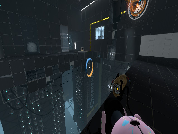

Alexander's Bomb Dropper Instance
This is a bomb dropper I made, its pretty good (although I don't know how to make a brush pitch black, if you tell me how I'll add a thin pitch black brush to it so it doesn't look like the bomb is coming from the ceiling). Pretty simple, and if you replace your cube_sphere p2editor instance with this (and re name it cube_sphere), you should be able to use it in the PTI.

Proof of concept AFP fire on button press.
Just a quick proof of concept.
Controlling Portals With Triggers
Video
Bluemod v.3 co-op edition
This is bluemod v.3 after a long time I decided to make it for co-op the only thing that causes a little problem is there is sometimes a single portal gun that pops up but it doesint do anything this is compatible with bluemod v.1 v.2 speedmod gravitymod and beemod have fun
OTI mappack
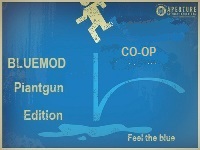
I release here some textures and instances of OTI. Most of the instances in OTI are downloadable in this site, but I have updated a lot, add mines and put them here ! I add my vmf too .. Hope this could be useful !!
Panel Pack
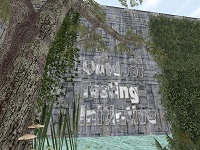
A Panel Pack For All People!

SinglePlayer P-Body Respawning Script
This is a script and few instances in order to mimick the way you die and respawn in multiplayer in singleplayer. P-Body robot only. This was made for TeamCitruz's unfinished mod "Catch 131" which was about an adventure of p-body. I thought it would be a waste to let it just sit there so I'm giving it to you community! Download comes with a script, a couple of instances and an example map you can copy from. I won't go too much into how it works because there is a in-depth ReadMe included in the download. But do include me in your credits if you are going to use this! Happy mapping TWP!

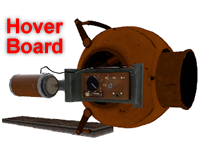
Hover Board V.9
This is my latest update to Blappeture Science Hover Board. The design is notably different as it features a core chasse instead of a beheaded Glados as before. The control setup has been modified from before to allow the user to carry the device without needing to use it. Unfortunately the machine gun was removed for this feature to work. The missile launcher however remains intact. The overall functionality has been stabilized and it can now actually float in water. This should make it less difficult to lose in a bog of ooze. Additionally it will not dissolve under normal Weighted Cube conventions. The New Control Interface goes as follows: Engage and disengage engine: (spacebar) Forward throttle: (W) Nitro Booster: (right Mouse button) Missile Launcher: (left Mouse button) Steering: (Mouse Movement)
Customizable Box Droppers
These box droppers reduce all of the box dropper stuff in instances/gameplay into just a handful of instances. Place a dropper instance, give it the name of a special cube instance, and you're good to go! Note: there's a vscript involved, so using FudgePacker with this is a good idea. The Faith Cube also will glitch unless you have Skotty's Catapult Cube model.