Portal 2 (Other files)
Miscellaneous Portal 2 mods, assets, tools, and non-map downloads.
Ratman Drawings v.0
Hello Here's my Ratman Drawings pack for more info read the "readme" in side the file. ======Updates====== ======v.0====== +Releace


Frames prefabs
This file contains two prefabs: one for a doorframe, one for a funnel frame. To use these, place them in steam/steamapps/common/portal 2/bin/Prefabs. In hammer, click the entity tool and then select prefabs, and choose the one you want to use.

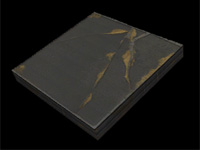
Panel models 32 & 64
A request by ChickenMobile. She wanted 32322 and 64648 panels with ceiling/wall textures. The 32-panels have ceiling textures. Skin 0 - observation room ceiling Skin 1 to 8 - underground ceiling tiles, different variations Skin 9 to 16 - white dirty ceiling tiles, different variations The 64-panels have wall textures. Skin 0 - black metal wall Skin 1 to 16 - destroyed metal wall, different variations If you want to have other skins, ask me.
Custom "pedestal button" with 4 skins + Example Instances
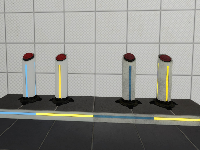
This is a custom model based on the stock "pedestal button" but with 4 skins: I just decompiled the stock model and edited the .QC file to recompile it again with more textures. This was requested to me by Srs Bsnss and I thought somebody else in the community could be interested in it as well. This is a pack that includes the following: 1. A custom model based in the stock "pedestal button" (switch.MDL) with 4 skins instead of 2: - Skin 0 = Clean button OFF (blue lines) - Skin 1 = Dirty button OFF (blue lines) - Skin 2 = Clean button ON (yellow lines) - Skin 3 = Dirty button ON (yellow lines) 2. A custom animated texture with 4 frames to match the button type and state. These are: Clean ON and OFF, and Dirty ON and OFF. 3. An instance called "custom_prop_button.vmf" emulating the prop_button Portal2 entity, where you can select the value of the following variables: - Button_reset_delay = you can enter whatever float value (a number with decimals) or integers. This value determines the time for the button to reset and go back to the initial state. - Button_type = "0" is the clean one while "1" is the dirty model. Note that the pedestal skins will change as well accordingly in this instance - Play_timer_sound = "0" means not to play it, while "1" means to do. It will play or not the classical "tick-tack" sound. - Prevent_fast_reset = "0" means no, and "1" means yes. This will prevent the player from pressing the button again while it's still into the "reset_delay" time set before. 4. An example map in the case you need help with setting the button up into hammer. 5. The decompiled files (the .QC file and the .SMD files) for anyone interested in changing something in the model or adding even more skins and whatnot... INSTRUCTIONS - There's a folder inside the zipped file you downloaded called "portal 2", this folder and its structure inside is exactly as the one you have in your computer, so just copy the folder "portal 2" on the "Steam/SteamApps/Common" folder, and everything will go to its right place. - The custom button model is named "switch_4skins.mdl" and it is located under /models/props/ folder - The model's textures are located into /materials/models/props/ folder - The custom texture jose_button_frame_alpha(.VMT and .VTF) for the pedestal base goes into /materials/josepezdj/detail/ folder - The instance with the example button is into sdk_content/maps/instances/josepezdj/ folder - The example map (.VMF and .BSP) into sdk_content/maps/ folder NOTE Don't forget to give it a NAME to your func_instance into hammer when you use the custom instance "custom_prop_button.vmf" for its I/O to work properly Do not hesitate to ask me anything related to this content. Cheers! jose ChangeLog v1.1 - I improved the button textures tweaking a bit the alpha channel in order to get the right self-illumination - I added the corresponding (multi-framed) texture for the button's pedestal itself including the 4 skins/frames (clean-dirty / on-off) v1.2 - I added 2 more variables to the button instance: the "prevent fast reset" feature, and the possibility to play the timer sound.
HELI BOMBER
This right here is your very own remote control exploding helicopter. Made right here at Blappeture Mesa. This download includes its own ingame tutorial and a playable map to test out its glorious destructive power. The flying death machine also comes with a cubedropper that dispenses more and more flying cores of unholy fury. GET YOURS TODAY!!

Scene Voice Script Package
These are a number of files which you can use to play Valve's scene files for voice lines. You can create your own custom order for the scenes like the way Valve has done it. This example mainly covers coop GLaDOS. If you really want to use a custom scene this is the only way to do it if the Scene Table is personalised for a certain map. I highly suggest you don't go all out unless you are making a mod or a larger map-pack. Check out: https://developer.valvesoftware.com/wiki/Portal_2_VCDs for references of each scene.
My Little Portal Project: Rarity Portal gun.
The third portal 2 gun by my little portal project! the handheld Fabulous device! bigger picture: http://oi41.tinypic.com/11b2byg.jpg twilight portal gun: My Little Portal Project: T. Sparkle Portal Gun pinkie pie portal gun: My Little Portal Project: Pinkie Pie Portal gun
Emancipation
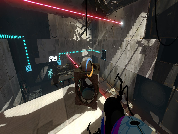
My test for an emancipation grid...
Credits
A Credit script that works with an instance to display your credits
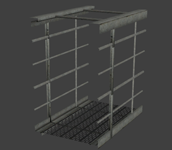
Modern Walkway 128 Caged
This is the modern aperture version of Skotty's 128 model, as seen here: Underground Walkway 128 Caged Full collisions. The hitbox is rotated 90 degrees the wrong way, but the collisions etc are still good so it shouldnt be a problem. please read the readme, and let me know if there are any major problems with this.