Portal 2
BLUEMOD paint gun
This is an addon for the in game pti editor Paint gun created by linking-yellow and modded by radelite If you use this please send me a link to your map at [email protected] If you have beemod 1 download this file instead BLUEMOD version 2 Have fun and happy portaling Here is a map that we have made with the earlier version of bluemod http://steamcommunity.com/sharedfiles/f ... =167053383

The Tower
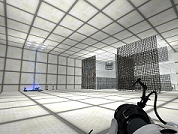
Clean chamber design with funnels, lasers and turrets. Objective: get to the top level.
Portal2 Logic multi-button map-example renaFUSED
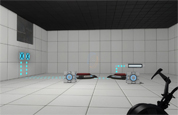
I made this to show how to use a multi-buttons to preform more then one task and a final task with the use of logic_branch and logic_branch_listener. P.S. This map also contains animated panels, indicator lights, and auto cube spawners all in action, Oh and it comes with the vmf file so you can see how it was all done. Enjoy -FusedCore
Bomb Launcher concept
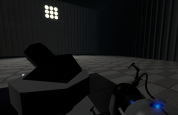
Its a bomb launcher based off the one Wheatley uses but modified to be be compact and to be used in test chambers, maybe as a replacement for the rocket turret. Right now its just a concept, but if I ever get the chance I might try to model it. Changes will be made as time goes on. Watch the demo of it here: http://www.youtube.com/watch?v=mqdoif7YCVM Other info: The prefab contains only the launcher and its relays, so you will need to add in things you want to add. For coop maps, though I haven't tested it yet; a target has been supplied so you will need to ungroup the prefab and change the lasers target to the the target, as the beam is glitchy in coop, so it will act like the rocket turrets.
Template textures + common prop gallery (vmf)
I usually start my maps with this template: - It contains my favorite Portal 2 textures applied on small cubes (so I can check "display only used textures" in hammer texture browser) - I placed my favorite (most common) props: vegetation, broken ceilings, debris... Its easier and faster to check the props like this (I just copy them from here). I can also see their sizes etc. And for the textures, it makes browsing faster. When I'm done with my map, I just delete the room note: delete the player_start and the trigger_auto that displays the starting text

sp_a5_reflection_intro
An introduction to the Aperture Science Laser Reflection Gel! There are three difficult chambers. each getting harder and more deadly. Try not to burn yourself TOO much... Note This gel is in P2, I did not mod it in, so don't blame me for any bugs you may find with it.
first time lucky (fixed!)
i have now fixed it and added more detail. includes backup which was most likely created by VIDE and will need custom files but the normal bsp should already have packed files. includes vmf incase you want to make this part of your map. if you make this part of your map, you will need TWPadvertising and you may need brainstones hardcoded instances. very simple. bug: the exit elevator video is paused, i dont know why. sorry if this ends suddenly, that was the easiest thing to do. i wanted to use the picture that is my desktop picture but it wont let me. sorry.
Singing Companion Cube!
One big problem with the PTI - the companion cube DOES NOT SING! This mod fixes that. Just install it in [portal 2]/sdk_content/maps/instances/p2editor and you're good to go!
Energy Flows
http://steamcommunity.com/sharedfiles/f ... d=71634648 My first map. Its pretty short but tried to make it interesting. Please give it a try and let me know what you think. Thank you.
ap_chamber1
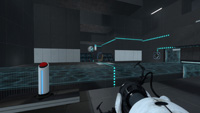
My first portal 2 map. 2 puzzles: -first involves world portals and flinging -second involves a cube and a faith plate This is just for testing some of the new features and to see what the differences are from portal 1 mapping. To update: -Lighting needs to be improved everywhere, a lot. -refining texture placement -first puzzle is cramped, so i'll increase the size.