Portal 2
Atrophication
A decayed theme map made up of three fairly easy test chambers revolving around the use of the "Smoke Compression Field", a purple field that allows items through it.
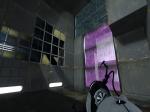

My First Portal 2 Map [Fixed]
So as it says in the title, this is my first ever Portal 2 map. I know it's really short and I know most of you will solve it in about 10 seconds. Anyway, all feedback is appreciated. NOTE: I put up the wrong file before and this will hopefully rectify that problem. Don't forget to rate and comment! Enjoy!
![My First Portal 2 Map [Fixed]](/downloads/screenshot/thumbnails/1357_2011-11-06_00001.jpg)
Third Person View
Third Person View Plugin! Press F10 for the normal Third Person View. Press F9 for the Shoulder View. Image: http://cloud.steampowered.com/ugc/55979 ... 522A0ED36/ http://cloud.steampowered.com/ugc/55979 ... CE5EC58EC/ http://cloud.steampowered.com/ugc/55979 ... 3B2B223D3/
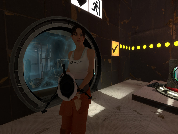
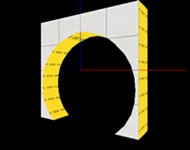
Door Frame Instances
Thought people might appreciate these, in case you ever want a frame for the test chamber doors. They align nice and on-grid, and are 128x128x32. Includes clean and dirty variants of black, white and both (black one side, white on the other). They are func_details so don't forget to seal them. Some are cut down the center in case you want half-black and half-white on each side, in which case Edit Instance > Save As. Just plonk 'door frames' in your instances folder or wherever and you're set.
laser split
get one laser into three laser catchers

funnel over goo
if you die you will need to use noclip to get back up
acces unlimited
This mappack is very unique because it isnt a single map with a single storyline but it is a hub.Place from where you can visit other chambers and maps. The Acces Unlimited offers you a lot of hours of fun with your friends. You can visit the Turret Manufactory, The Maze and other places. When you bored with this you can just simple leave the hub and enter whole unexplored world of Apereture Science. From here you can visit experimental and special rooms like Universal Room. Finaly, it is the time to think out of the box. (Note:This isnt a playground!). The puzzles have everything what they need.All favorite elements are included. Vacuum cleaner too. If you want to see the gameplay look onto this video which i made with my friend. http://www.youtube.com/watch?v=b-pVI-2VDL8 (friend is talking) Here are some pictures of maps: faces of room0 http://dl.dropbox.com/u/34706273/acces% ... 0room0.jpg faces or room1 http://dl.dropbox.com/u/34706273/acces% ... 0room1.jpg faces of room2 http://dl.dropbox.com/u/34706273/acces% ... 0room2.jpg faces of room3 http://dl.dropbox.com/u/34706273/acces% ... 0room3.jpg no quick moves http://dl.dropbox.com/u/34706273/acces% ... 0moves.jpg choose a chamber http://dl.dropbox.com/u/34706273/acces% ... hamber.jpg hall of dead turrets http://dl.dropbox.com/u/34706273/acces% ... urrets.jpg Please note that this project is still under heavy development,and the hub is just a box it will get desing like the real hub. Not the same but similar. And of course new experimental maps are on the way too. If you are interested you can see more of this map on this page: http://www.moddb.com/addons/acces-unlimited I d like you see your comments or your ideas how to make the map better. And if you found a glitch or bug report it please into comments.(Note: The manufacturing level ends when you open the sealed doors,if you go further you wont be able solve the puzzles because they are unsolvable.) If someone who is interested in portal 2 mapping and would like to help this project, please write it to comments or e-mail me. i realy could use a help with transitions. Installation: The rar folder contains 3 maps. Put them all to your portal2/portal2/maps folder Transitions(traveling betwen maps) in the maps arent functional (yet). So you have to change levels manualy by console. (Note: you can do this by opening console and write: changelevel "name of the map") When you enter the real Hub open a console and enter: changelevel mp_coop_acces_unlimited.bsp And thats it. Thank you for reading and enjoy.

Aquillians United Test 00001
A short, but hard Singleplayer map, which uses some new gameplay concepts, like antigravity and Gel Juggling This is my second Portal 2 map, and is meant to be hard. Hope you enjoy it. If you don't like it, please tell me why so i can fix it, and make any later maps better
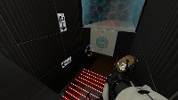
think with portals
single player map,i hope i made it difficult. not worked with hammer a long time just 4 weeks, so i was more concentrating on the puzzle and not the beauty of the map. hope you like it and hope you can solve it, i tested it and it's all possible. soo have fun greeting ricardo
An easyhard level
Might look easy, but very hard! Enjoy!