Portal 2
Lazer_fix_A_N_J_U.bsp
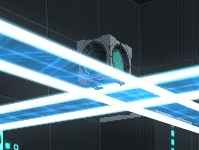
I am anju..and This is my first map...I think you will enjoy it. If you cannot solve the map,let me know...Good Luck...!!!

Coop Transition Script and Level Choosers
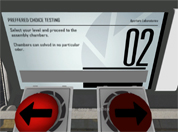
This Transition script and custom level choosers can be used to transition to different maps and courses through a hub map (like Valves). The level choosers can choose from any map in the course and it can display what map you are choosing with a message appearing on the screen. You can have 'infinite' courses inside your script, however both players need the same maps in order for the map to transition to it. If anyone wants to make a coop mass mack-pack (from everyone's coop maps), go ahead. It is definitely possible. Refer to the README.txt included with the download for installation instructions and common problems with fixes. If you have a problem and you cannot find an answer to it: put a post in this thread or PM me so we can get it working. One thing I don't know how to do (yet) is to save a player's progress and make the courses 'unlockable', even if the player has ended the game and then goes back to it (with the same or different partner). If anyone can tell me how to read and write to a file, I would gladly edit this and put this function in. If you are to use my instances/script/materials make sure you credit me within your map download or in your credits! Anyway, enjoy! ChickenMobile EDIT: From a very nice person I found out that there are a few errors with this: - The map doesn't transition without a point_servercommand called @command in your map - I forgot a major script that opens the chooser panel - Updated the Readme file to account for a new problem found - You don't have to use my coop spawner instance (your welcome to use your own) Guaranteed all things are now fixed! EDIT: Sorry guys for uploading the wrong file. Fixed in double time.
Logical Gate's: "OR" "AND" & "OR-Exclusive"
Logical Gate's: "OR" "AND" & "OR-Exclusive" By CaRLyMx STEAM: http://steamcommunity.com/id/carlymx ------------------------------------------------ DESCRIPTION: This little test shows two different ways to use the function "MATH_COUNTER." Logic gate "OR" having 2 buttons, using any of them will activate the door, the funnel or whatever you say. Logic gate "AND" exactly the same as above but have to press two buttons to activate. Logic Gate Or_Exclusive: system where 2 of 3 buttons must be pressed but it can be any 2 of them while pressing all 3 has a different purpose.
Enrichment Sphere, 1952
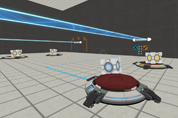
A blue and orange gel map with two sections. Screenshot coming soon. The second in a series of eight maps. Each one packed with detail, minimum 100 hours in Hammer.
sp_laserSHine
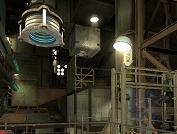
A fairly sized map of a fair difficulty. (I think) sorry if it was a bit laggy i couldn't get the fullcompile of the map finished in time.. so i only have the fast compile version
Testing Element - Turret Dipping
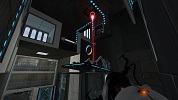
Hey all, this is my first map, and I decided to fix it up until it reached a completable state,so here it is, Turret Dipping! This test chamber is relatively simple and easy to figure out, but that's because it introduces and teaches an innovative testing element- turret dipping! You might ask what that is, so I'll give you the basics: See a white turret? Pick it up. See a black turret? Push it with the white turret. Bring the white turret along with you! You may need to sacrifice a white turret to beat this test! This takes place in present day aperture science, however, it has a unique atmosphere, because Aperture Science is on Emergency Power mode. I liked how the lighting looked, so hopefully adding that unique twist to the atmosphere won't disqualify me. I just remembered to include the custom instances used, so I hope that editing it in to the rar doesn't disqualify me.
The Forgotten Chamber
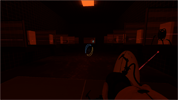
An old chamber, that Wheatly found in his search for ever more test chambers.

The notYETnamed Map
This is my entry in the Summer Mapping Initiative. I tried in this map to add as much visual complexity as possible. Source .vmf and all instances included. Some, like the elevator ents, are modified. Do have fun. Make sure to rate.
SP: Morality Evaluation
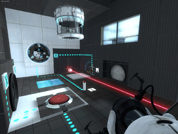
My first map in Hammer. Really easy. V1.1: fixed some of the bugs listed on this topic. The exit door is still buged. I have no idea what went wrong. v1.2: fixed doors, elevators,box droppers. KNOWN ISSUES: there aren't droppers for the reflective cubes, some problem with the "via this input box". So I made tons of reflective cubes. Dont waste them.
sp_amw
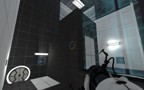
Simple 1 room map I'm working on. The room isn't the prettiest looking, but it'll do. There are some interesting elements to work out, different than the normal gameplay. Version 0.21 - added autosave Version 0.2 - shortened the size of the room - removed ability to bounce into laser - changed adding bounce gel to get to button - changed location of laser catcher - added new panel after laser catcher is activated - changed end location - made fade to black, and disconnect after you reach the end (unzip to vpk)
