Portal 2
Time Machine Instances
here are time Machines, two themes modern and antique.


Portal 2 Goal
Hey guys, I will show you another (non-) cooperation map for Portal 2: Gameplay: --------- - This map is a mix of non-cooperation, soccer and "Bombing Run" (Unreal Tournament 2k4 ftw ^^). - Both player are playing against each other. There are some nasty surprises for each player. - The ball is in the middle of the map and it must be placed into the enemies tractor beam otherwise the ball will be dissolved if you missed. - After a goal glados starts a countdown and both player respawns. - The player who scores three points, is the winner of the game. So, the maximum number of rounds are five. - Of course, there is a secret room, too. Steam workshop: http://steamcommunity.com/sharedfiles/f ... =396017984 Difficulty: ----------- - Your own game skills. Time duration: -------------- - It depends on you. ___ Finally, I hope you enjoy the map and have a lot of fun.
Past Experiences
A Portal 1 Themed map in Portal 2. Map Size: Small Map Difficulty: Easy

The Room
My first Portal 2... thing. (aka, NOT a map, just a room) This is first time I ever used Hammer PERIOD. As you can see, I'm not exactly good with it yet, this is just practice. If you guys know how to align textures and how to align walls perfectly, PLEASE let me know! I'll get better eventually.....(P.S. I cannot find the Companion Cube prop! aaah!)
Oblivious Paranoia
UPDATED 31/05/2011 -op_level3 finished! Starting on level 4... The campaign currently ends after the time travelling test. It lasts maybe 15 minutes if you're band new to it. To load up the maps type "map op_level1" Contains: -Custom Textures -Paint -Flinging -Time Travel -Laser death beams The tests aren't TOO difficult so far, but once it's finished I plan on making some REALLY complex ones - so stay tuned!
Science 21
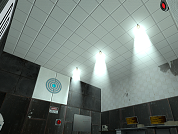
The supposed 'alternative' test chamber 21, this test can be described, in this authors own words, as this; Lego. Turrets, lasers, a secret, whats not to like? Go out there and make some science happen!
Contradictions
An apparently impossible test in the form of a tiny, clean map. (This map uses BEEMOD2 by Benjamin Blodgett and Carl Kenner, and the Puzzle Maker Style Changer by Carl Kenner.) Enjoy and good luck!
Pneumatic Diversity Vent Trailer Fake
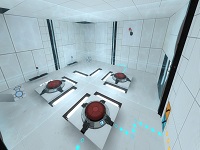
I reconstructed the Pneumatic Diversity Vent Trailer in Hammer and added a bonus level. I have a YouTube video faking the trailer ( http://www.youtube.com/watch?v=KzIyRTXT8Ow ). Hope you like this fake
[Coop] Marlow's Coop Underground
Medium difficulty 1950's themed coop map. Includes Gel and Funnel. 3 chambers. 5-10 mins. Let me know what you think as this is my first coop release. I'd like to know about any bugs or exploits.
![[Coop] Marlow's Coop Underground](/downloads/screenshot/thumbnails/1031_2011-06-27_00001-2.jpg)
Retupmoc's Portal 2 Maps
Thanks to Retupmoc for : sp_Retupmoc_Map : Go through the 5 tests to Find Wheatley and listen to GLaDOS. coop_Retupmoc_Map : Tiny Map made for Fun with Friends. Thanks to Retupmoc Email : [email protected] http://retupmoc.ca/portal2.htm