Portal 2
Kyleprotec's Slider Doors
Hello. These are the slider doors i made. They are just doors surrounded by trigger. And each door has 2 Logic_relay's The two logic_relays are used to open and close the door manually. To open the door with the realy trigger @slider_door_open To close it trigger @slider_door_close. Thanks


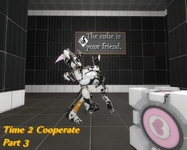
Time 2 Cooperate - Part 3
Hey guys, I proudly present you the third part of "Time 2 Cooperate" - series: ** Gameplay:* * - In contrast to casual maps you can now actually choose your testing subchamber and with that also the difficulty. - There are three different and independent subchambers with a set of subquests and own difficulty rating. - This map has everything in stock between a little warming up till pain for the brain. - After solving a selected subchamber you can reach the exit only with a cube. - Of course there is a secret room, too. Can you find it and reveal what is inside there? - Important! After solving a choosen subchamber: If you forget or destroy your given cube you cannot go to the exit. --> In the map lobby you will find a specified message. **** Difficulty (logic | execution):* **** beginner: 5/10 | 6/10 advanced: 7/10 | 7/10 professional: 9/10 | 12/10 (I'm serious! ^^) ** Steam Version: * ** - If you want to play the map in Steam: http://steamcommunity.com/sharedfiles/filedetails/?id=376068873 ** Time duration: ** - It depends on the choosen subchamber: Between 20 minutes and 120 minutes *** Unimplemented Stuff *** advanced: - some areas should have a different gravity professional: - replacing double portals for every player with a single portal, which are linked together, such that the difficulty takes much higher than now. ** Known Bugs:* ** There are some bugs, that I have not been able to fix yet: advanced: - (last quest) It could be possible to get to the exit without completely solving that quest. Reason: unknown professional: - This subchamber is using linked_portal_doors. To avoid to get a red coloured text error (recursive level blah blah blah) if more than four portals are opened I tried to manage it by closing the specified portal doors. Maybe caused by a bad internet connection or asynchronous connection it could be possible that a logic_relay might not be fired. In that case you could see more than one chamber. --> By adding a time delay of three seconds it should be fixed. - If you pick up a cube and go to another chamber by a linked_portal_door, it could be possible that the cube will glitch out of the map. I do not know if either this is a bug which can be easily fixed or a system bug by the engine. - (end) logic_relay "drop_ball_prof" will not be fired by a math_counter. Moved orders to math_counter "ctr_exitQ". secret room: - To avoid performance issuses "glados_song" will not be played. If you find other bugs, please report it. * Bug Fixes: * ***** - A player found a bug: If you place a portal in the map lobby and go to the professional-room you also can place a portal there and return to the map lobby. I added an invisible trigger_portal_cleanser to fix that. ___ Finally, I hope you enjoy the map and have a lot of fun. >=D
TTT: Tool Texture Tester
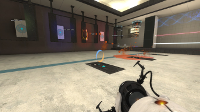
This non-puzzle map allows modders to test interactions between various puzzle elements and entities and tool textures. Wonder if the Block Bullets tool lets thru light? Or if the Player Clip texture accepts portals. This is the map for you! Tool Textures available: Block Bullets Block Light Block LOS Clip Player Clip Hint Invisible No Draw Occluder Skip Testable Elements/Entities: Player (obviously) Portals Lights Cube Paint Light Bridge Laser Tractor Beam If folks would like to see additions, let me know.
Above Aperture - Part 4
STORY : --------------- You continue your journey through the destroyed and deserted Aperture Center, on the surface. PART 4 : ---------------- This part contains 3 open sky testing chambers. You will mainly have to use pneumatic diversity vent. Two directions are used: propultion and aspiration. You should try to combine them The puzzles contains lightbridge, cubes and turrets. BONUS : ---------------- This time, the song is not hidden. You will find it in the first test chamber. DOWNLOAD : https://mega.co.nz/#!yINklJyB!Wgkis1SFf ... pJtLckVV6Q YOUTUBE : https://www.youtube.com/watch?v=Y9T0Flnmm6E CREDITS : ---------------- Custom models : Shiroko Custom textures : from csgo
Above Aperture - Part 3
STORY : ------------- You wake up in a train and arrive in a deserted Aperture city. Find what is going on here ! PART 3 : -------------- This part contains two open sky testing chambers and a short escape area. You will have to use laser lightbridge and your mind to solve this puzzles. CREDITS : --------------- Custom models : Shiroko Custom textures : from csgo
Above Aperture - Part 2
WORKSHOP LINK : --------------- http://steamcommunity.com/sharedfiles/f ... =342174009 STORY : ------------- You wake up in a train and arrive in a deserted Aperture city. Find what is going on here ! PART 2 : -------------- This part contains a half open sky testing chambers. You will have to use lightbridge and your mind to solve this puzzles. CREDITS : --------------- Custom models : Shiroko Custom textures : from csgo

Above Aperture - Part 1
WORKSHOP LINK : --------------- http://steamcommunity.com/sharedfiles/f ... =341945084 STORY : --------------- You wake up in a train and arrive in a deserted Aperture city. Find what is going on here ! PART 1 : ---------------- This part contains 3 open sky testing chambers. You will have to use lightbridge, faith plates, lasers and your mind to solve this puzzles BONUS : ---------------- A secret song is hidden in the level. Will you find it ? CREDITS : ---------------- Custom models : Shiroko Custom textures : from csgo
Ratman Drawings v.0
Hello Here's my Ratman Drawings pack for more info read the "readme" in side the file. ======Updates====== ======v.0====== +Releace

[TOOL] A Propper MOD
This is a very useful tool for mappers, mainly if you haven't got any modelling knowledge. This tool will allow you to make models out of brushes; create whatever thing into your Hammer editor by means of only brushes and then turn it quick and easily into a custom model usable in game! Propper is not new at all, many of you know about it already. I even wrote a tutorial some time ago... But since I know many of you are having trouble in making it to work out after some Valve updates and the new SteamPipe file system, I've decided to share this little mod I managed to prepare some time ago mounted in the Alien Swarm game and as a mod. I borrowed TopHatWaffle's batch file altogether with the required binary files from his awesome tutorial some time ago, and edited it a bit for my purposes. So credit goes to him before anything.
![[TOOL] A Propper MOD](/downloads/screenshot/thumbnails/3171_Thumbnail.jpg)
a little bit vegetation
Just a map i made with plants and such update v3 note: -Retextured the whole map -changed the lightning -plants and vines+ light in room before entering test chamber -made the lighning in first room a bit darker -plants and vines at where you encounter the first catcher -added reconstruction failed panels -sphere now auto-respawns and removed old panels and replaced with new one to push the sphere out at right time
